Guides › Portfolio
On the House: give NFTs by link, they press Claim
Put NFTs you own into a gift and send its link: whoever opens it signs in, presses Claim, and the NFTs land in their wallet, with the network fee paid by FloorFeed. One link can hold several NFTs from several collections and networks.
Watch
What it is
On the House turns NFTs you own into a gift link (floorfeed.io/gift/…). Whoever opens it signs in, presses Claim, and the NFTs go to their wallet. FloorFeed pays the claim's network fee, so someone new with an empty wallet can claim it: an email is all they need.
A gift can hold one NFT or many: several from one collection, from several collections, and on several networks. The recipient claims everything with one press. You choose who can claim it (the first person, an X handle, a FloorFeed member or a wallet) and how long the link works.
It's non-custodial. When you make the gift, your NFTs go into the gift contract on their network, never into a FloorFeed wallet. From there they can only go to the person claiming (FloorFeed's signature says who, for one wallet and 30 minutes) or back to you. You can take a gift back at any time before it's claimed, and an unclaimed gift comes back to you by itself after its date.
Where to find it
Your account menu: tap your picture at the top right, then On the House. It opens My gifts (floorfeed.io/gifts), with Give an NFT (floorfeed.io/gift/new) at the top.
On an NFT you hold: Give as a gift on its page, or Give as a gift… in its ⋯ / right-click menu in Your NFTs and Portfolio. Give an NFT opens with that NFT already ticked. Portfolio's NFTs tab also has a Give an NFT button.
On floorfeed.io only: the App Store and Google Play app leave gifts out.
A gift's own page is its link, floorfeed.io/gift/<code>: open to anyone, with or without an account.
Step by step
Pick the NFTs
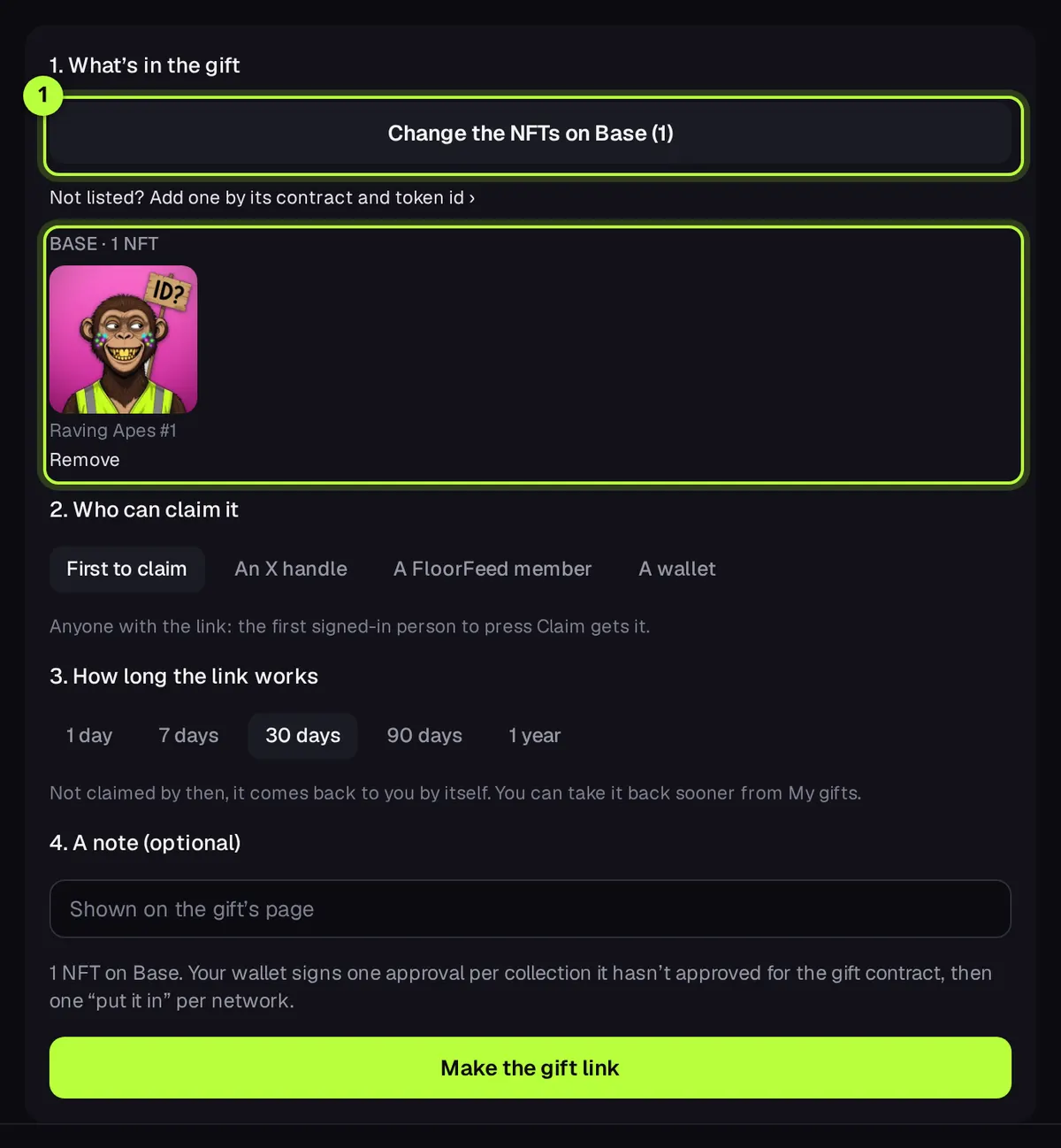
Open Give an NFT. Tap Choose from Your NFTs on Base, tick the NFTs to give and tap Put … in the gift. On another network, tap its chip above (Base, Arbitrum, …) and pick there too. Not in the list? Tap Not listed? Add one by its contract and token id › (for an ERC-1155, set how many).
Say who can claim it and for how long
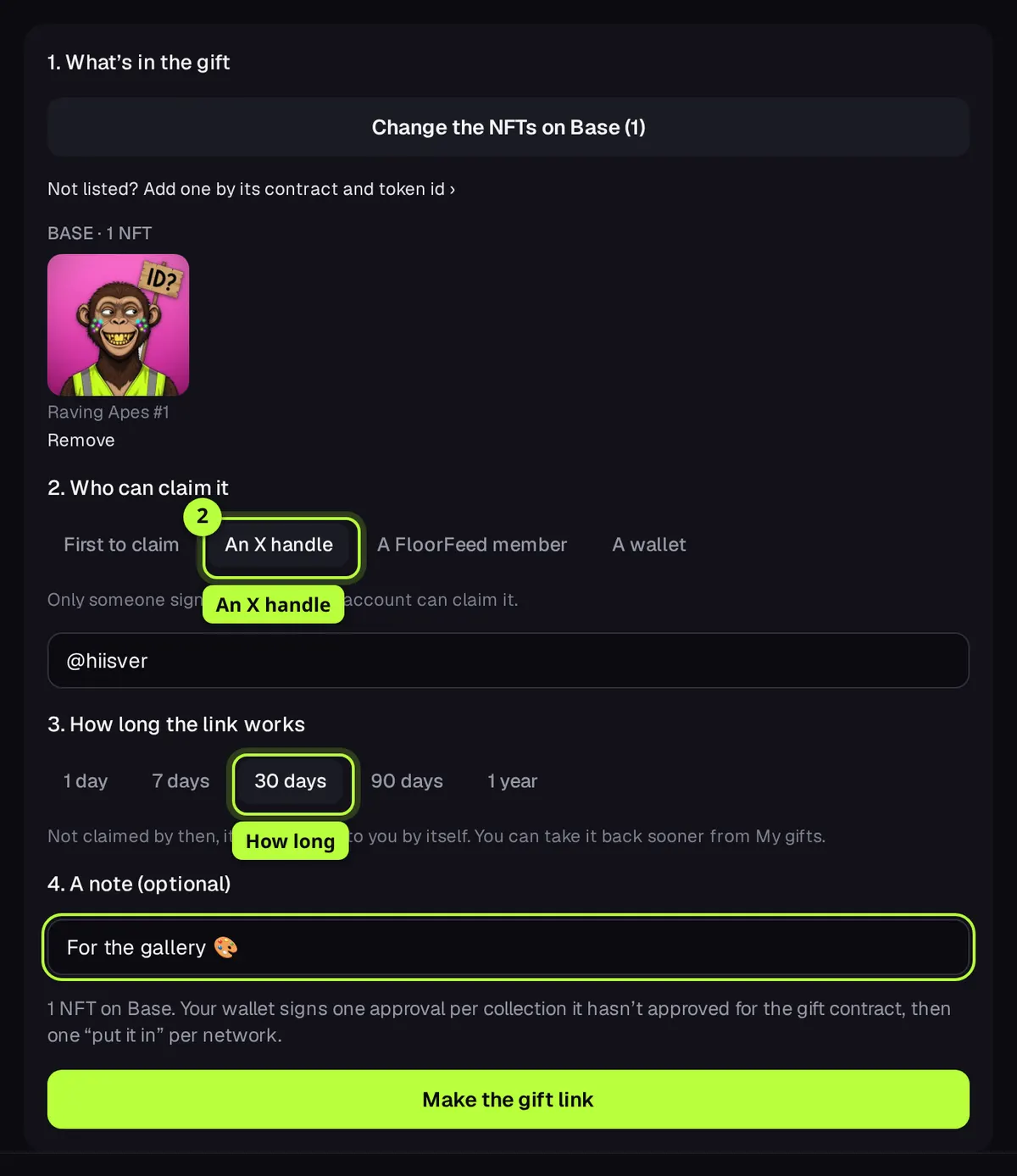
Under Who can claim it, tap First to claim, An X handle (type their @handle), A FloorFeed member (their FloorFeed name) or A wallet (0x…). Under How long the link works, pick 1 day to 1 year (30 days is set). Add a note if you like: it shows on the gift's page.
Make the gift link
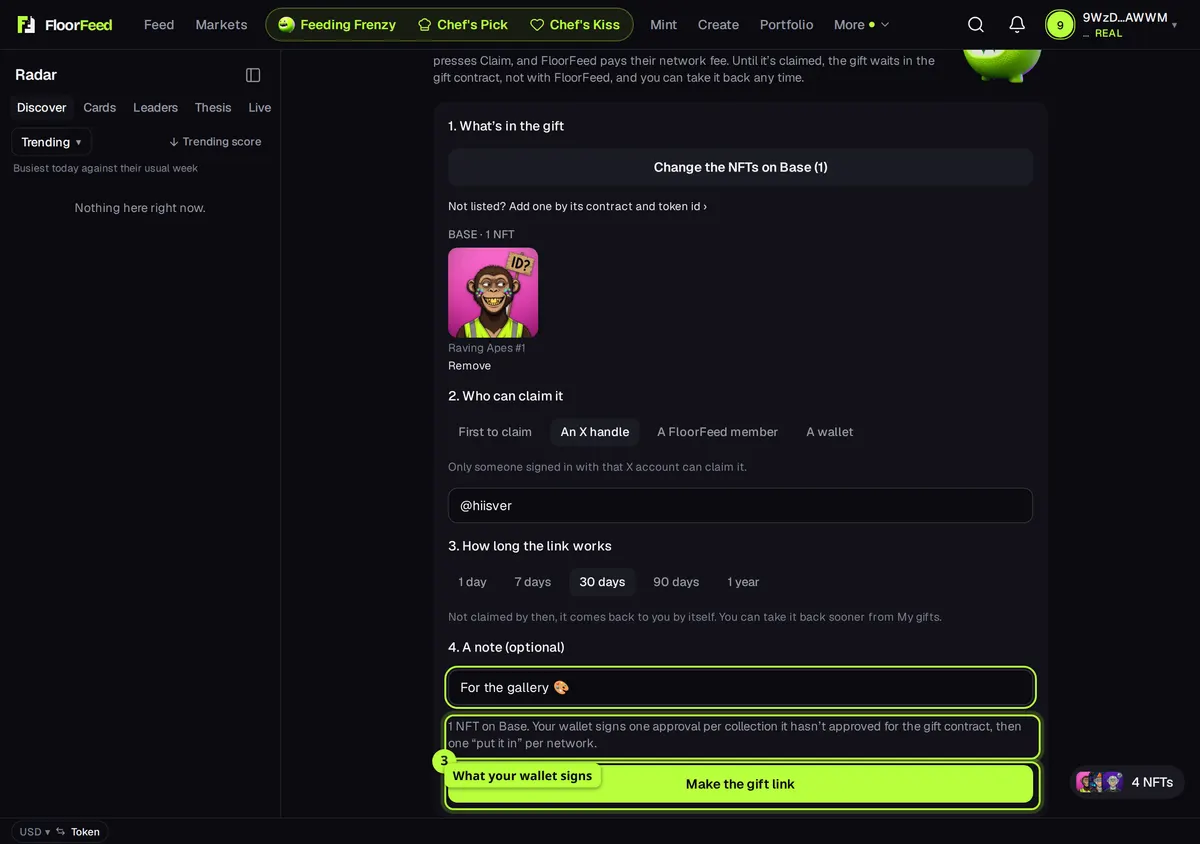
Tap Make the gift link. Your wallet signs one approval for each collection you haven't approved for the gift contract before ("Approval 1 of 2: Raving Apes"), then one Put … in the gift for each network. FloorFeed checks each NFT before anything is signed.
Send the link
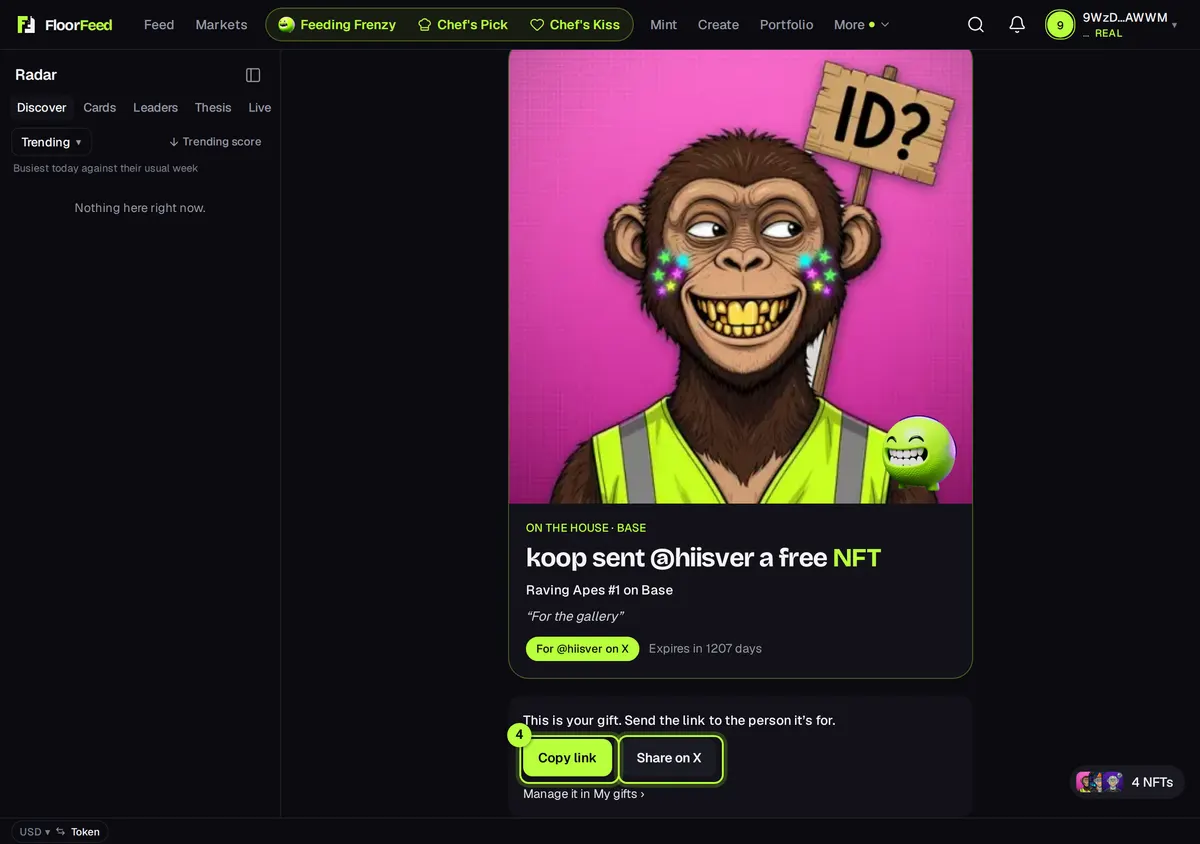
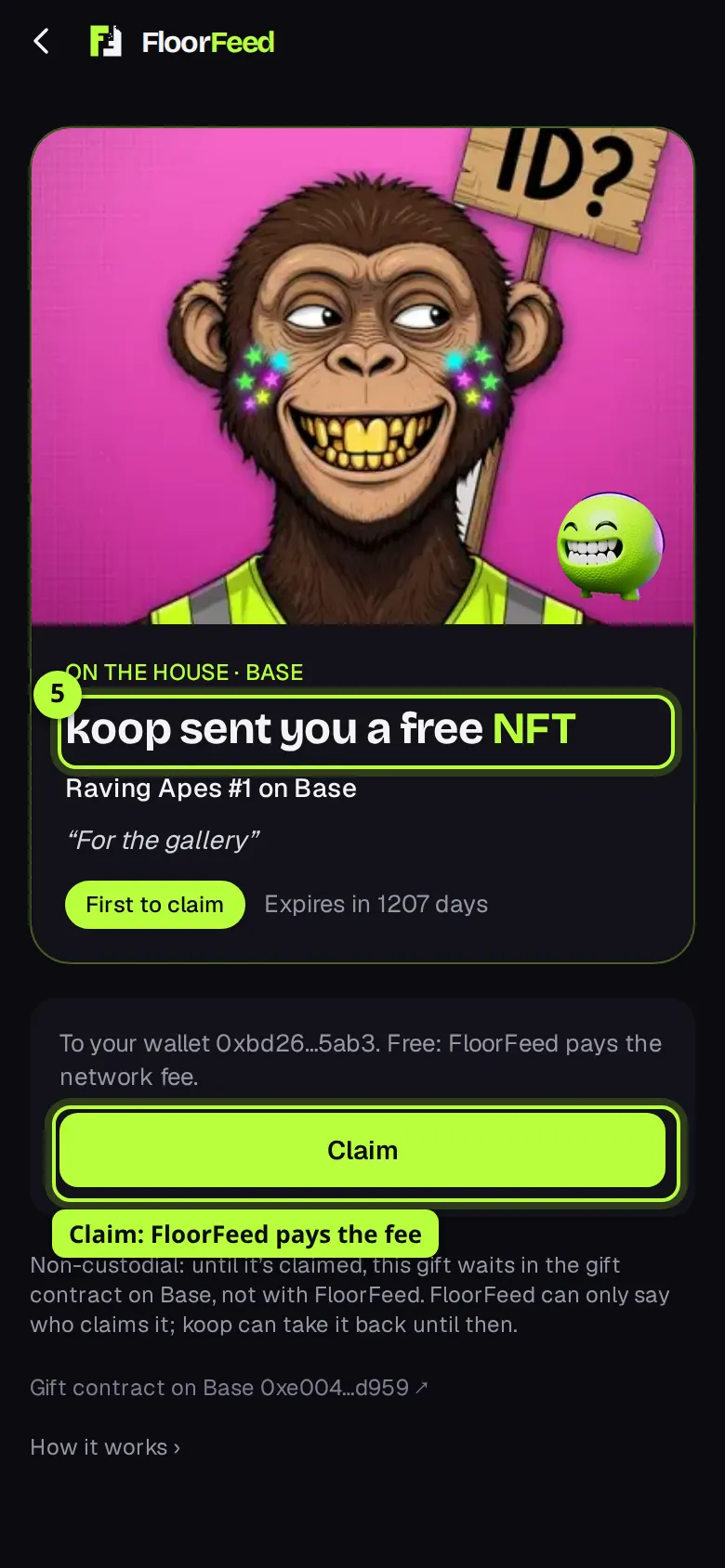
The gift's page opens with Copy link and Share on X (the post names who it's for, with #FreeNFT #NFTGiveaway). Its preview shows the NFT with "<your name> sent you a free NFT".
They claim it
They open the link. Signed out, they type their email under Claim it free with your email, tick the box and enter the code: the claim goes ahead by itself. A gift locked to an X handle asks them to Sign in with X instead (Connect X if they're already signed in another way). Signed in, they tap Claim. FloorFeed sends it and pays the fee; it's in their wallet a few seconds later, and you get a note in your Alerts inbox.
Follow it in My gifts
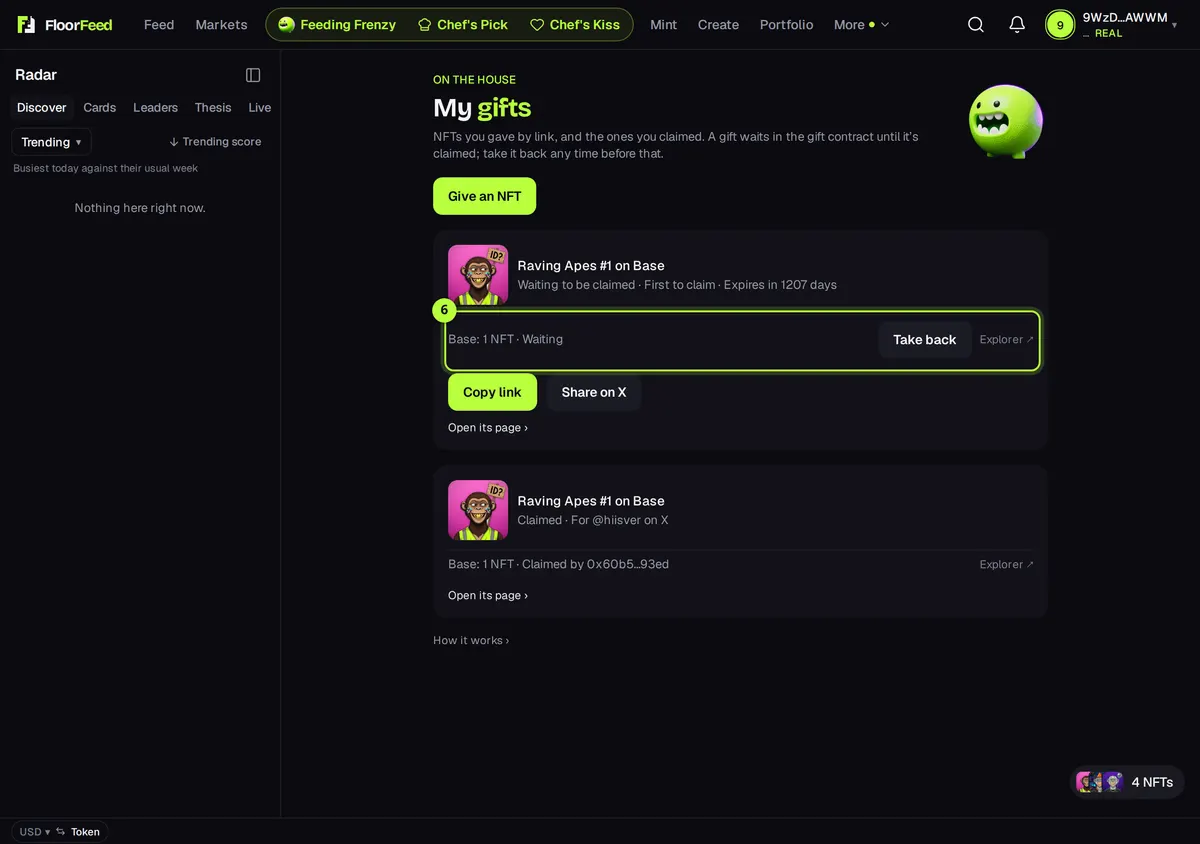
My gifts lists every gift you made, each network's part with its state (Waiting, Claimed, Back with you), Copy link and Share on X while it waits, Take back, and Put it in for a part you didn't finish. Below them are the gifts you claimed.
Options
- First to claim
- Anyone with the link; the first signed-in person to press Claim gets everything. They need an email or a Google, X or Discord login (not just a wallet) and pass a quick human check, and one person can claim a few first-come gifts a day.
- An X handle
- Only an account signed in with that X account (or with it linked in Settings) can claim. Good for gifting someone you met on X: Share on X tags them.
- A FloorFeed member
- Only that FloorFeed account, by its name.
- A wallet
- Written into the gift contract itself: only that wallet can ever receive it, and no FloorFeed signature is involved. They still sign in to press Claim.
- Taking it back
- Take back in My gifts returns that network's part to the wallet that put it in; the link stops working for it. After the gift's date, FloorFeed sends an unclaimed gift back to you itself (it can only go to you).
- Several networks
- Each network's NFTs are a part of the gift, put in with their own signature. The link works once every part is in; the recipient's Claim sends every part to the same wallet.
Fees and limits
- Base
- Putting NFTs in: the network fee, under a cent. Claiming: free for the recipient (FloorFeed pays). FloorFeed takes no fee.
- Arbitrum, Polygon, Ronin, Robinhood Chain
- The same: fractions of a cent to put in, free to claim.
- Ethereum
- Putting in costs Ethereum's network fee (dollars). FloorFeed pays the claim for its own gifts; for members' gifts the recipient's wallet sends the claim and pays its fee.
- Up to 50 NFTs per network and 100 in one gift, on up to 6 networks.
- A link lasts 1 to 365 days.
- Not in a gift: soulbound NFTs, collections that only let their own marketplaces move them (enforced royalties, Courtyard), and collections FloorFeed has taken off the site. FloorFeed names the NFT before anything is signed.
- Your own account and wallets can't claim your gift.
- Making gifts is open to every member on Base, Arbitrum, Polygon, Ronin, Robinhood Chain and Ethereum; claiming is open to anyone with a link. Not on Solana.
Troubleshooting
- It says a collection enforces creator royalties.
- Its contract only lets approved marketplaces move its NFTs, so the gift contract can't hold them. Send that NFT to the person directly (Send to another wallet… on the NFT).
- The link says it's almost ready.
- Some networks' parts aren't in yet. In My gifts, tap Put it in on the part that says Not put in yet.
- Claim says someone is claiming it right now.
- Another person pressed Claim first. If they don't finish within about half an hour, it opens again.
- Claim says it's for someone else.
- The giver locked it to an X handle, a FloorFeed member or a wallet. Sign in with that X account or account, or claim to that wallet.
Questions
- Does FloorFeed hold my NFT?
- No. It waits in the gift contract on its network. FloorFeed's signature can only say who claims it; the contract sends it to that person's wallet or back to you, nowhere else.
- What if nobody claims it?
- Take it back any time from My gifts. After the date you picked, it comes back to you by itself.
- Can I gift on several networks in one link?
- Yes. Pick NFTs on each network; each goes in with its own signature, and one Claim gets them all.
Related
- Feeding Frenzy: join for a prize, or put up NFTs of your own
- Chef's Pick: a collection of the week, and one of its NFTs free to win
Checked against FloorFeed on 2026-11-26.