Guides › Settings and display
Report, block, NSFW art and deleting your account
Report a post, a collection or a member to the FloorFeed team, block someone, choose whether NSFW art shows, and delete your account yourself.
Watch
What it is
Anything members write or make on FloorFeed has a Report option: theses, Floor Calls, member names, Moments, collection and launch pages, Floor League teams and leagues, sweep parties and trader cards. Reports go to the FloorFeed team, who look at every one within 24 hours. You can block a member so neither of you sees the other's posts.
Art from collections marked NSFW, by OpenSea or by the team, is hidden by default. Members 18 and over can choose to show it on floorfeed.io.
And you can delete your account yourself from Settings. FloorFeed checks your FloorFeed wallets are empty first, so nothing in them is lost.
Where to find it
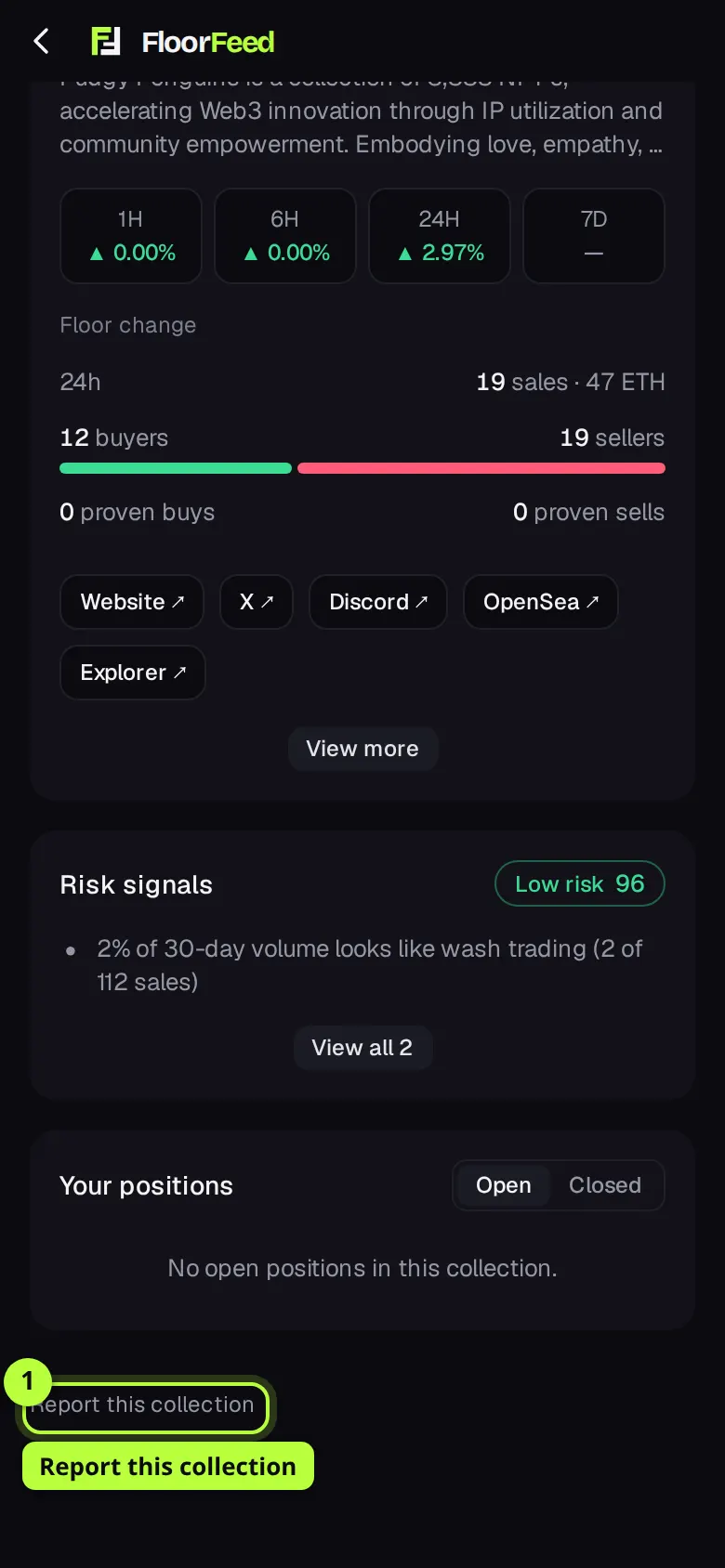
Report: under a thesis or a Floor Call, and at the foot of collection, launch, Moment, sweep party, league and team pages. A member's caller page has Report this member and Block.
Settings → Content and safety (floorfeed.io/settings?s=safety): the NSFW switch and your blocked members.
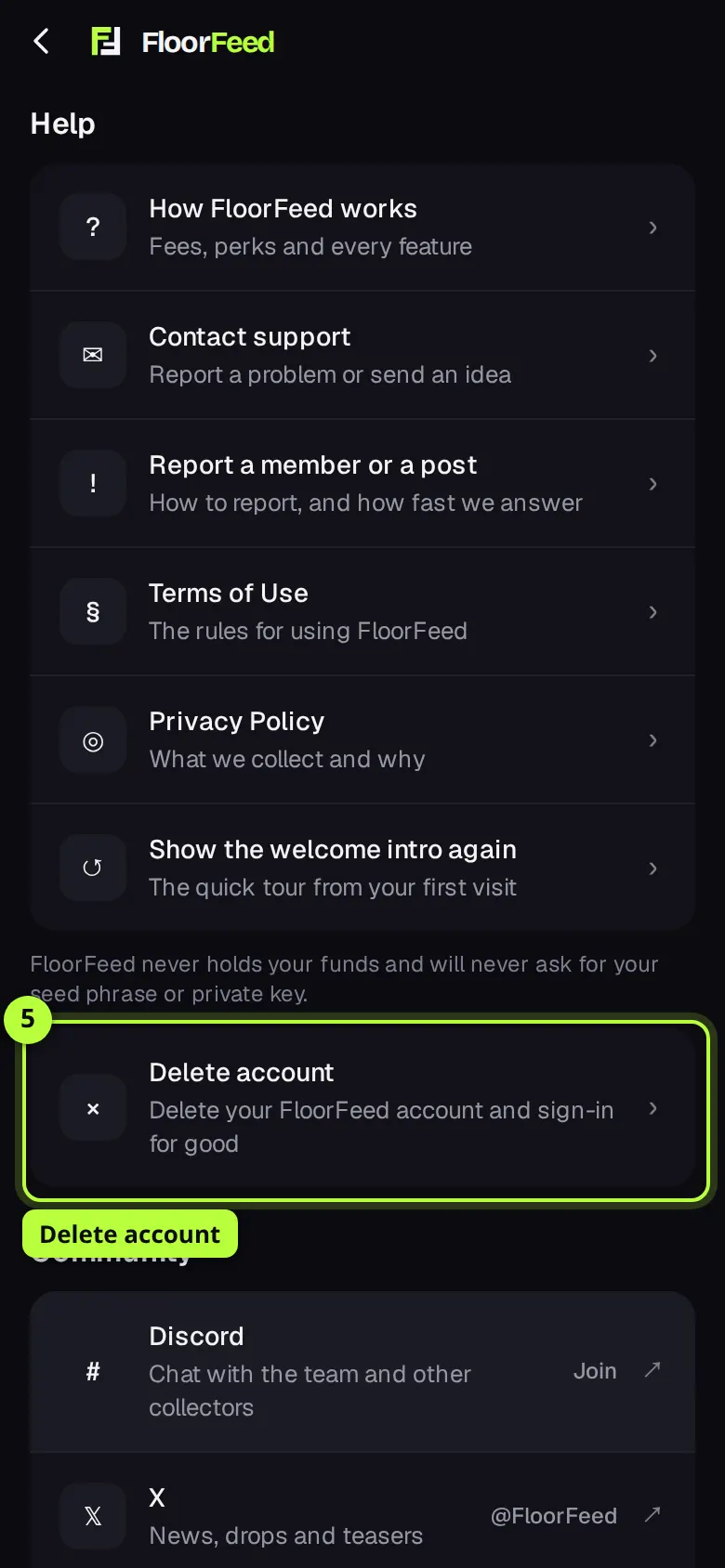
Settings → Help → Delete account, or floorfeed.io/delete-account. Without an account: floorfeed.io/contact.
Step by step
Tap Report
Find Report where you see the post or the page: under a thesis or a Floor Call, or Report this collection at the foot of a collection's page.
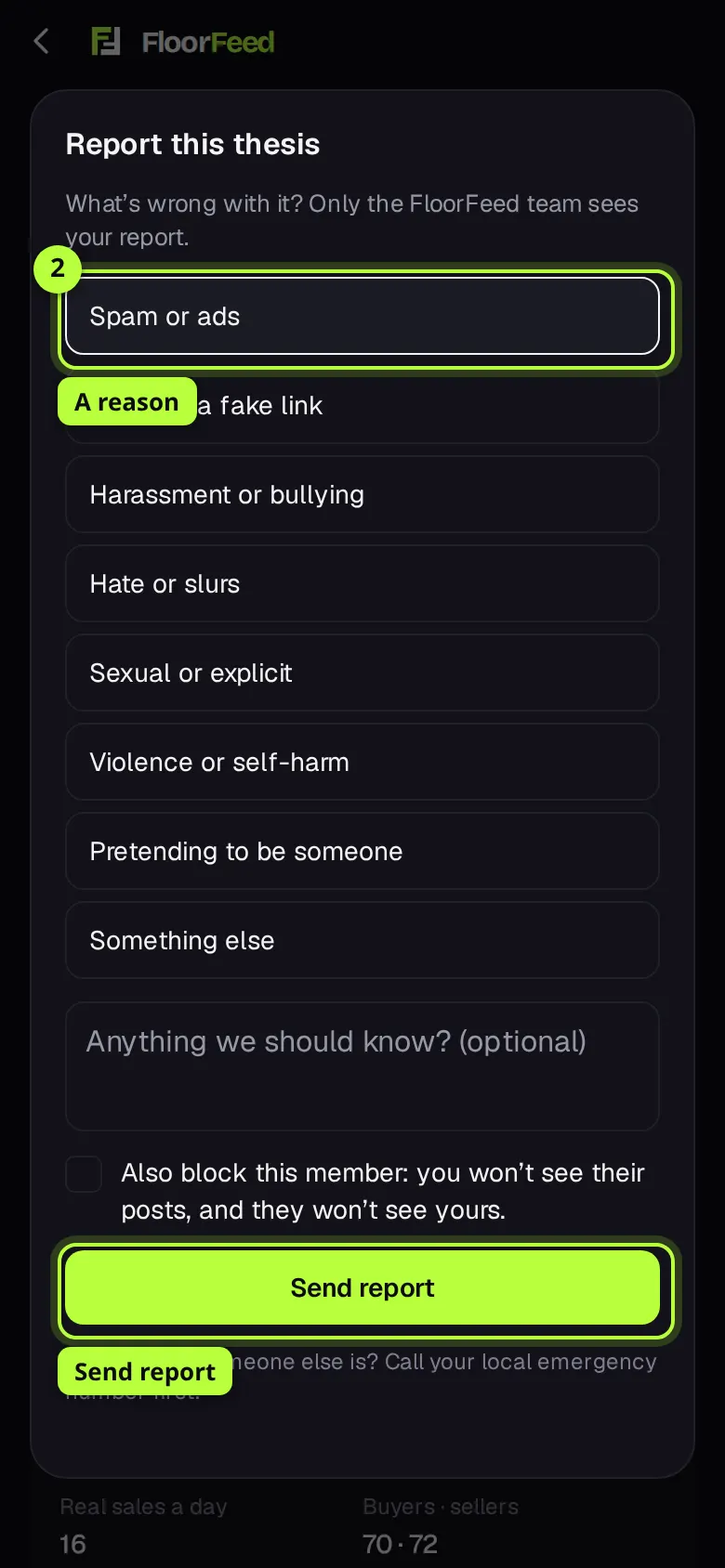
Pick a reason and send
Pick what's wrong with it: Spam or ads, Scam or a fake link, Harassment or bullying, Hate or slurs, Sexual or explicit, Violence or self-harm, Pretending to be someone, or Something else. Add a note if it helps, then tap Send report. Only the FloorFeed team sees it.
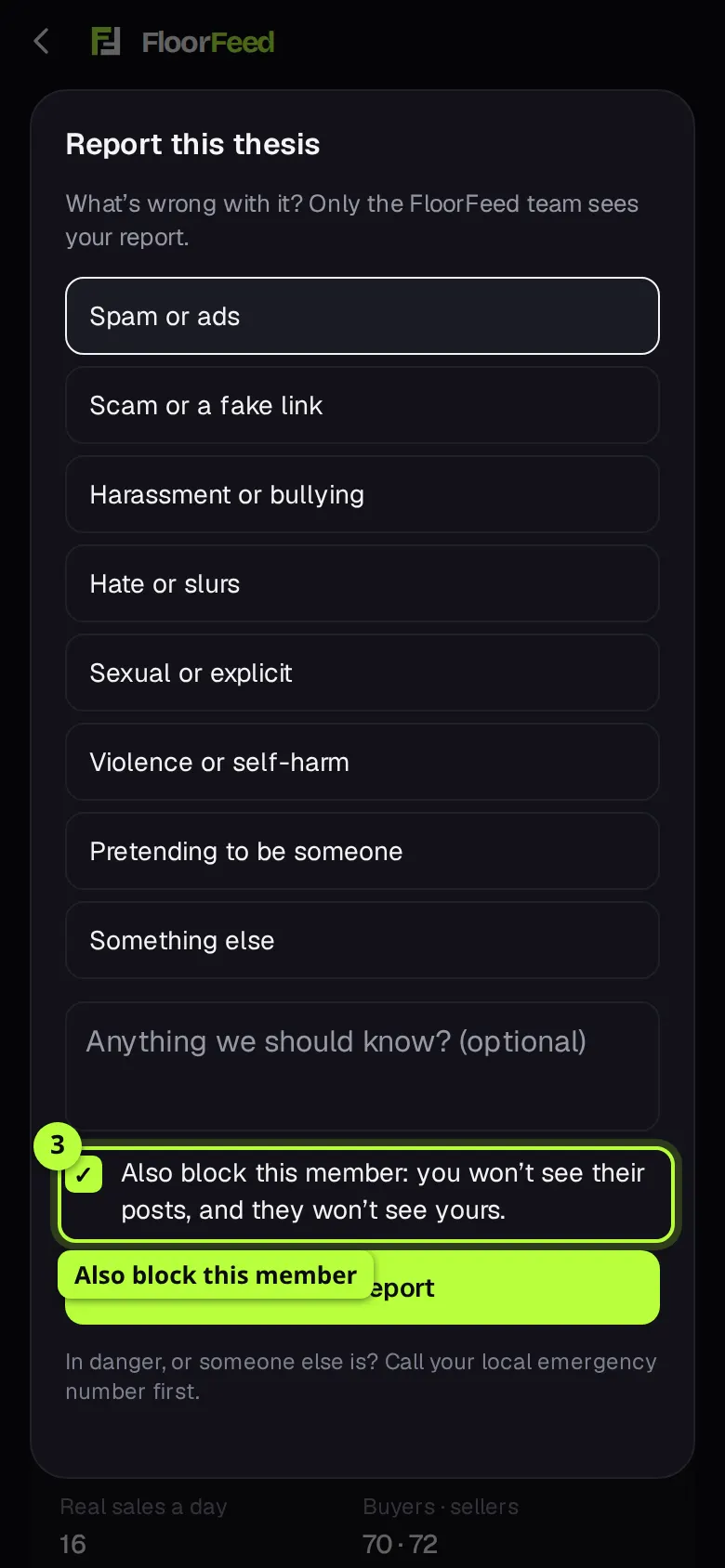
Block a member
On a thesis or a Floor Call, tick Also block this member before you send. Or open the member's caller page and tap Block, then Tap again to block. You stop seeing each other's theses and Floor Calls, and they aren't told.
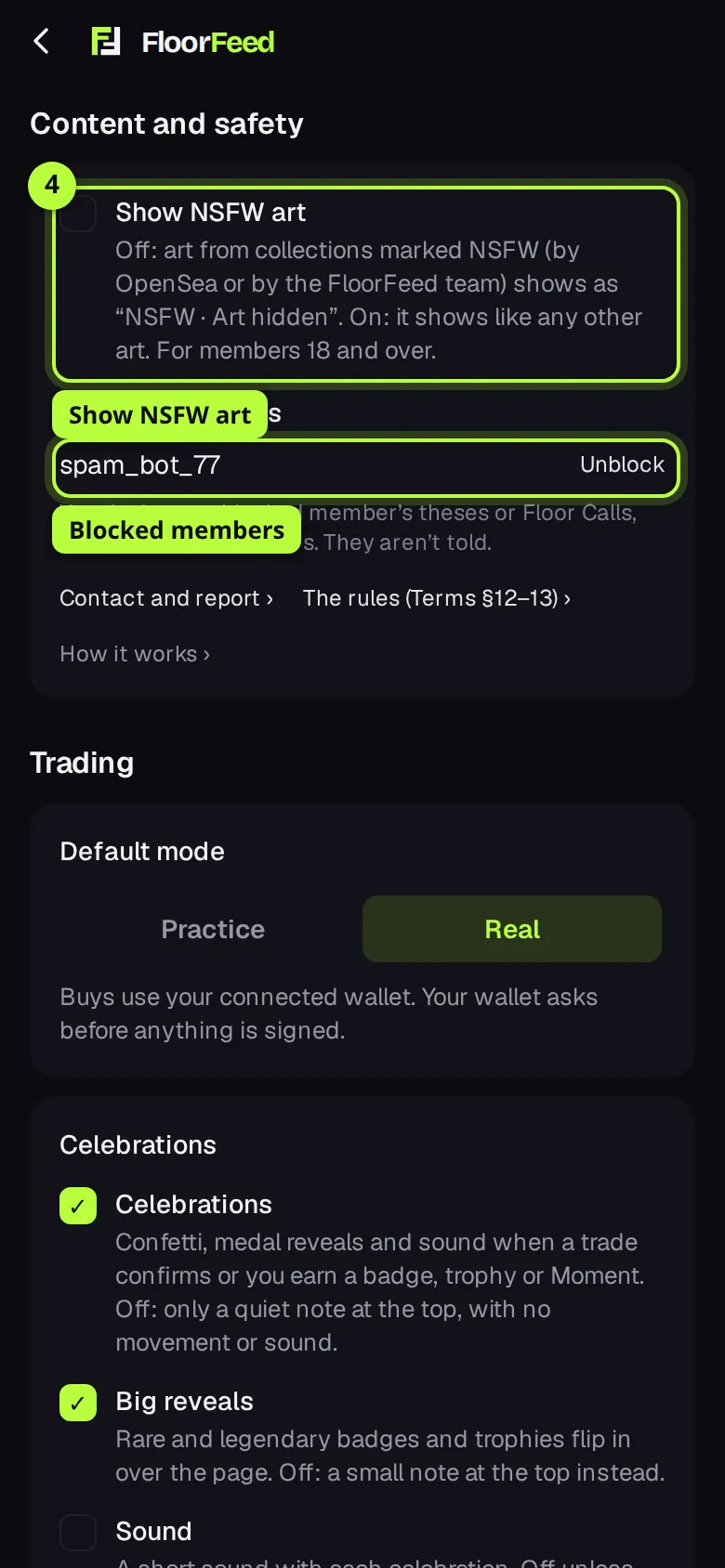
Your blocked members and NSFW art
Open Settings → Content and safety. Blocked members lists everyone you blocked, with Unblock. Show NSFW art is off by default; members 18 and over can turn it on here, on floorfeed.io.
Start deleting your account
Open Settings → Help → Delete account. FloorFeed checks your FloorFeed wallets on every network. If one still holds anything, it says what and where: send it to another wallet, or back up the key, then tap Check again.
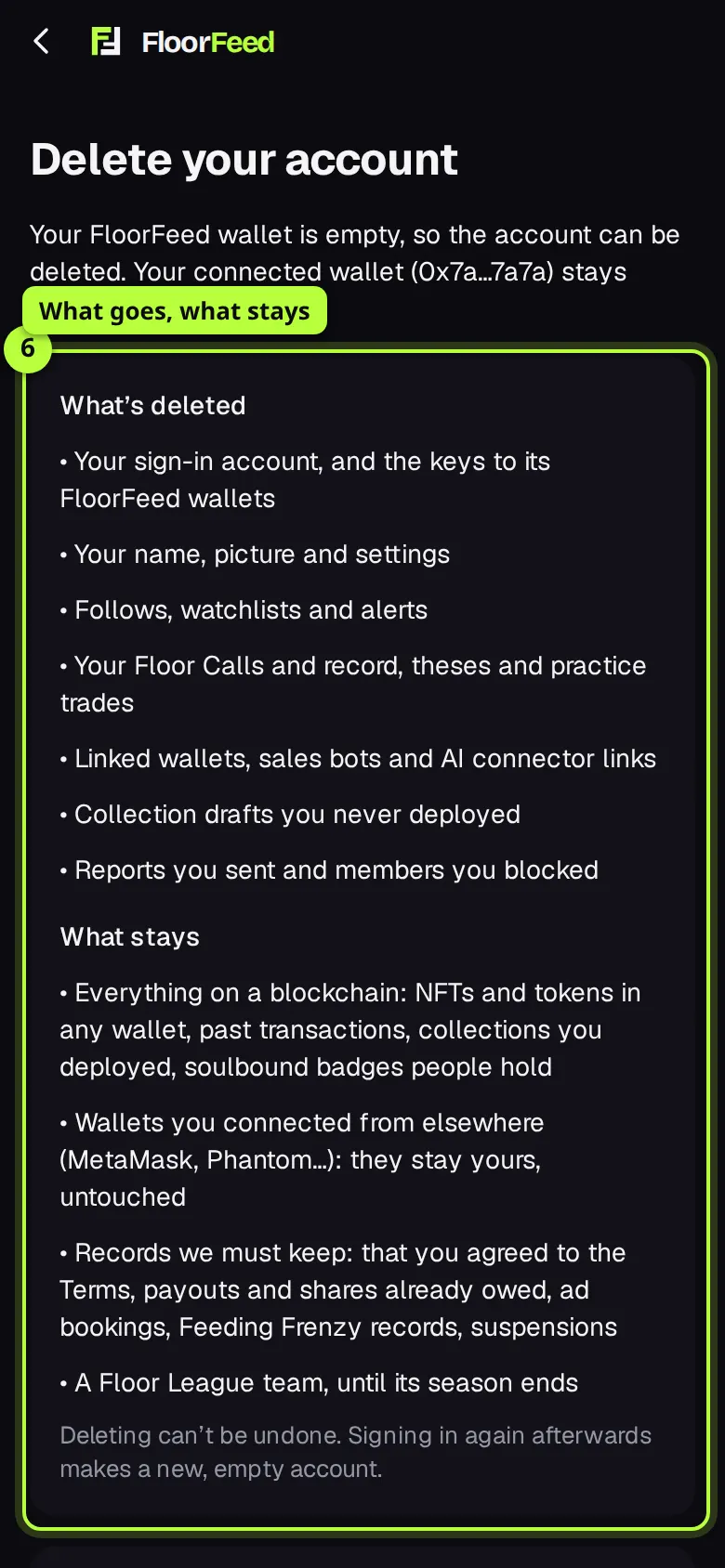
Read what goes and what stays
The page lists what's deleted (your sign-in, the keys to your FloorFeed wallets, your name, settings, alerts, calls, theses…) and what stays (everything on a blockchain, wallets you connected from elsewhere, and records FloorFeed must keep).
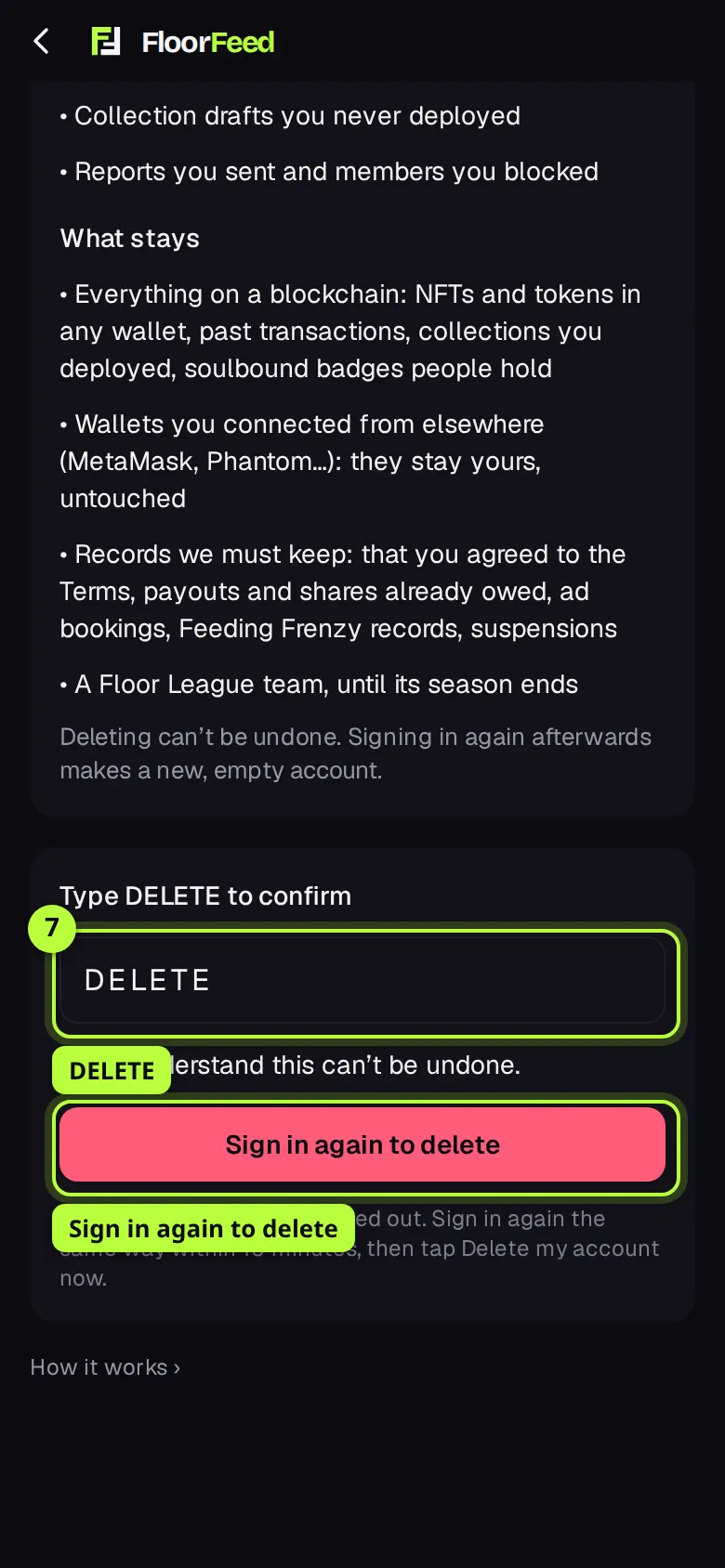
Confirm and sign in again
Type DELETE, tick I understand this can't be undone, and tap Sign in again to delete. You're signed out; sign in again the same way within 15 minutes.
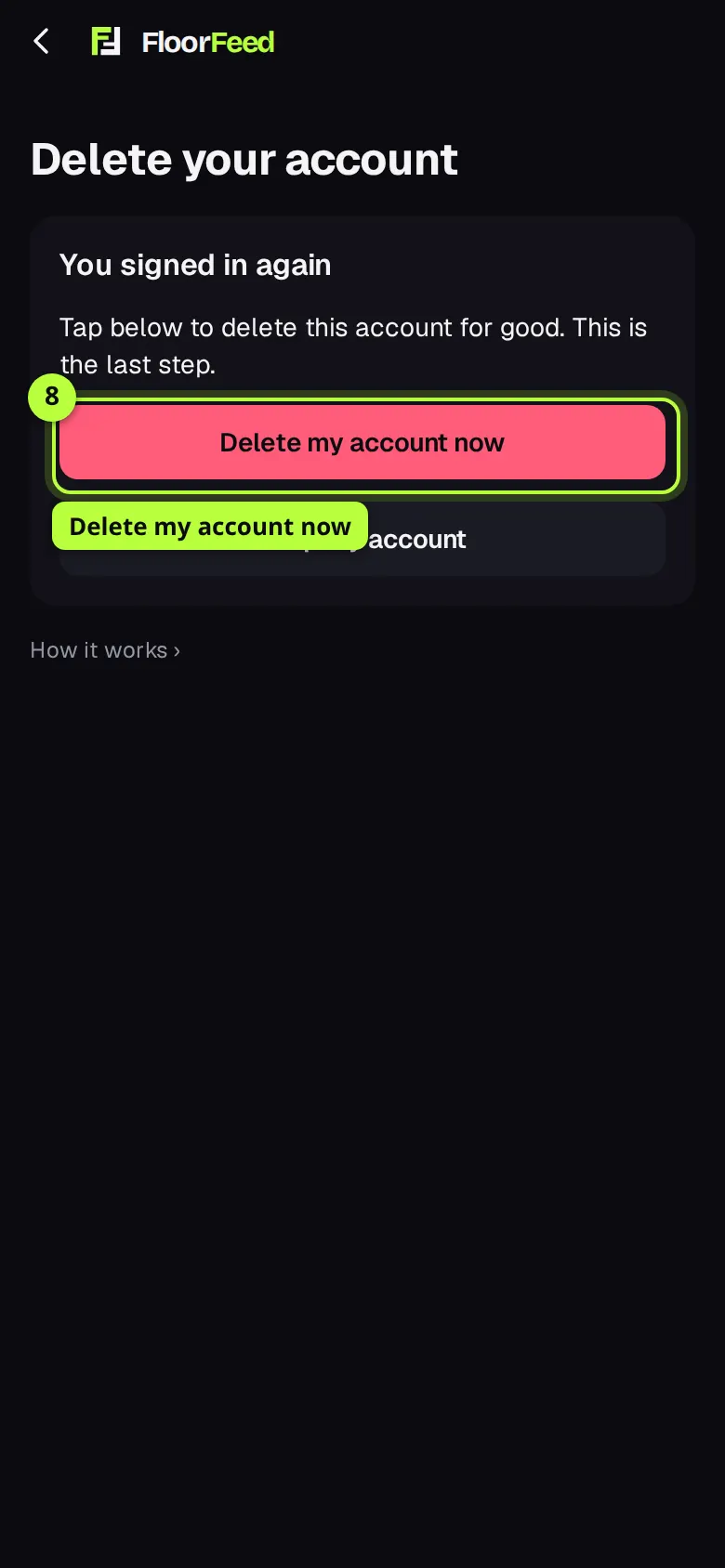
Delete my account now
Back on the page after signing in, tap Delete my account now. Your sign-in and your FloorFeed data are deleted at once, and you're signed out.
Options
- What happens to a report
- The team can hide the post, remove a name or a note, mark a collection's art NSFW, or suspend the account. A Floor Call note or a sweep party note that 3 different members report is hidden at once until the team looks; theses work the same way.
- Words FloorFeed doesn't allow
- Slurs, hate slogans, sexual slurs and telling someone to hurt themselves are refused when you save a name, a thesis, a Floor Call note, a Moment, a launch, a league or team name, a claimed page or holder news. Plain swearing is allowed; report anything else that crosses a line.
- NSFW art
- Hidden in lists, the Feed, the collection's page and its NFTs, as NSFW · Art hidden. The switch is on floorfeed.io only: the FloorFeed apps always keep it hidden.
- What a delete keeps
- Anything on chain (NFTs, tokens, transactions, collections you deployed, soulbound badges people hold), wallets you connected from MetaMask, Phantom and others, and a few records kept for legal, money or fairness reasons: your agreement to the Terms, payouts and shares owed, ad bookings, Feeding Frenzy records, suspensions, and a Floor League team until its season ends.
Fees and limits
- All networks
- None. Reporting, blocking, the NSFW switch and deleting your account cost nothing and send no transaction.
- 30 reports a day per account, and up to 1,000 blocked members. You can't report your own posts: edit or delete them instead.
- Blocking hides theses and Floor Calls in your lists. It doesn't hide a wallet's public trades, which anyone can see on chain.
- A delete is refused while a FloorFeed wallet holds coin worth a cent or more, any token or any NFT, or while one can't be read. Suspended and admin accounts are deleted by support instead.
- You have 15 minutes to sign in again after you start a delete.
Troubleshooting
- Delete account says to empty my FloorFeed wallets, but I think they're empty.
- It lists what it found, network by network. Leftover gas under a cent doesn't count. If it says it couldn't check a wallet, that network didn't answer: wait a minute and tap Check again. It never guesses that a wallet is empty.
- I signed in again and it went back to the start.
- Either you signed in to a different account, or more than 15 minutes passed. Start again from the account you want to delete.
- My name or note was refused.
- It has a word FloorFeed doesn't allow (Terms of Use, section 12). Reword it. If you think it was refused by mistake, write to support.
- I can't find the NSFW switch in the app.
- It's on floorfeed.io only, under Settings → Content and safety, and only for members 18 and over.
Questions
- Will the member know I reported or blocked them?
- No. Only the team sees a report, and a blocked member isn't told.
- How fast does the team look at a report?
- Within 24 hours. In danger, or someone else is? Call your local emergency number first.
- Can I get my account back after deleting it?
- No. Signing in again afterwards makes a new, empty account.
- Does deleting my account delete my NFTs?
- No. NFTs and tokens live on blockchains, in wallets. Move anything out of your FloorFeed wallets first; wallets you connected from elsewhere stay yours.
Related
- Trader cards: share your record after fees and claim your wallet
- Floor Calls: call where a floor goes
- Link your other wallets
- Making your account: email, Google, X, Discord or a wallet
Checked against FloorFeed on 2026-11-19.