Guides › Trading
Feed it: sell many NFTs into their best bids
Pick several NFTs, see the best bid for each after every fee, and sell them all with one signature per network: OpenSea bids on Ethereum and its networks, Tensor bids on Solana.
What it is
Feed it sells a batch of your NFTs into the bids already waiting for them. For each NFT FloorFeed finds the best bid that would take it: an offer on that NFT, on one of its traits, or on the whole collection on OpenSea, or a Tensor bid or buying pool on Solana. It shows what each one pays you after the marketplace fee, the creator royalty and FloorFeed's fee, and leaves out anything under the share of the floor you set.
On Ethereum and its networks every sale on one network goes into one transaction, so you sign once per network. On Solana each sale is its own transaction, but your wallet asks once for all of them. FloorFeed tests every sale before your wallet opens. You can untick any NFT on the review before you sign.
Where to find it
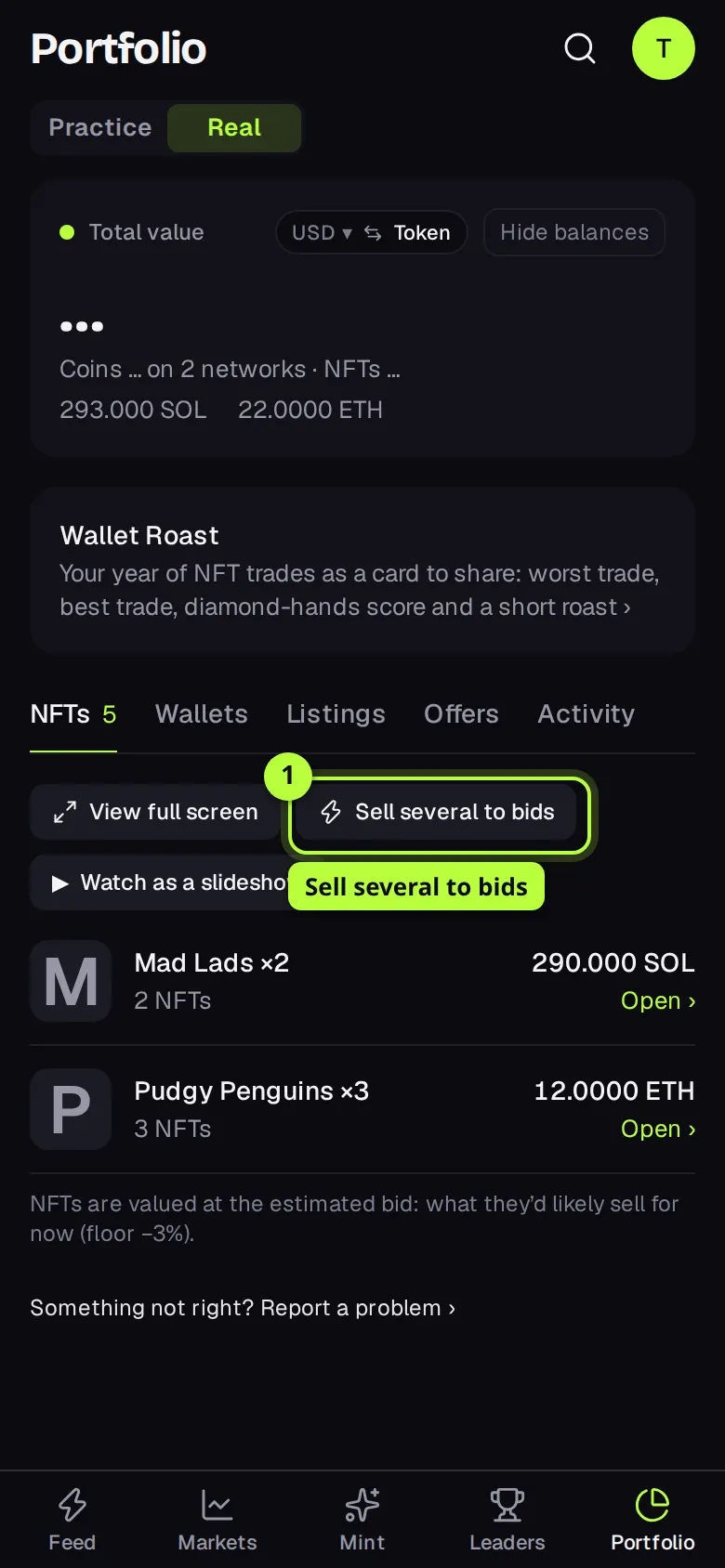
Portfolio, NFTs tab: press Sell several to bids above your NFTs. It shows when at least one of the NFTs on screen can be sold into a bid.
Portfolio, NFTs tab, the Sell everything now card: press Feed it: sell to the best bids.
A collection's order book: tap an offer level. Feed it opens with your NFTs from that collection ticked, and leaves out any bid under that level. The order book guide has that path.
Step by step
Open Feed it
On Portfolio, NFTs tab, press Sell several to bids. The Feed it: sell to the best bids sheet opens with every NFT from your connected wallets that can be sold here.
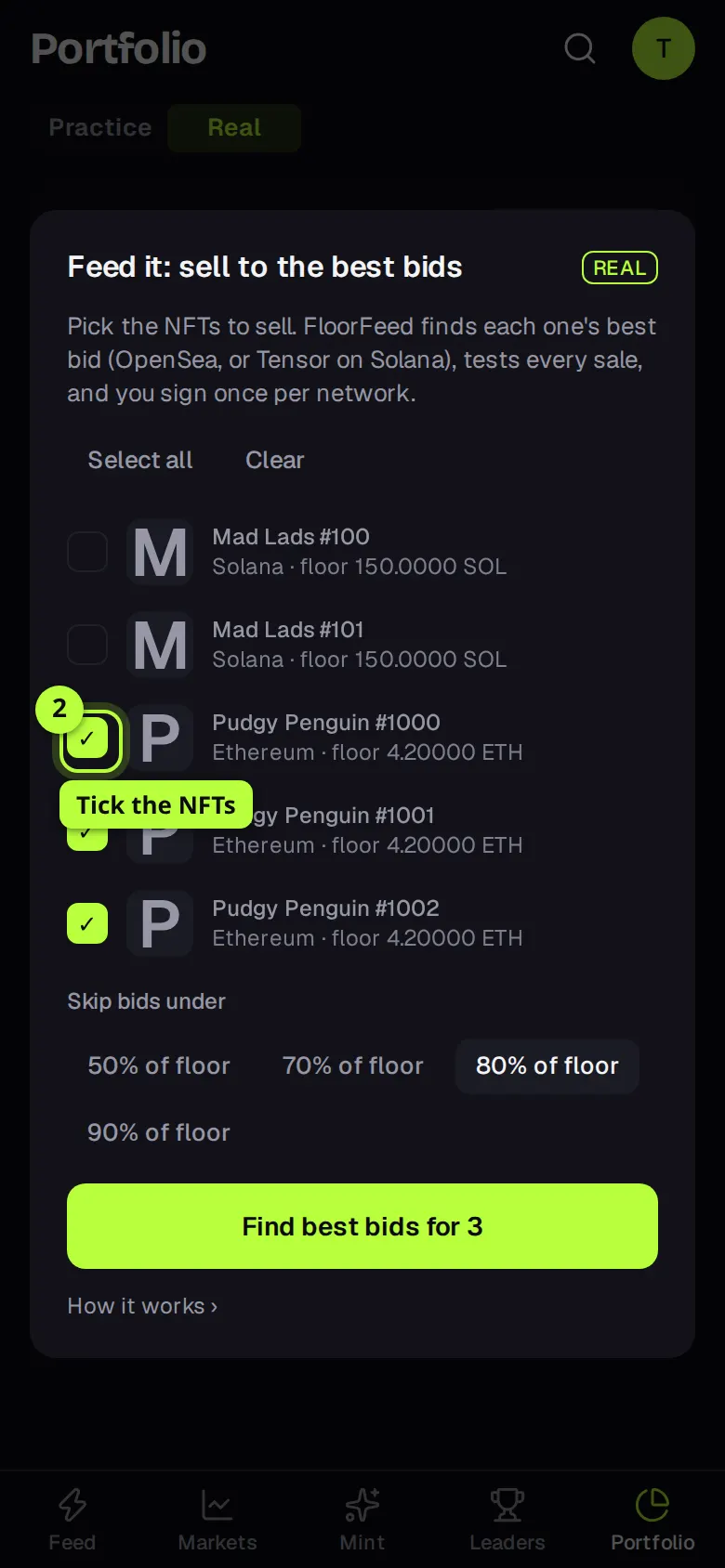
Tick the NFTs to sell
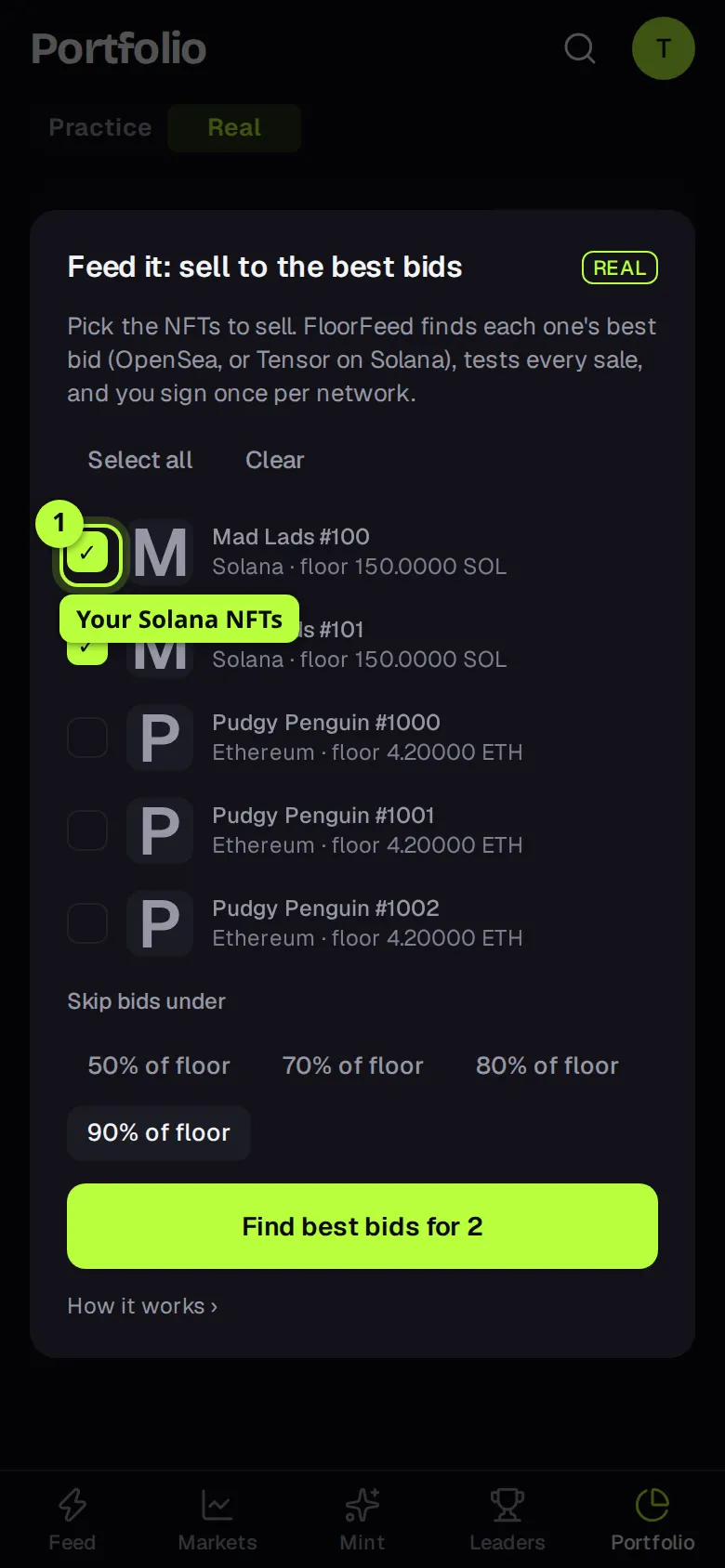
Tick each NFT you want to sell, or press Select all. Clear unticks them all. You can pick up to 20 on Ethereum and its networks and up to 10 on Solana at a time; once you reach that, the rest grey out.
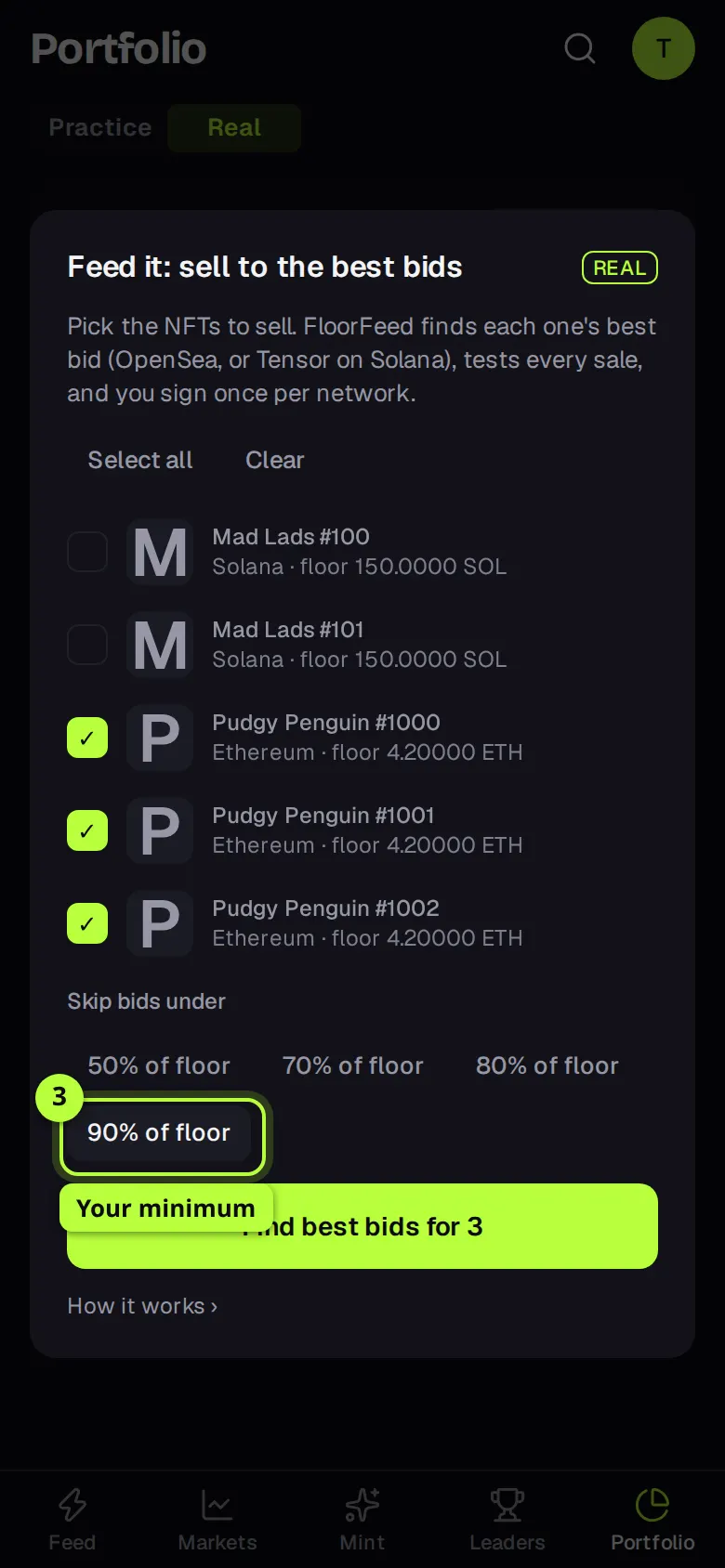
Set your minimum
Under Skip bids under, pick the lowest share of the floor you'll take: 50% of floor, 70% of floor, 80% of floor (the default) or 90% of floor. A bid under it is never used, however good the rest look.
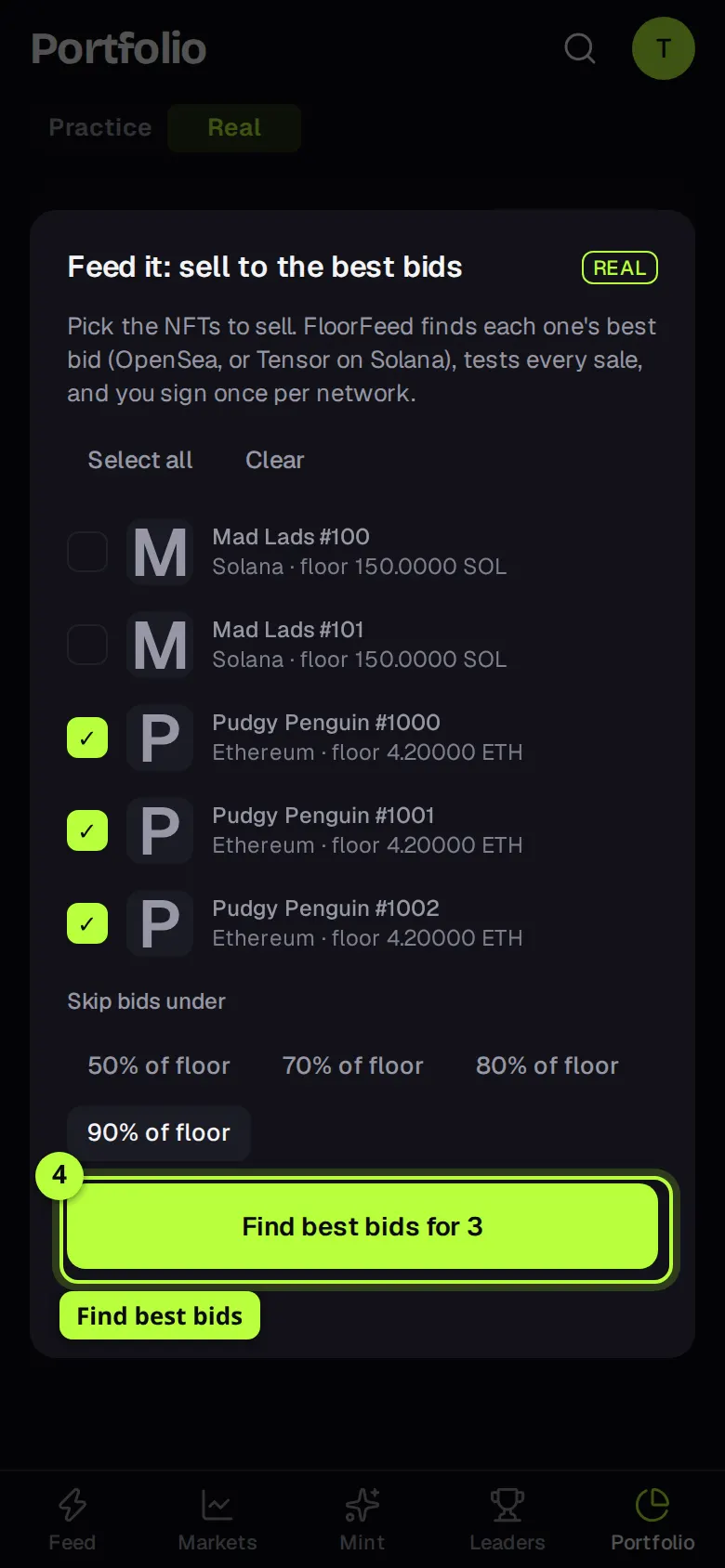
Find the best bids
Press Find best bids for 3 (or however many you ticked). FloorFeed checks every bid, and that each bidder still holds the money to pay it. This can take a few seconds.
Check the review
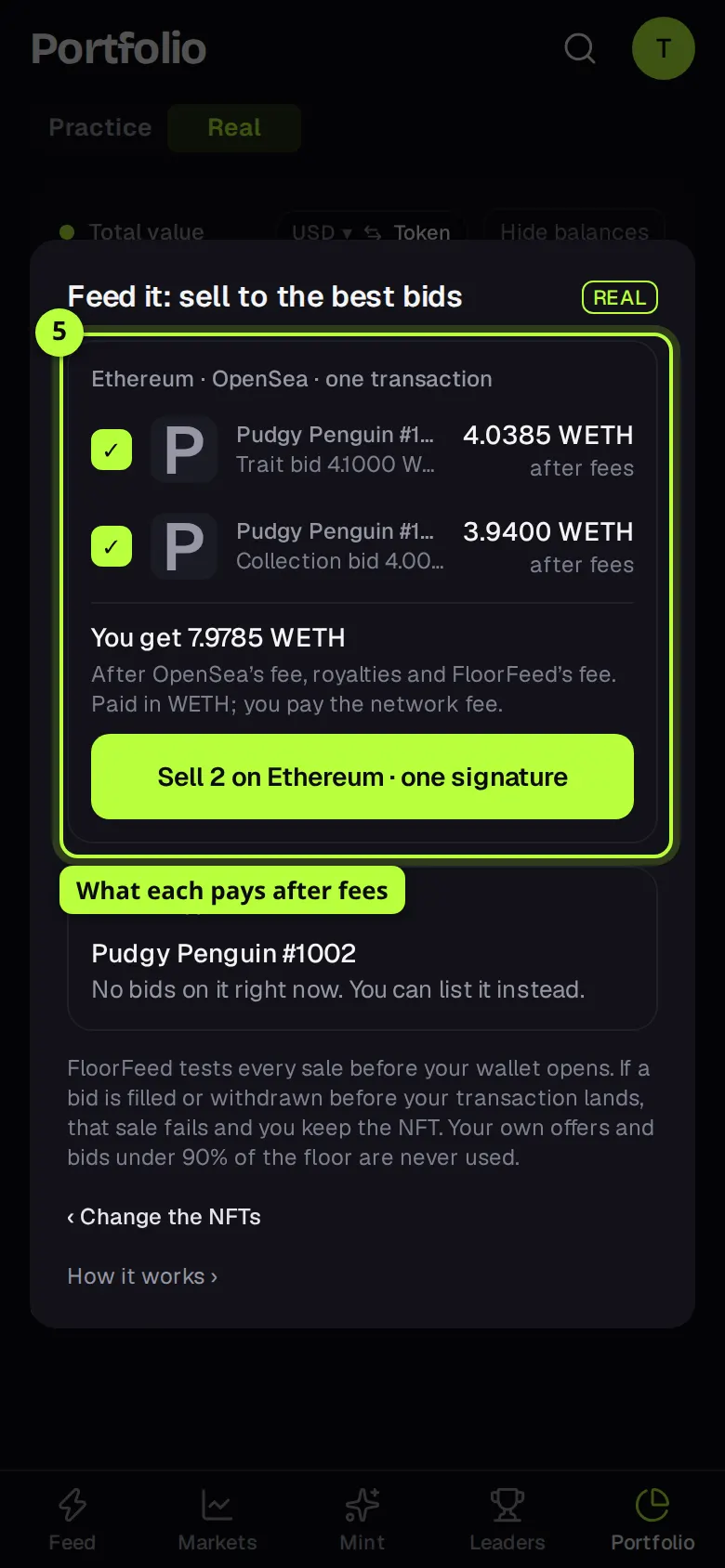
The NFTs that can sell are grouped by network, for example Ethereum · OpenSea · one transaction. Each row shows the kind of bid (Trait bid, Collection bid, Pool…), its price, how far it is under or over the floor, and on the right what you get after fees. You get under the group adds them up. Untick any you'd rather keep.
See what was left out
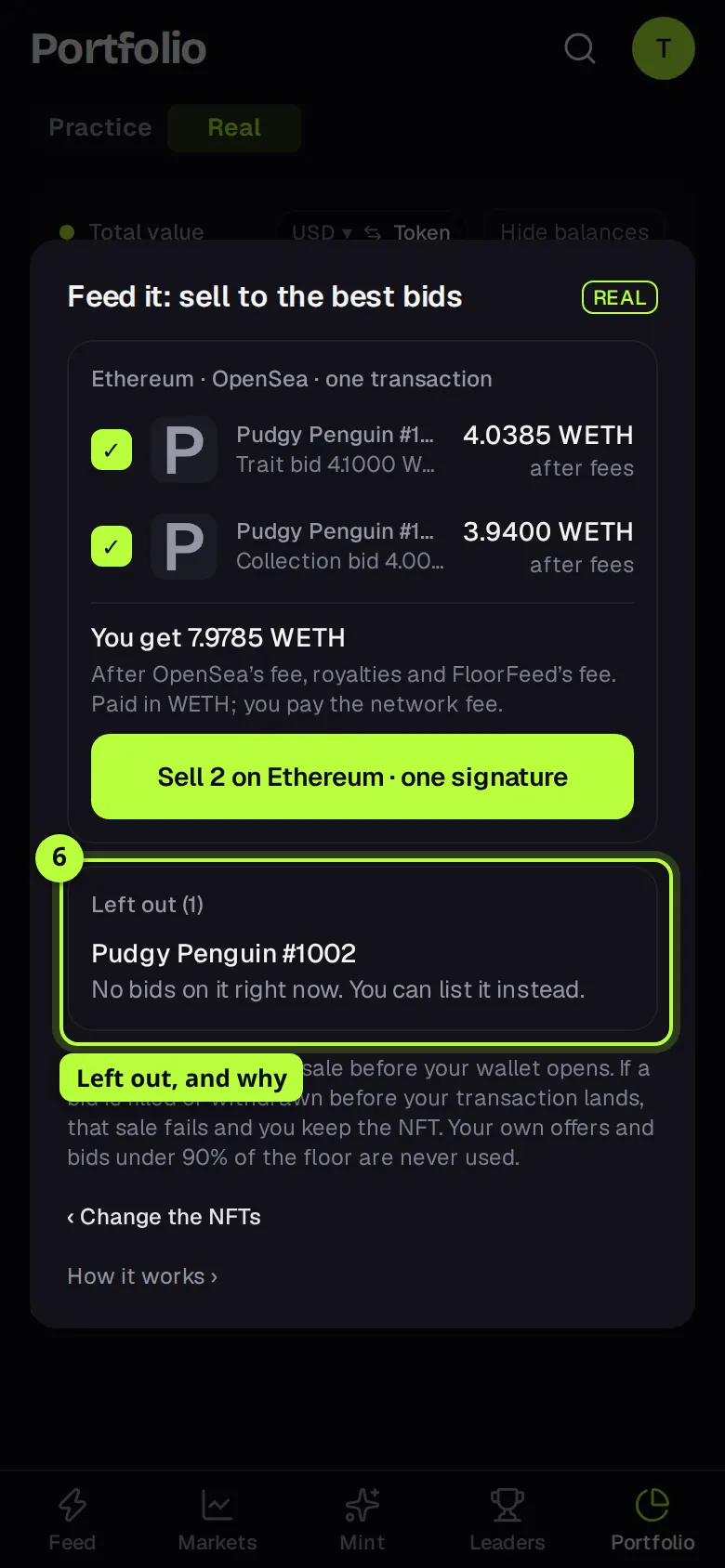
Left out lists the NFTs that can't be sold right now, each with the reason: no bids, a best bid under your minimum, a floor FloorFeed last read over 2 hours ago, a bid already used by the others in this batch, or bidders who don't hold enough to pay. ‹ Change the NFTs takes you back to the list.
Approve the collection, once
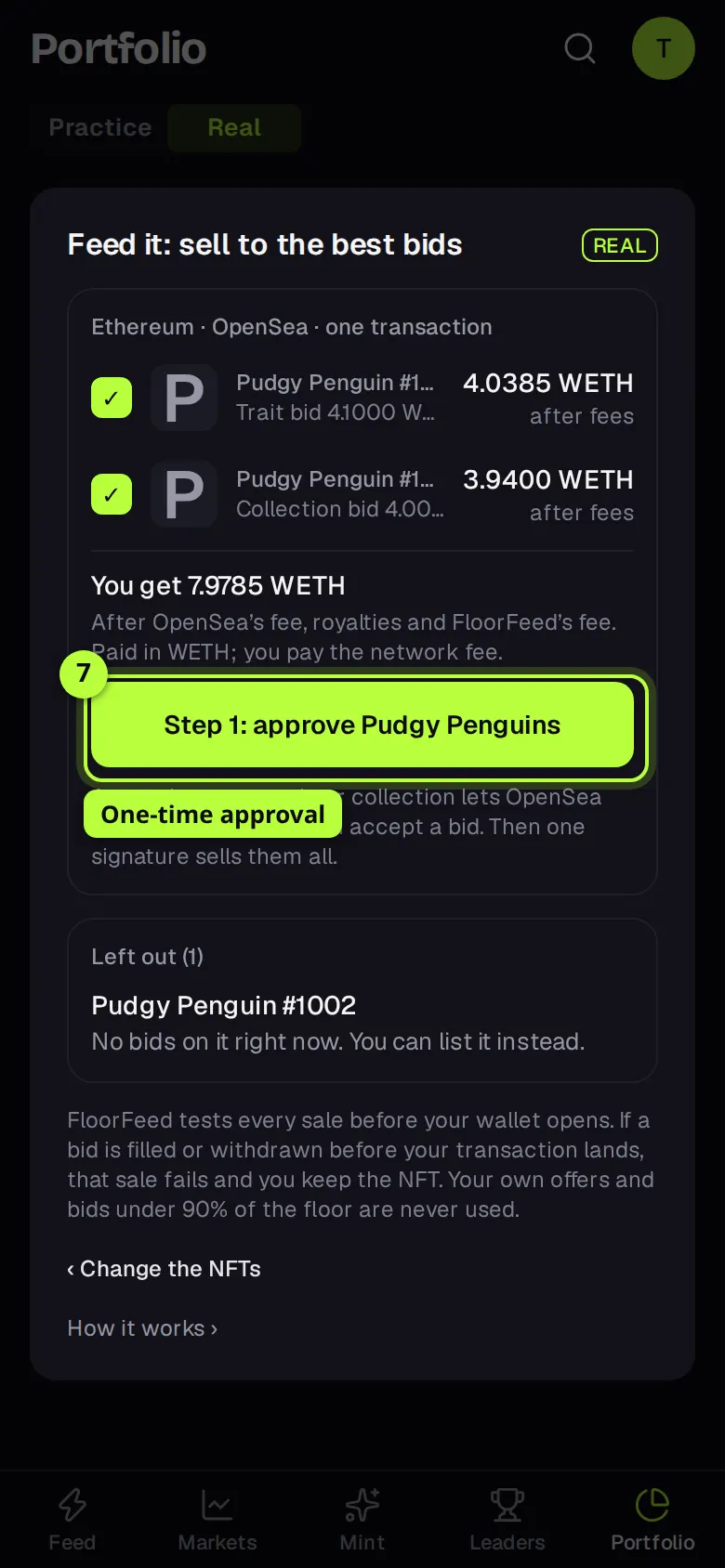
On Ethereum and its networks, a collection you've never sold from on OpenSea needs a one-time approval. The button then reads Step 1: approve Pudgy Penguins (or Step 1: approve 2 collections). Press it and confirm each approval in your wallet. FloorFeed waits for it to confirm and refreshes the bids; nothing is sold by the approval.
Sell with one signature
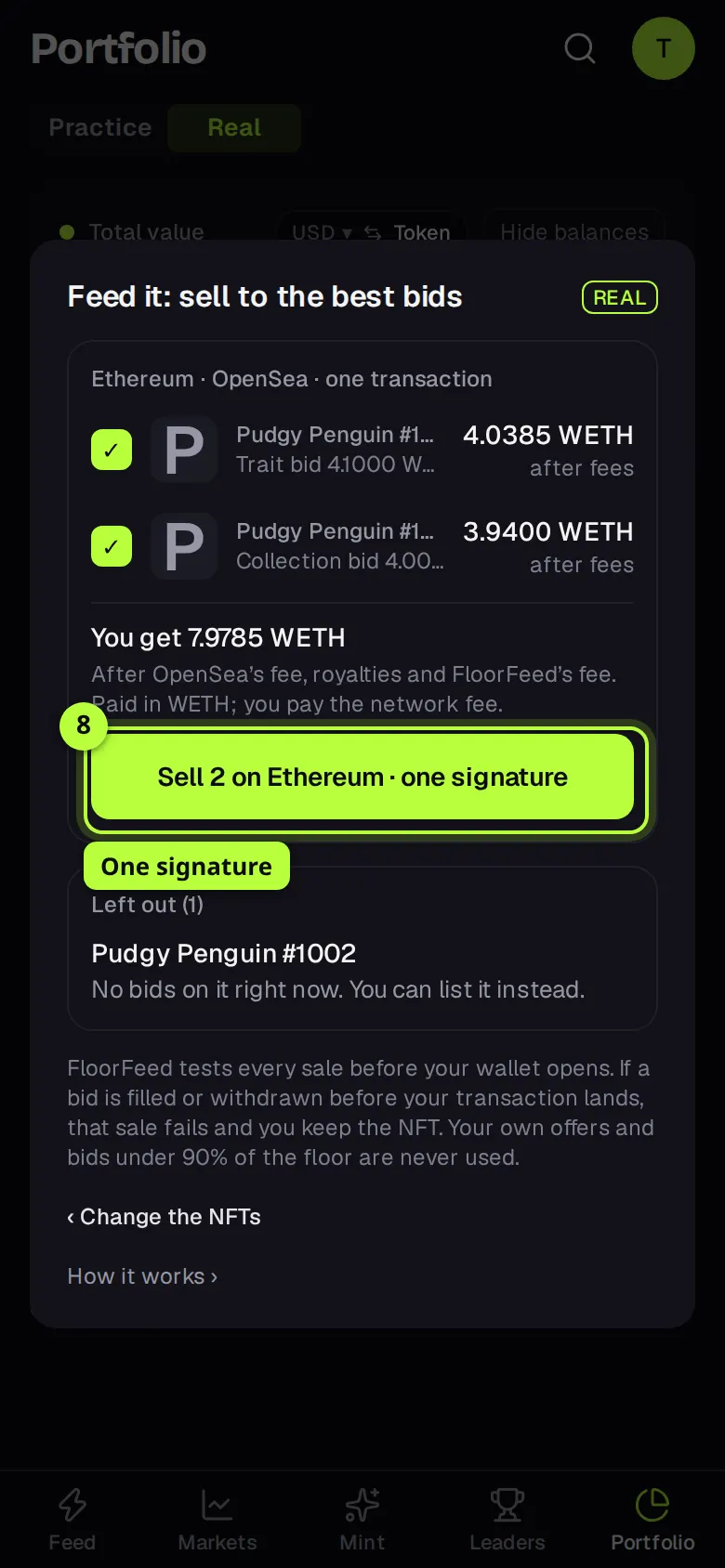
Press Sell 2 on Ethereum · one signature (the number and network are yours) and send the transaction in your wallet. When it's sent, the group reads Sent, with how many sold, about what you received, and View the transaction ↗. Anything that didn't go through is listed with its reason.
Tip: If you cancel in your wallet, the sheet says You cancelled in your wallet. Nothing was sold.
On Solana
Solana NFTs sell into Tensor bids and buying pools. The steps are the same up to the review; the difference is how you sign.
Tick your Solana NFTs
With a Solana wallet connected, your Solana NFTs are in the same list, marked Solana. Tick up to 10, set Skip bids under, and press Find best bids for 2 (or however many).
Check the Tensor bids
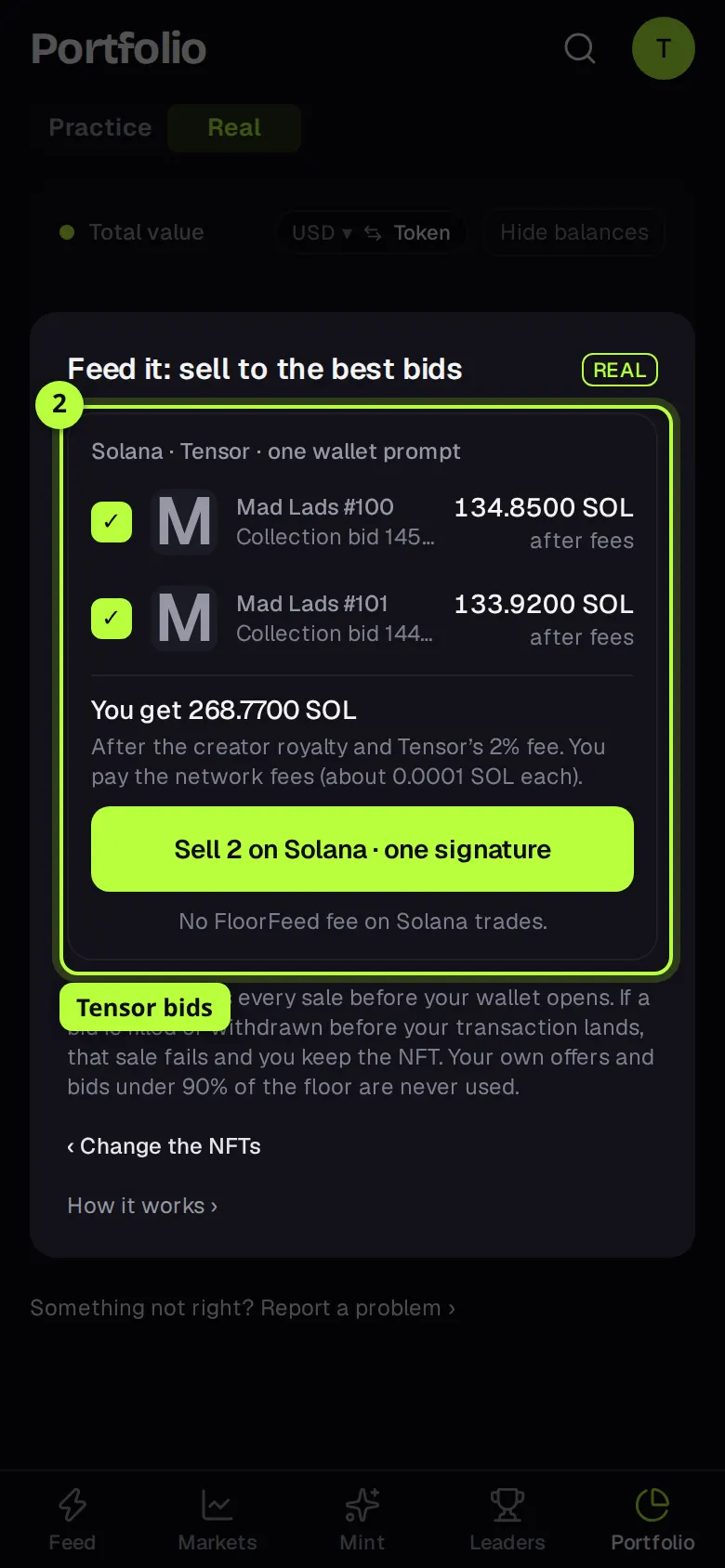
The group reads Solana · Tensor · one wallet prompt. Each row shows a Collection bid or a Pool, and what you get after the creator royalty and Tensor's 2% fee. A pool takes one NFT; each sale into it lowers its next price, so FloorFeed gives the next NFT the next best bid.
Sell in one prompt
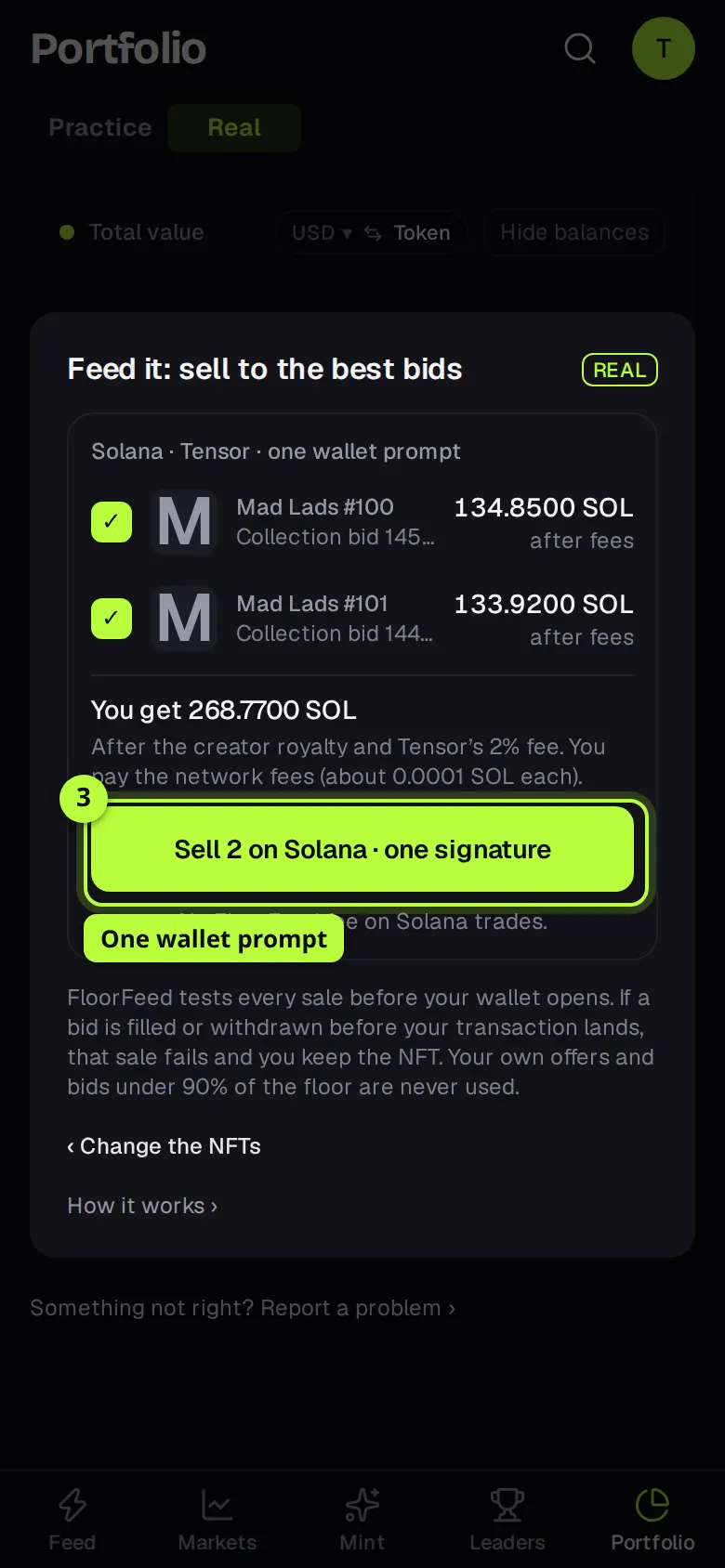
Press Sell 2 on Solana · one signature. Your wallet shows every sale at once; approve them together. Each sale is sent on its own, so one that fails doesn't stop the others. The sheet then links each sale on Solscan.
Options
- Select all
- Ticks every NFT you can sell here, up to 20 on Ethereum-style networks and 10 on Solana. With more than 20 it reads Select all (up to 20).
- Skip bids under
- Your minimum, as a share of the collection's floor: 50%, 70%, 80% or 90%. From the order book, the level you tapped is a second minimum: a bid under it is left out whatever its share of the floor.
- The tick on each review row
- Leaves that NFT out of the sale without going back. The total and the button update.
- ‹ Change the NFTs
- Back to the list, to pick again or change your minimum. Press Find best bids again to refresh the bids.
Fees and limits
- Ethereum, Base and the other EVM networks
- The bid's price, less OpenSea's fee and the creator's royalty. FloorFeed keeps 0.5% of what an offer pays. You pay the network fee for the one transaction per network, plus each one-time approval. OpenSea bids pay in WETH (or the network's wrapped coin): unwrap it from Wallets whenever you like.
- Solana
- The bid's price, less the creator royalty and Tensor's 2% fee. FloorFeed takes no fee of its own on Solana sales. You pay the network fee for each sale, about 0.0001 SOL.
- Holder perks
- Holder perks (Ethereum-style networks): a Floor Feeders Base Pass in the wallet you trade with waives FloorFeed's own fee on Base, and a Floor Feeder (Robinhood Chain) halves it on every network. The sheet shows "Waived" or "half off" when one applies. Marketplace fees, royalties and gas are never waived.
- Up to 20 NFTs per batch on Ethereum and its networks, and up to 10 on Solana.
- One transaction per EVM network: on Ethereum the batch either lands as a whole or not at all, so if a bid is filled or withdrawn before it lands, nothing in it sells and you only lose the network fee. On Solana each sale lands or fails on its own.
- Your own offers are never used. Neither is a bid under your minimum, or one FloorFeed can't check against a fresh floor (read in the last 2 hours, in the bid's coin).
- Bids that have to be accepted on their own, bids on another Seaport version, compressed Solana NFTs and Solana NFTs that are listed or delegated are left out. Sell those from the NFT's own Sell button.
- A FloorFeed launch that isn't on OpenSea yet isn't in the list: it has no bids to sell into.
Troubleshooting
- Sell several to bids isn't on my Portfolio.
- None of the NFTs on screen can be sold into a bid here, or none of their wallets is connected. Connect the wallet that holds them: the sheet says Connect the wallet that holds your NFTs to sell them here when it can't sell any.
- An NFT is left out with "The best bid is 25% under the floor, below your 80% minimum."
- Its best bid is under the minimum you picked. Go back with ‹ Change the NFTs, pick a lower share under Skip bids under, and press Find best bids again. Or list it instead.
- It's left out because the floor is old.
- FloorFeed last read that collection's floor over 2 hours ago, so it can't check your minimum against it. Try again shortly.
- "The approval hasn't confirmed yet."
- FloorFeed waited 5 minutes for the approval to show on chain. Check Activity, then press Find best bids again.
- "The bid dropped: it would now pay …"
- A bid fell below what you were shown between the review and your signature, so FloorFeed left it out rather than sell for less. Refresh with Find best bids.
- "Every bid that would take it is already used by the others in this batch."
- There aren't enough bids for all the NFTs you picked. The best ones went to the others. Sell the rest later, or list them.
Questions
- Do I need to sign once per NFT?
- No. Once per network: one transaction on each EVM network, and one wallet prompt on Solana for every sale there. A collection's first sale on OpenSea also needs its one-time approval.
- Which bid does each NFT get?
- The best one that would take it, after fees: an offer on that NFT, on one of its traits, or on the collection. An offer that takes several NFTs is shared until it's full, and a bidder's offers only count up to the money they hold.
- What does it cost me if a sale fails?
- Only the network fee. On Ethereum-style networks a failed batch sells nothing and you keep every NFT. FloorFeed tests the sales before your wallet opens, so failures are rare.
- Can I sell Ethereum and Solana NFTs together?
- Pick them together, yes. The review has one group per network, each with its own button and signature.
Related
- The order book and the Price | Order book switch
- Making offers: on a collection, a trait or one NFT
- What your NFTs would really sell for
- The bid ladder: how much buying interest a collection has
- WETH and unwrapping
Checked against FloorFeed on 2026-11-08.