Guides › Trading
The order book and the Price | Order book switch
A collection's whole market on one screen: listings above, offers below, the spread between. Tap a level to sweep up to it or sell down to it.
What it is
The order book shows a collection like an exchange does. Listings (NFTs for sale) are grouped into price levels above the middle row, with the cheapest at the bottom. Offers that take any NFT in the collection are grouped below it, with the best offer at the top. The middle row has the floor, the best offer and the spread between them.
Use it to see how deep a floor is before you sweep: how many NFTs you'd get, and what they'd cost, if you bought everything up to a price. Or look the other way before you sell: how many NFTs the offers would take, and how far down you'd have to go. One tap on a level sets up the trade. You still check it and sign it in your own wallet.
Where to find it
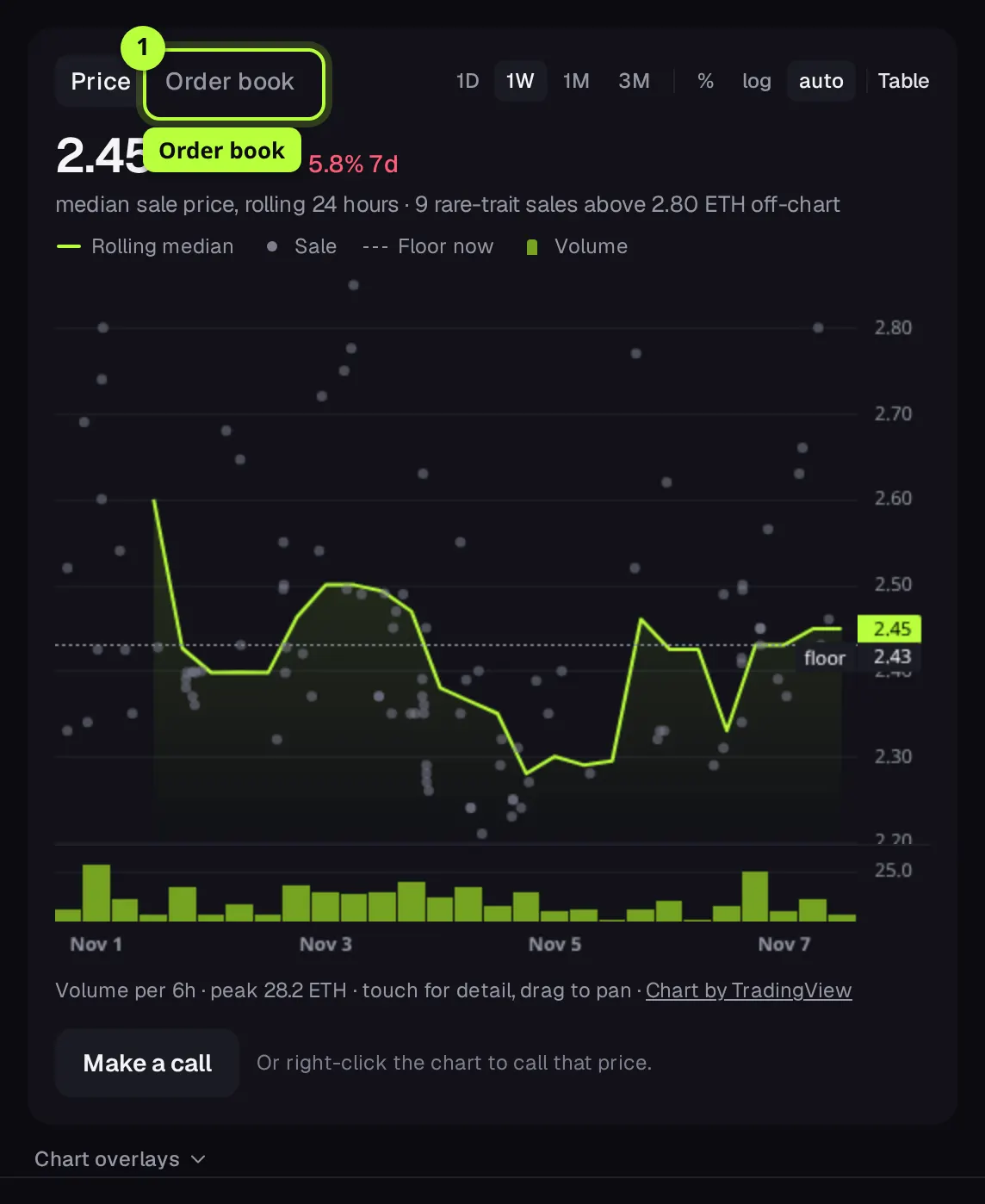
Open any collection (search, Markets, or a card in the feed). The price chart's panel has a switch at its top left: Price | Order book. For collections FloorFeed tracks by floor only, it reads Floor history | Order book.
FloorFeed remembers which one you picked: on your account when you're signed in, in this browser when you're not. An old link ending in ?tab=book opens the book too.
Step by step
Switch the chart to the order book
On the collection's page, press Order book in the switch at the top of the price chart. The book takes the chart's place.
Read the levels
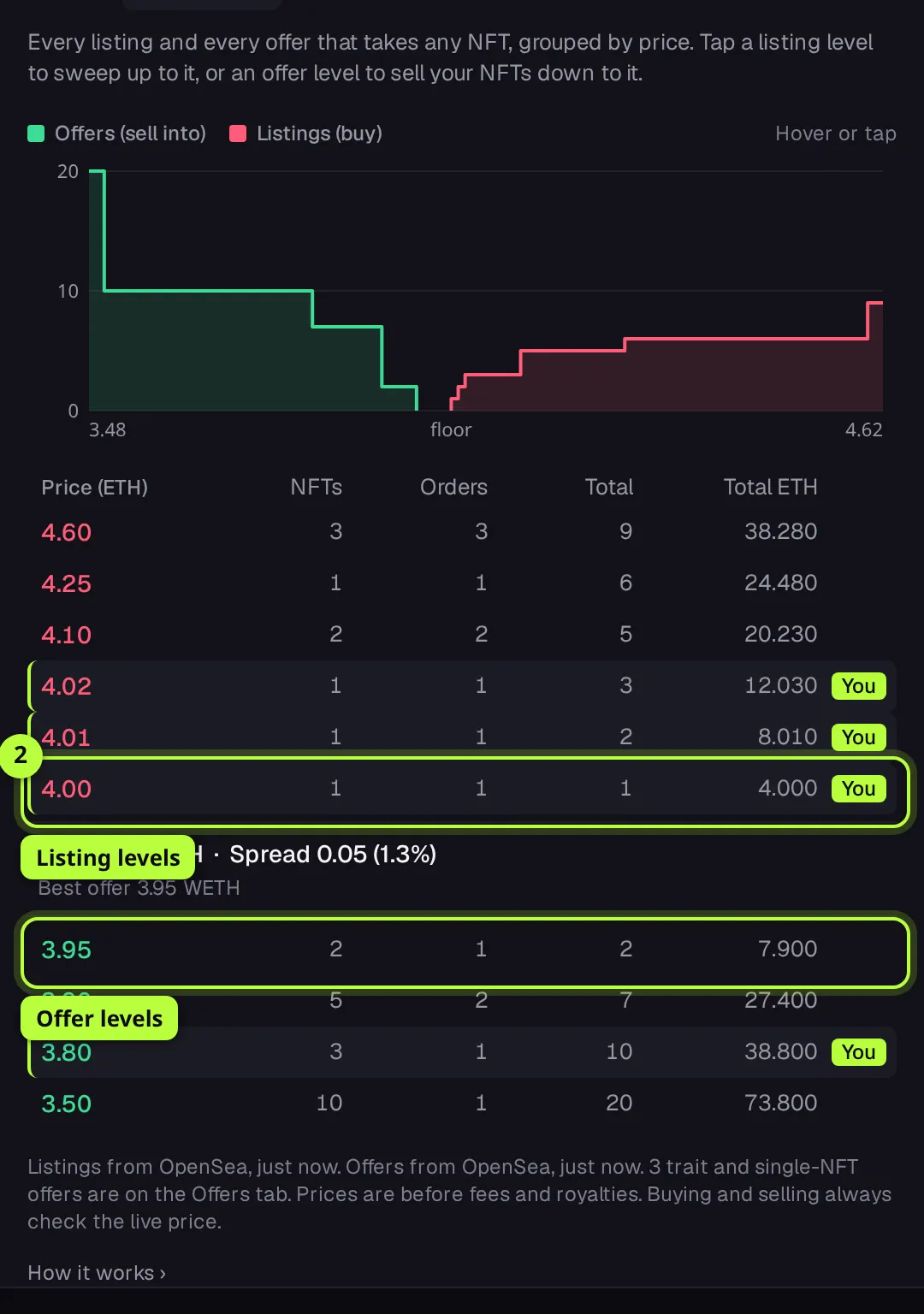
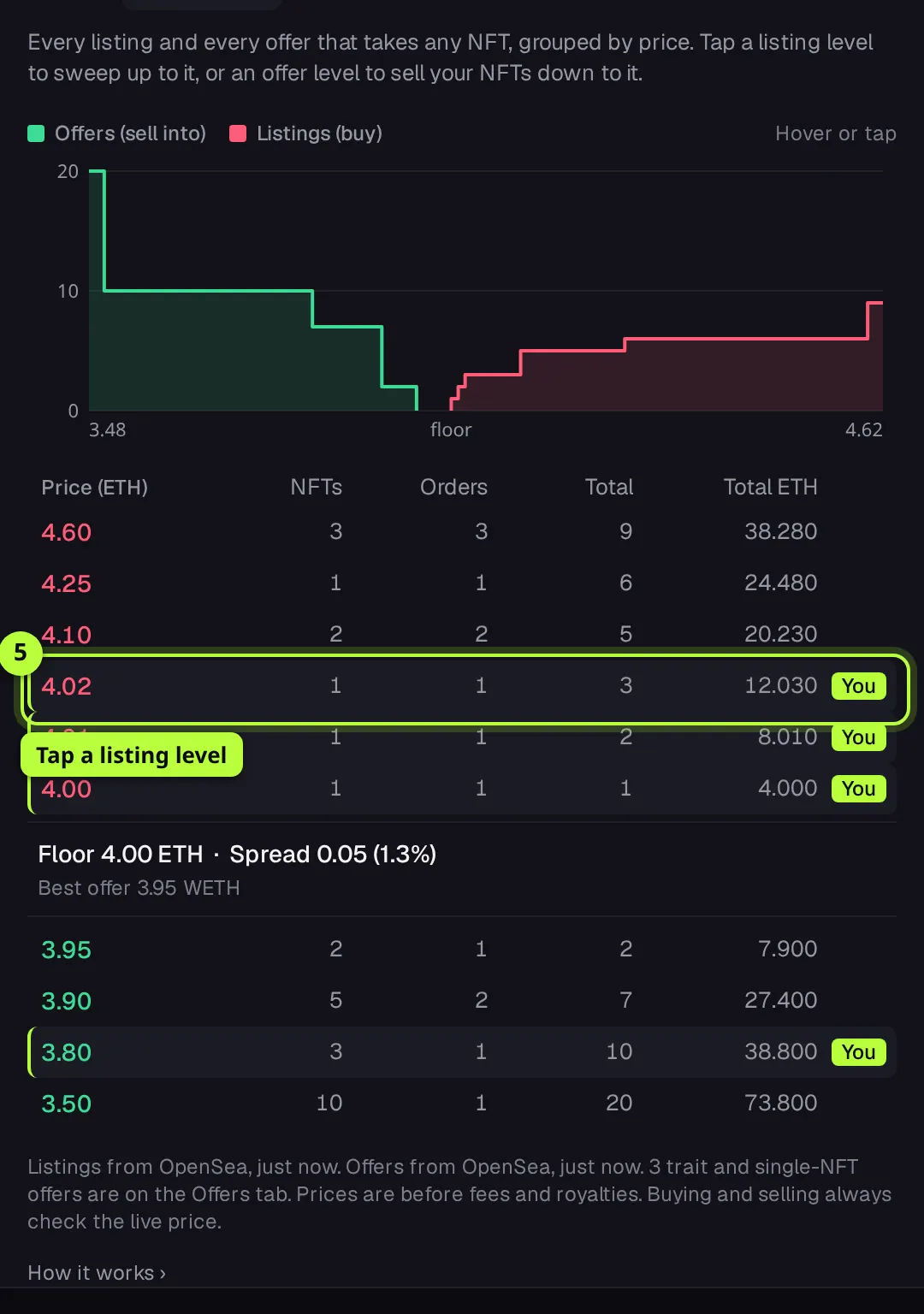
Red prices above the middle are listing levels: a level holds every listing at or under its price. Green prices below are offer levels: a level holds every offer at or over its price. NFTs is how many are at that level, Orders how many separate orders (not shown on narrow phones), and Total and Total ETH what you'd reach going out from the middle to that level, before fees.
Check the floor and the spread
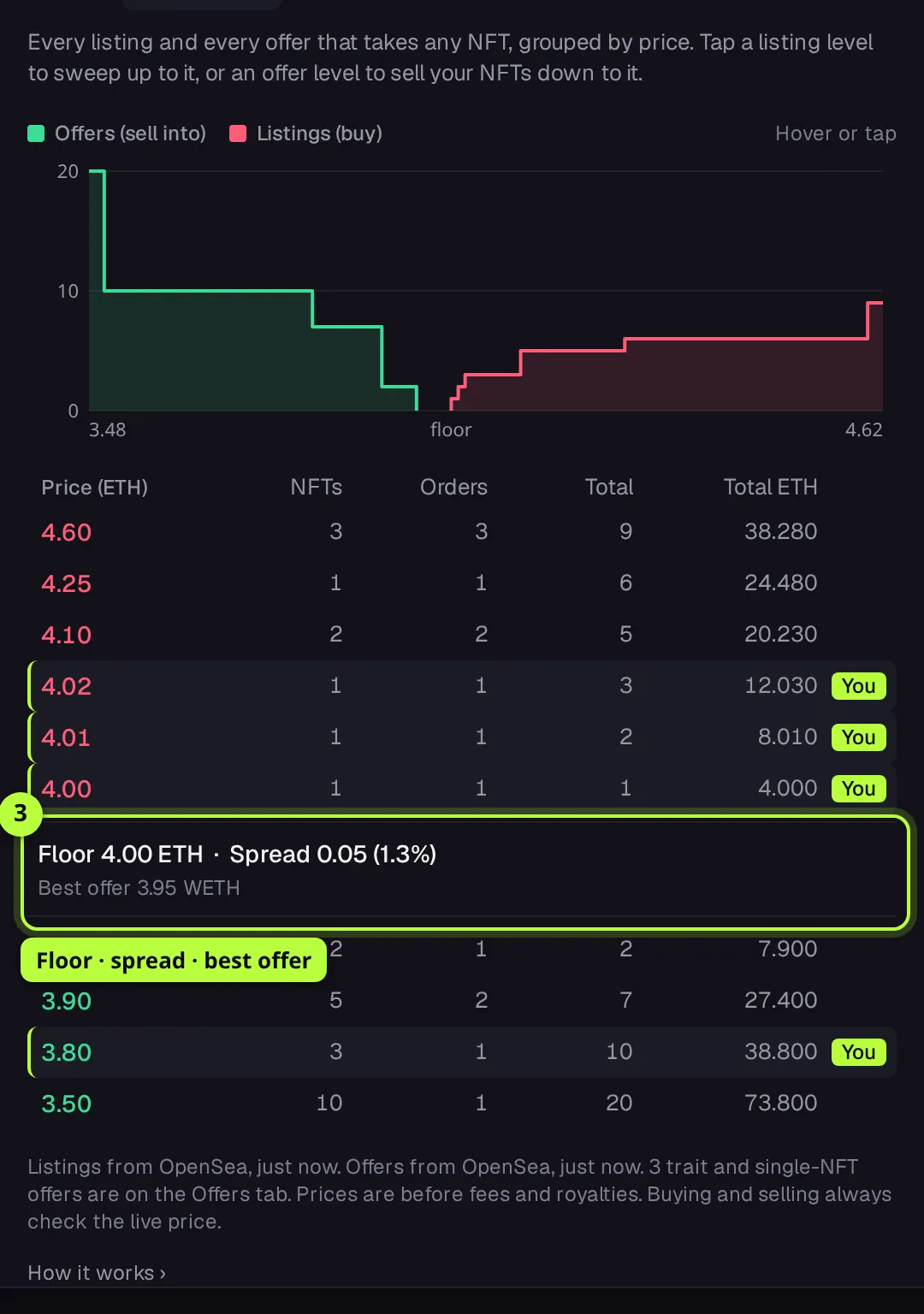
The middle row shows Floor (the cheapest listing), Spread (the gap to the best offer, also as a percentage) and Best offer. A wide spread means sellers and buyers are far apart.
Read the depth chart
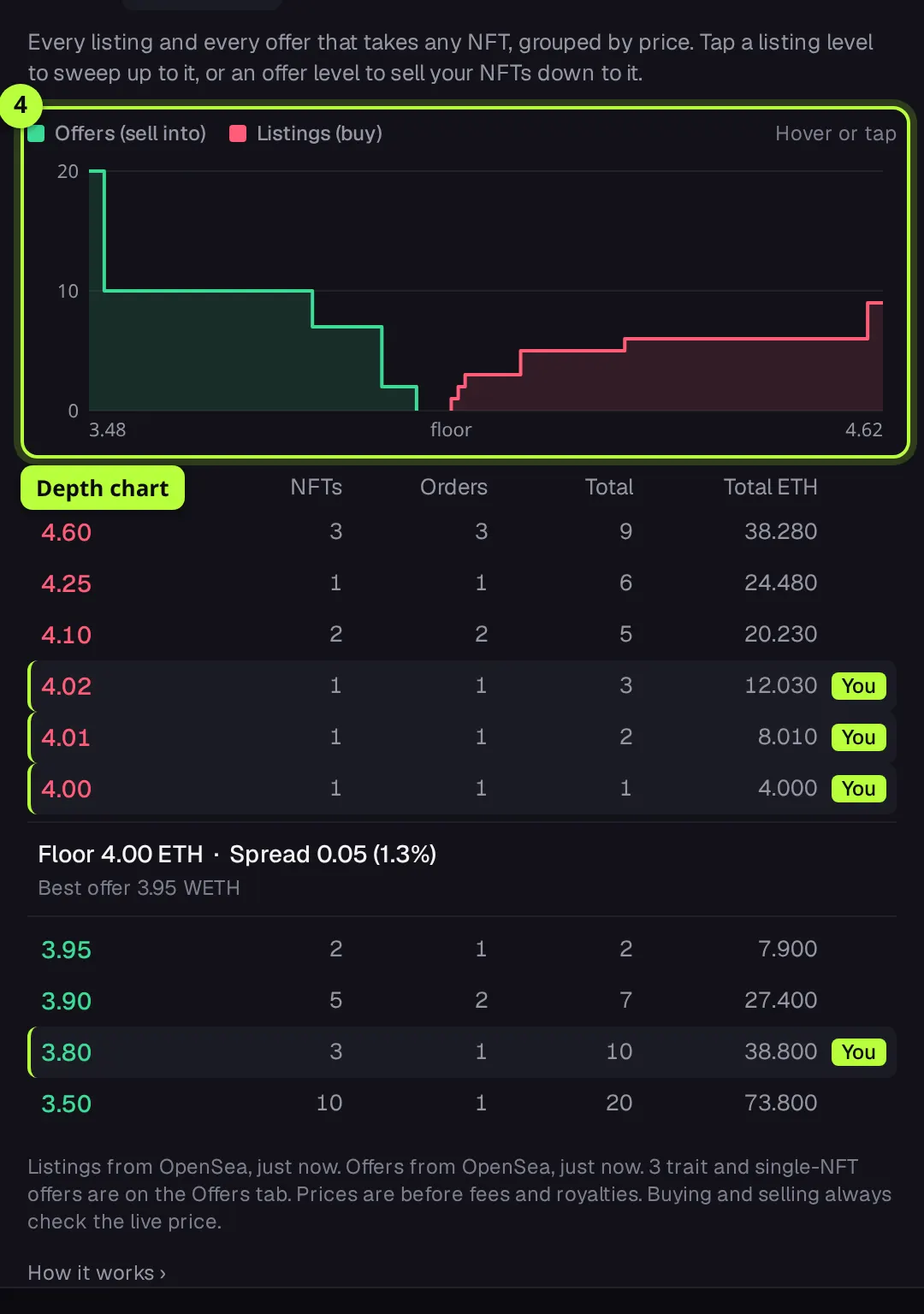
Above the table, the depth chart draws the same totals as two steps: offers rising to the left, listings to the right. Hover it (or tap it on a phone) to see a level's totals.
To buy: tap a listing level
Tap the highest price you're willing to pay. FloorFeed sets up a sweep of everything listed up to that level: the Trade panel switches to By budget, with that level as the top price each and a budget for the listings under it, fees included, at most 20 NFTs. A line above the book says what was set up, for example "Sweep set up in the trade box: up to 3 NFTs, none over 4.02 ETH, a budget of 12.13 ETH with fees."
Check the sweep and sign
With Real on, the buy sheet opens at once: Sweep 3 (or however many), the NFTs and their prices, the listings' total, FloorFeed's fee, the total and your balance. Press Sweep 3 for … to send it to your wallet, and sign there. Listings that sell first are skipped and you keep that money; nothing over your top price is bought. Cancel closes the sheet and leaves the sweep set up in the trade box.
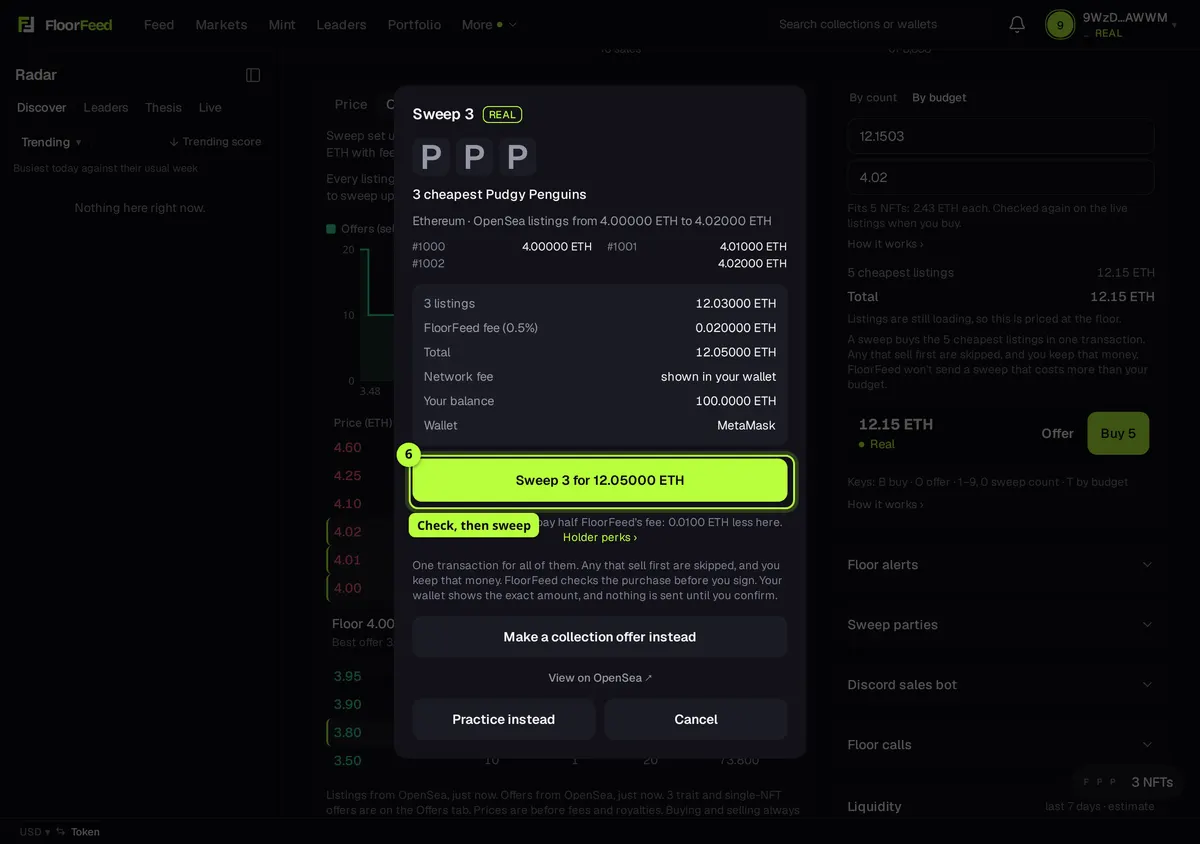
Tip: Practice instead, on the same sheet, places the sweep with simulated money.
To sell: tap an offer level
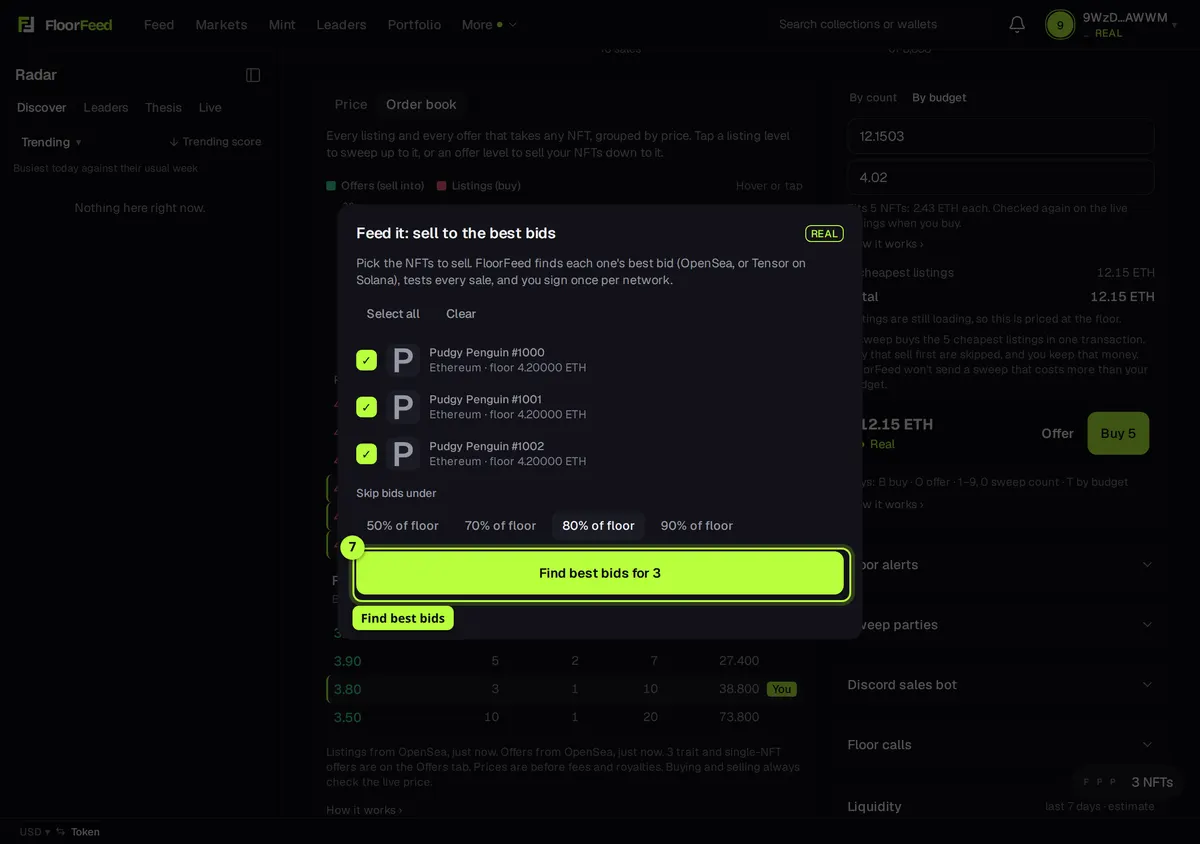
With a wallet connected that holds this collection, tap the lowest offer level you'd accept. Feed it opens with your NFTs from this collection ticked, and it leaves out any offer under that level. Pick how low a bid may be under Skip bids under, press Find best bids for 3, check the review, then sign. The Feed it guide has the rest.
Options
- Price (or Floor history) | Order book
- Which view the chart panel shows. Your pick is remembered for every collection.
- Show all levels
- The book shows 8 levels each side at first. Show all levels (n listing, n offer) opens the rest; Show fewer levels folds them again.
- You
- A level with one of your own listings or offers is marked You, for the wallet you have connected.
- Sources line
- Under the book: where the listings and offers came from, how long ago, whether only the cheapest listings were read, and how many trait and single-NFT offers are on the Offers tab instead.
Fees and limits
- Reading the book
- Free. It's a view of the marketplaces, not an exchange: FloorFeed doesn't match orders.
- Ethereum, Base and the other EVM networks
- Buying from a listing level: Price, plus OpenSea's fee and the creator's royalty where the listing asks for one, plus network gas. FloorFeed adds 0.5% on top of the price. Every line is on the buy sheet before you sign.
- Solana
- Buying from a listing level: Price, plus Tensor's (or Magic Eden's) taker fee and any royalty, plus a small network fee in SOL. FloorFeed takes no fee on Solana trades.
- Holder perks
- Buying from a listing level: Holder perks (Ethereum-style networks): a Floor Feeders Base Pass in the wallet you trade with waives FloorFeed's own fee on Base, and a Floor Feeder (Robinhood Chain) halves it on every network. The sheet shows "Waived" or "half off" when one applies. Marketplace fees, royalties and gas are never waived.
- Ethereum, Base and the other EVM networks
- Selling into an offer level: The offer's price, less OpenSea's fee and the creator's royalty. FloorFeed keeps 0.5% of what an offer pays. Gas for the sale (and a one-time approval per collection) is paid in the network's coin. Offers on Ethereum are in WETH, which you can unwrap to ETH afterwards.
- Solana
- Selling into an offer level: The bid's price, less the marketplace's fee and any royalty, and a small network fee in SOL. FloorFeed takes no fee on Solana trades.
- Listings: the cheapest 200, from OpenSea on Ethereum and its networks and from Magic Eden on Solana. Offers: those on the Offers tab (collection offers on OpenSea, bids and buying pools on Tensor). Refreshed every few minutes; the time is under the book.
- Trait offers and offers on one NFT aren't in the book, because only some NFTs can sell into them. They're on the Offers tab.
- A listing level sets up at most 20 NFTs (the sweep's limit). Real Solana buys are one NFT at a time.
- Prices in the book are before fees and royalties. Buying and selling always check the live price first.
Troubleshooting
- It says "No order book for this collection."
- FloorFeed has no listings or offers for it yet. A collection's first look can lack offers for a minute: switch back to Price and try again shortly.
- It says "Couldn't load the order book just now."
- The marketplace didn't answer. Try again in a minute; the chart and the tabs still work.
- Tapping an offer level says to connect a wallet.
- Selling needs a wallet that holds this collection. Connect it and tap the level again. If it says your wallet holds none, the NFTs are in another wallet: link it in Settings → Your wallets.
- The sweep bought fewer than the level said.
- Some listings sold or were cancelled between reading the book and your signature. Nothing over your top price is bought, and you only pay for what you get.
Questions
- Is the order book an exchange?
- No. Each trade goes to OpenSea, Magic Eden or Tensor, and you sign it in your own wallet.
- Why is the Orders column missing on my phone?
- Narrow screens leave it out so the prices fit. Turn the phone or use a computer to see it.
- Does it follow me to other devices?
- When you're signed in, yes: the switch is saved with your account.
Related
- Buy and sweep the floor: by count or by budget
- Feed it: sell many NFTs into their best bids
- Making offers: on a collection, a trait or one NFT
- The bid ladder: how much buying interest a collection has
- Trait floors and rarity on listings
- Arranging a collection page
Checked against FloorFeed on 2026-11-08.