Guides › Trading
Making offers: on a collection, a trait or one NFT
Bid under the asking price on OpenSea or Tensor: on any NFT in a collection, on NFTs with one trait, or on one NFT, for one or up to 50 at your price.
What it is
An offer is a price you'd pay for an NFT that someone else holds. A collection offer takes any NFT in the collection: the first holder to accept sells you one. A trait offer takes any NFT with one trait, say Background: Blue. An offer on one NFT is for that NFT only. Collection and trait offers can ask for several NFTs at the same price each; holders then sell into it one at a time until you have them all.
On Ethereum and its networks the offer goes to OpenSea and is a signature, not a payment. Nothing leaves your wallet until someone accepts, and the seller pays the fees out of your price, so you pay exactly what you offered. Offers there are made in WETH (wrapped ETH, always worth 1 ETH), so FloorFeed may first wrap some of your ETH and ask you to allow OpenSea to use it. On Solana the offer goes to Tensor, and the SOL moves into the offer when you place it.
Where to find it
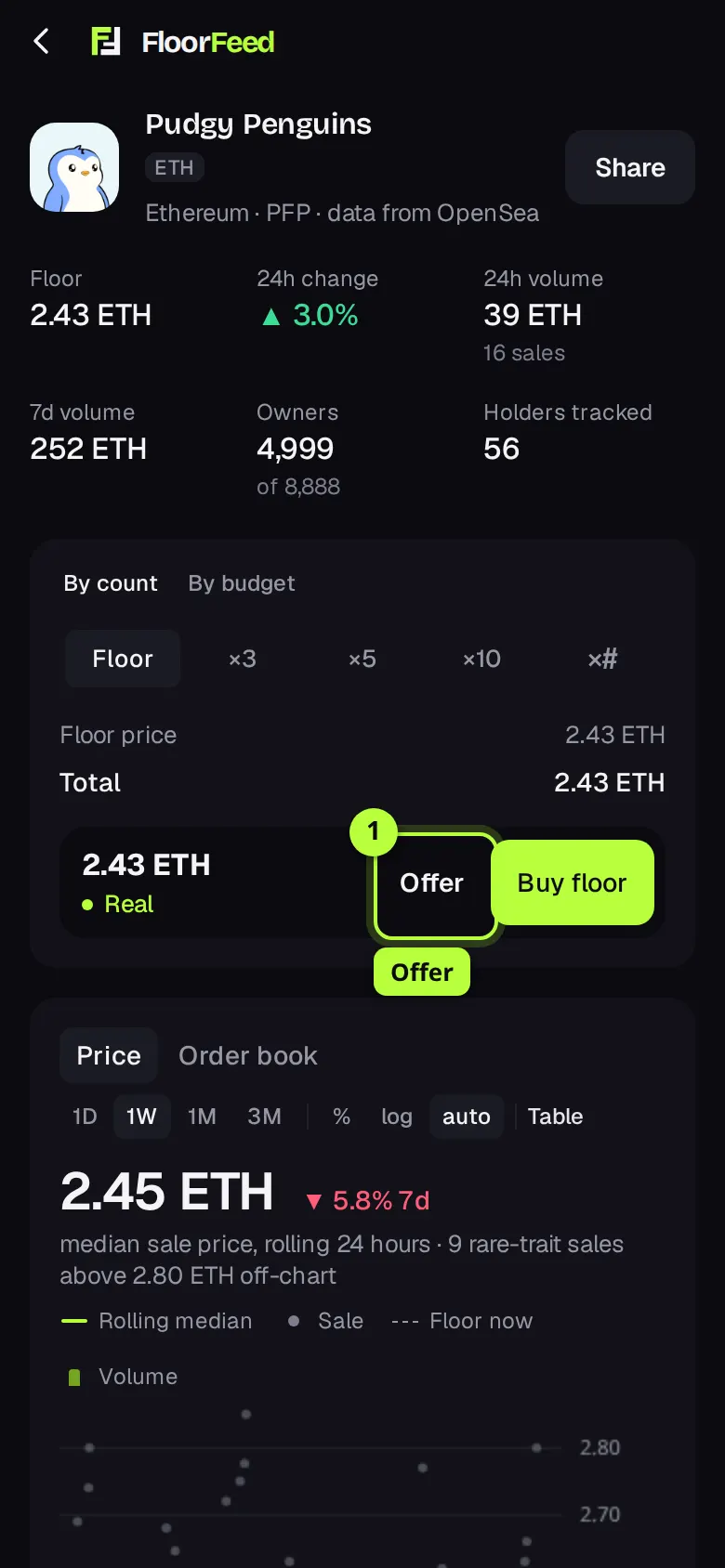
A collection's page: press Offer, next to Buy floor. On a desktop list, right-click a collection and pick Make an offer on the collection…. The buy sheet also has Make a collection offer instead.
An NFT's page: press Make an offer, whether it's listed or not. Under Traits, Offer on this trait makes a trait offer for that value (only where OpenSea takes trait offers for the collection).
Your live offers are on Portfolio, Offers tab, under Your offers, and on the Offers tab of the Your NFTs panel.
Step by step
Open the offer
On the collection's page, press Offer next to Buy floor. The Collection offer sheet opens. It shows the collection, its network and its floor.
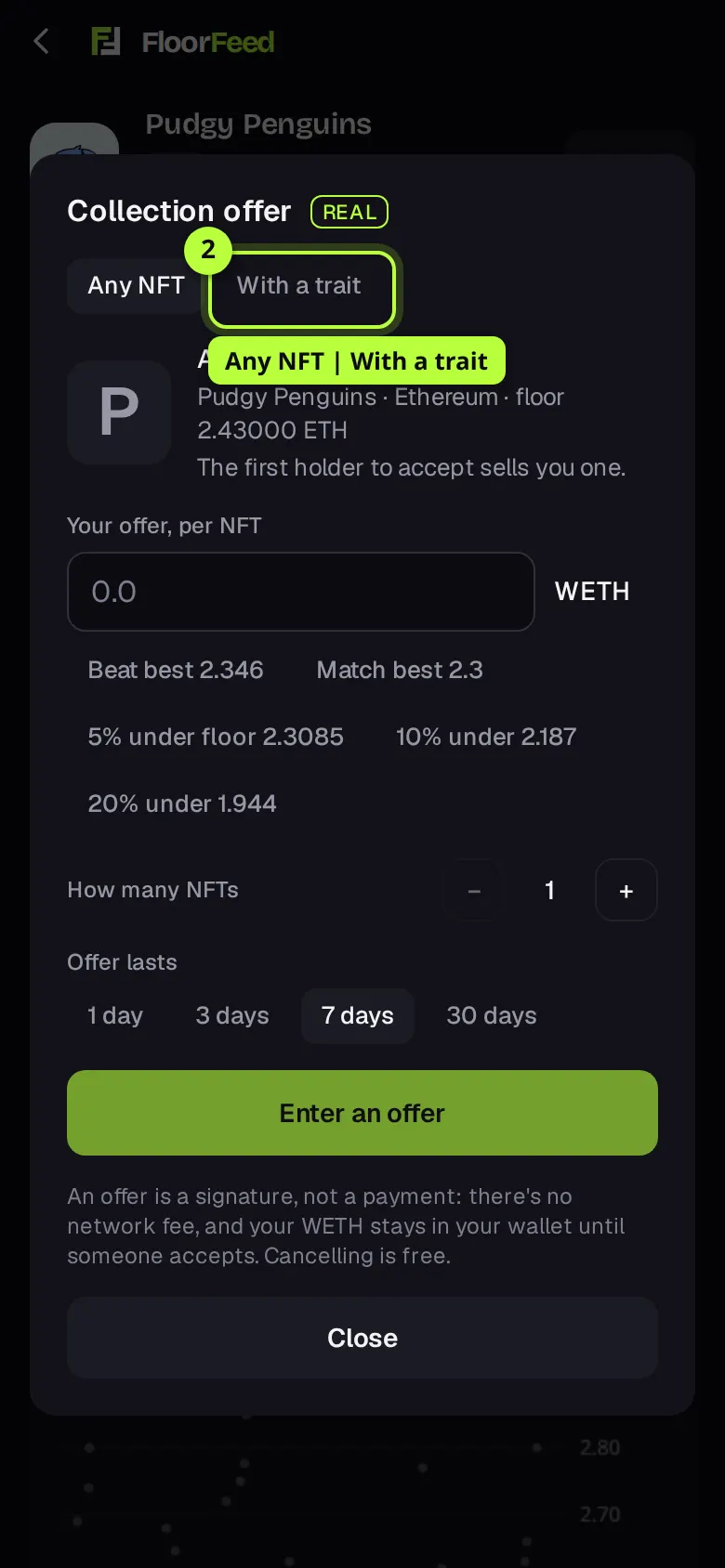
Any NFT, or with a trait
Any NFT is a collection offer. With a trait turns it into a trait offer: pick a trait type, then a value. Rarest values come first, each with how many of the collection have it. The sheet then says how many NFTs have it.
Set your price
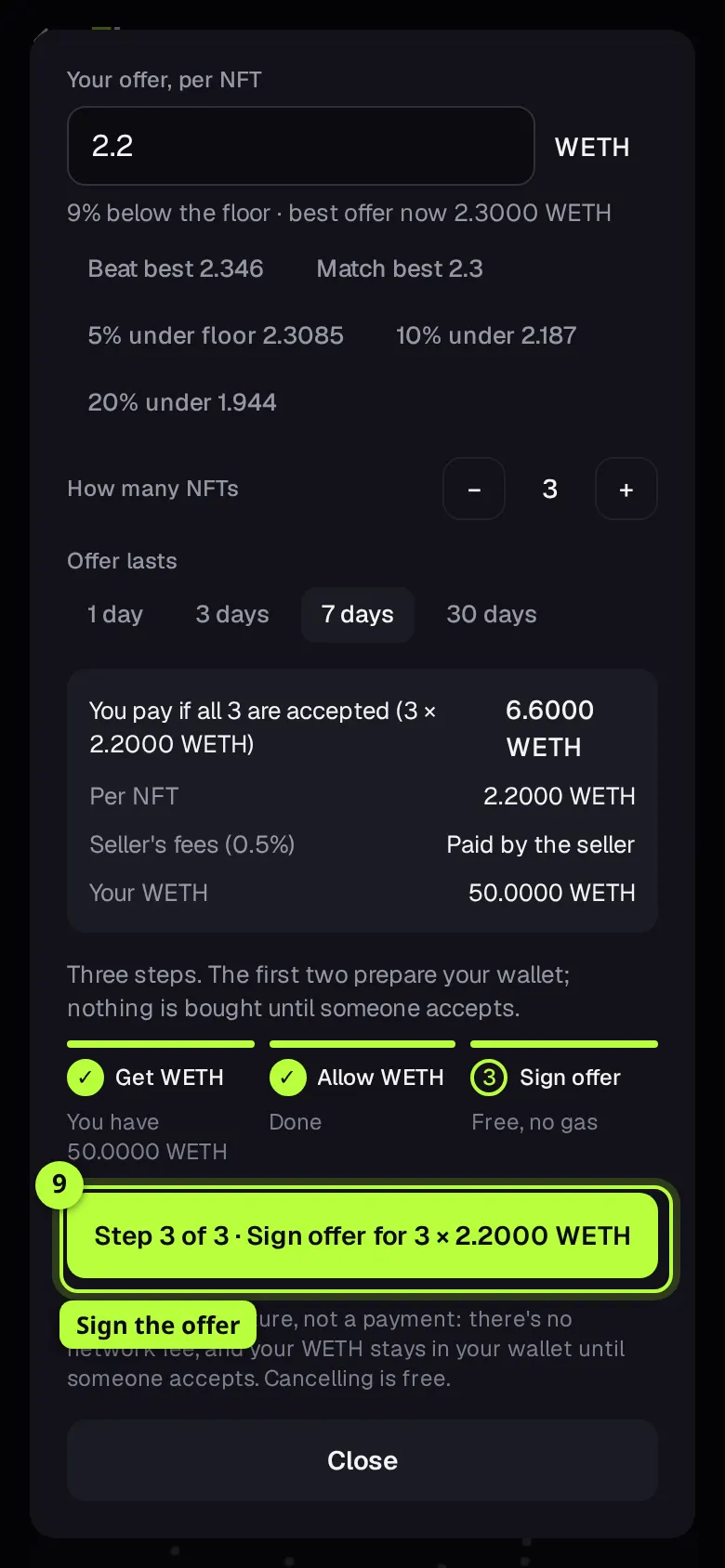
Type your price per NFT under Your offer, per NFT, or tap a price idea. Beat best is 2% over the best offer now, Match best equals it, and 5% under floor, 10% under and 20% under sit below the floor. The line under the field says how far your price is from the floor and what the best offer is.
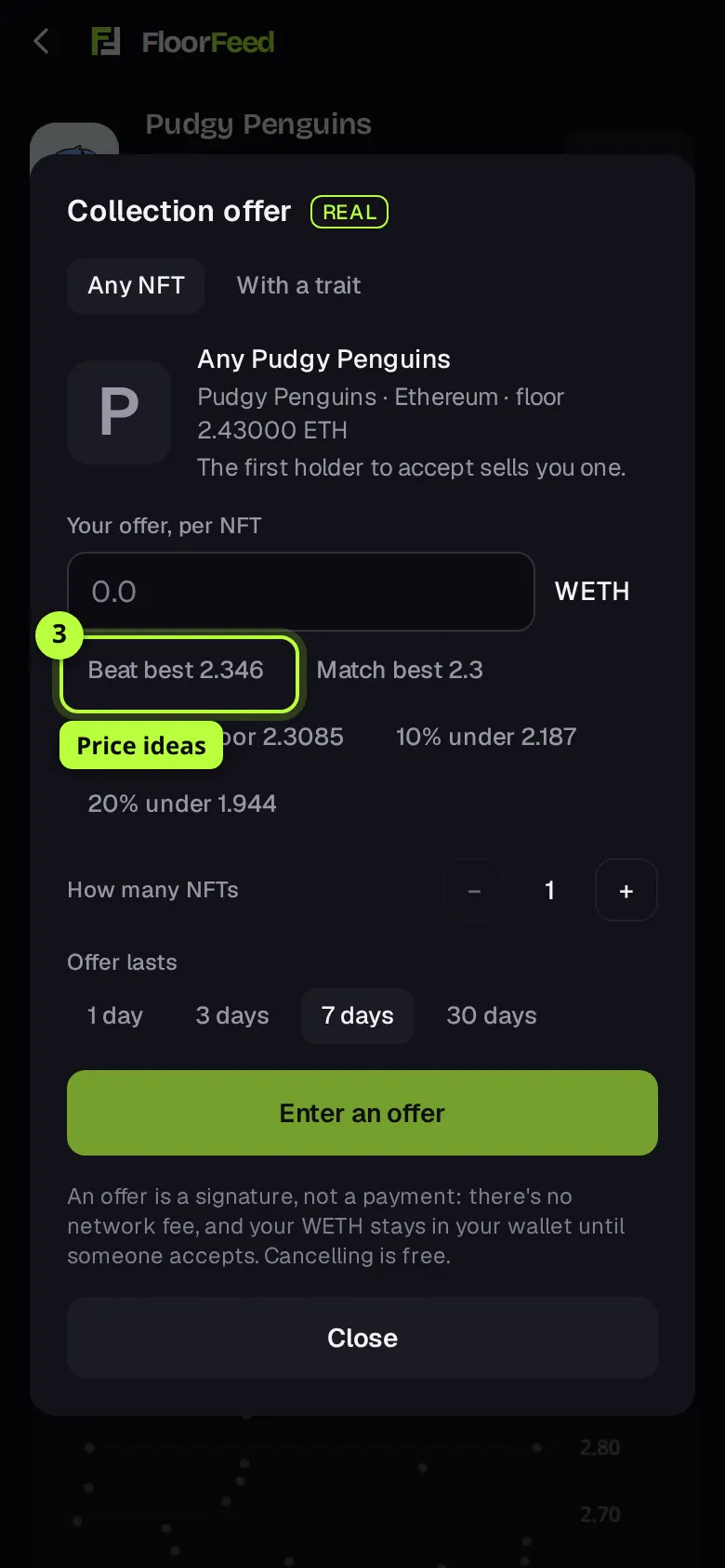
Tip: OpenSea takes offers in steps of 0.0001. A price between steps can't be signed: the sheet suggests the step below and above.
Pick how many
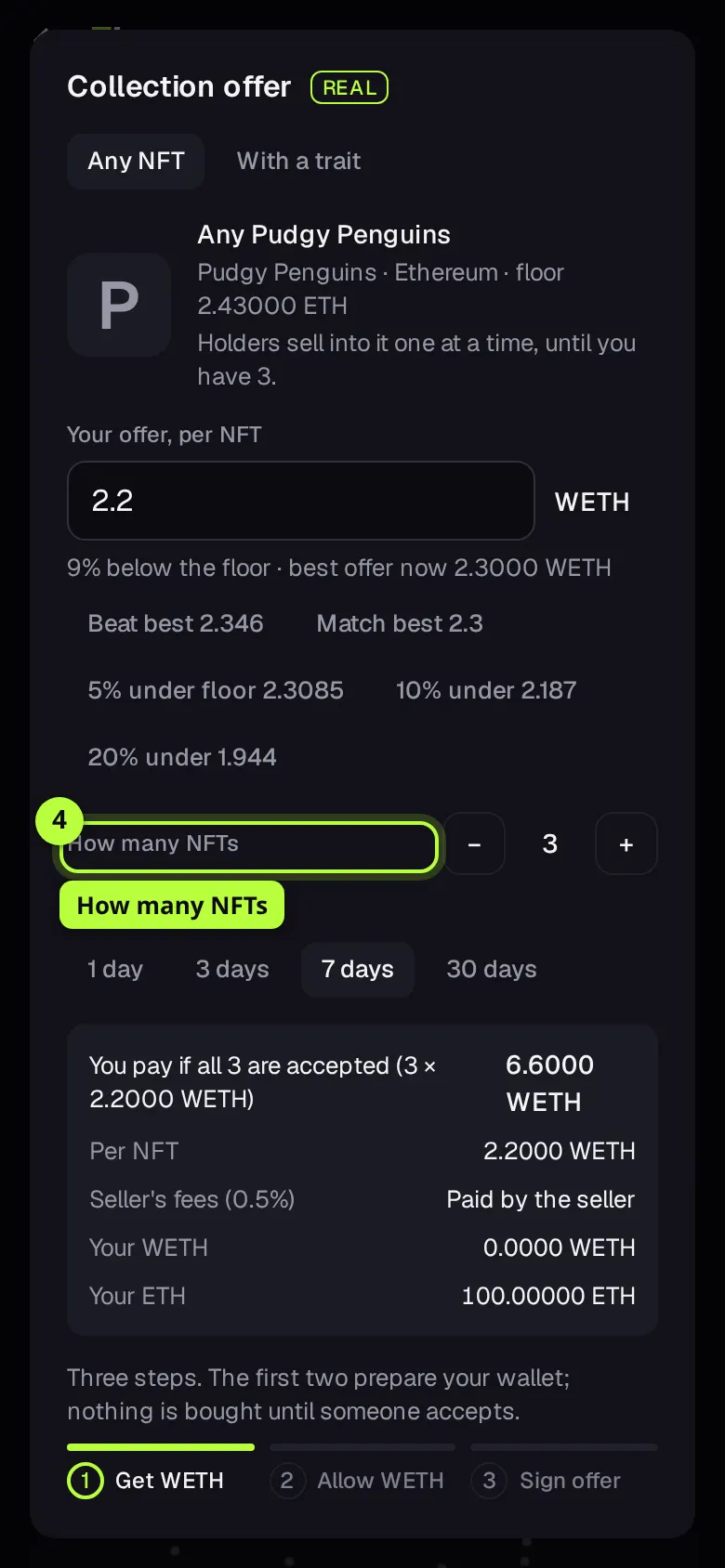
For a collection or trait offer, use − and + next to How many NFTs to ask for up to 50 (or as many as have the trait). One signature covers them all: holders sell into it one at a time, until you have that many.
Pick how long it lasts
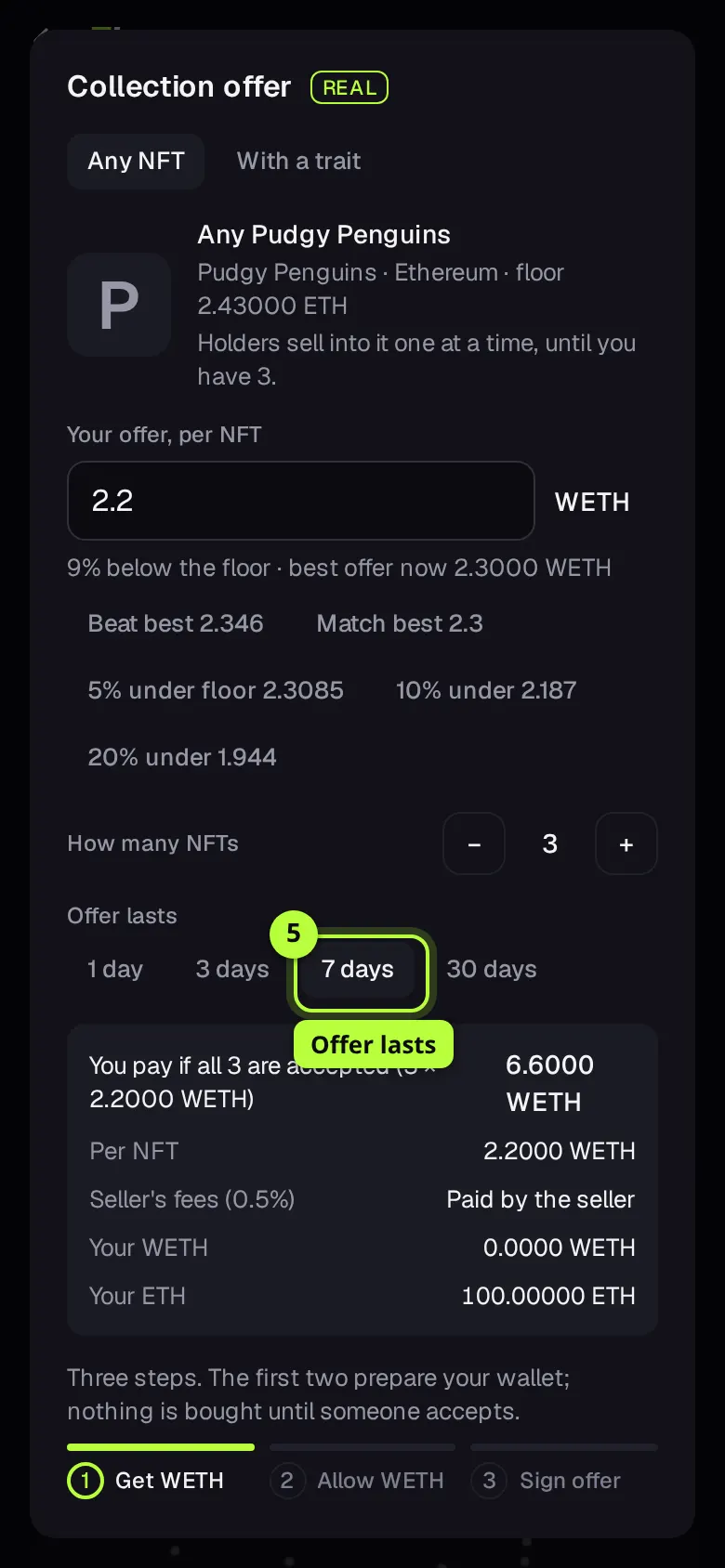
Under Offer lasts, pick 1 day, 3 days, 7 days or 30 days. After that it expires by itself and nothing has moved.
Check the sums
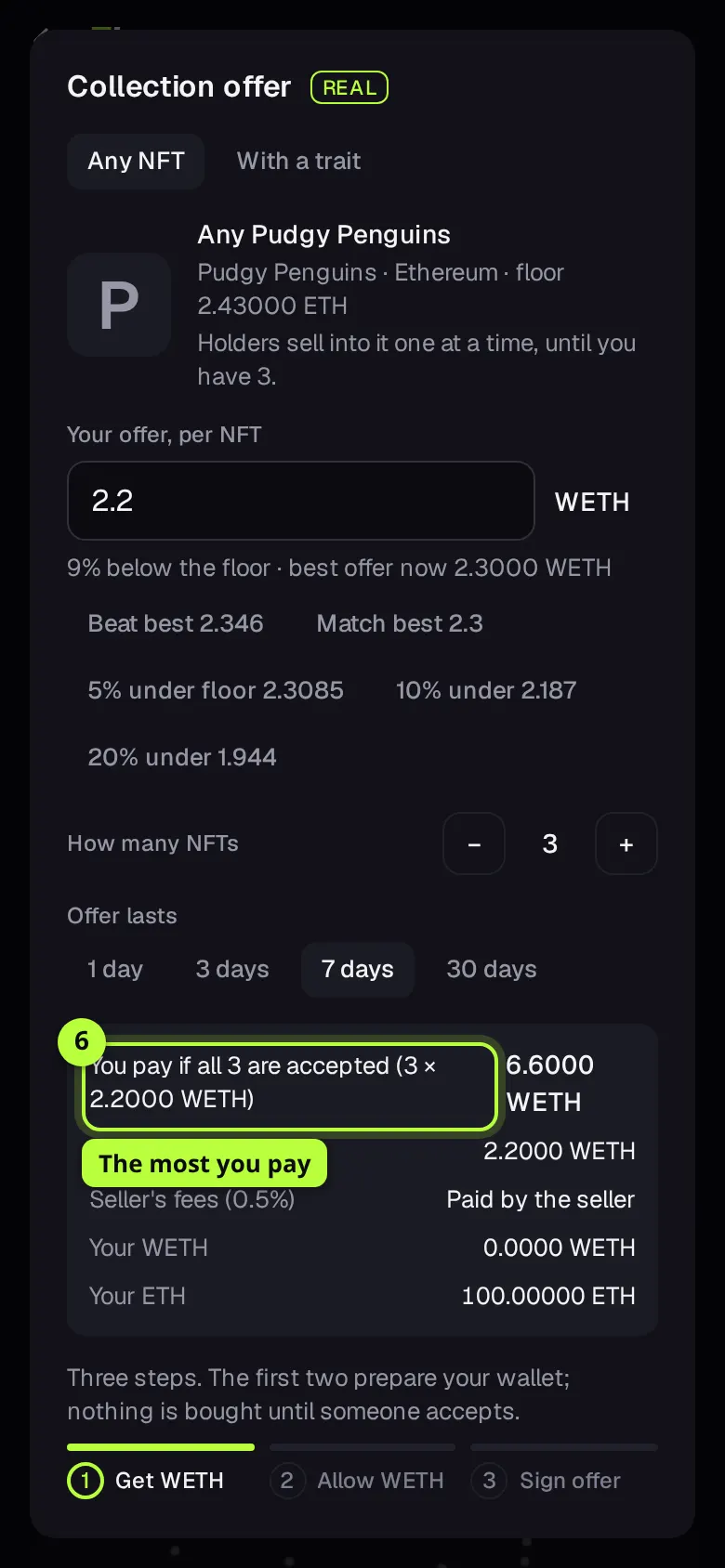
You pay if accepted (or You pay if all 3 are accepted, with the price per NFT) is the most that can leave your wallet. Seller's fees says Paid by the seller: the marketplace fee and royalty come out of your price, not on top. Your WETH is what you hold to cover it.
Step 1: get WETH
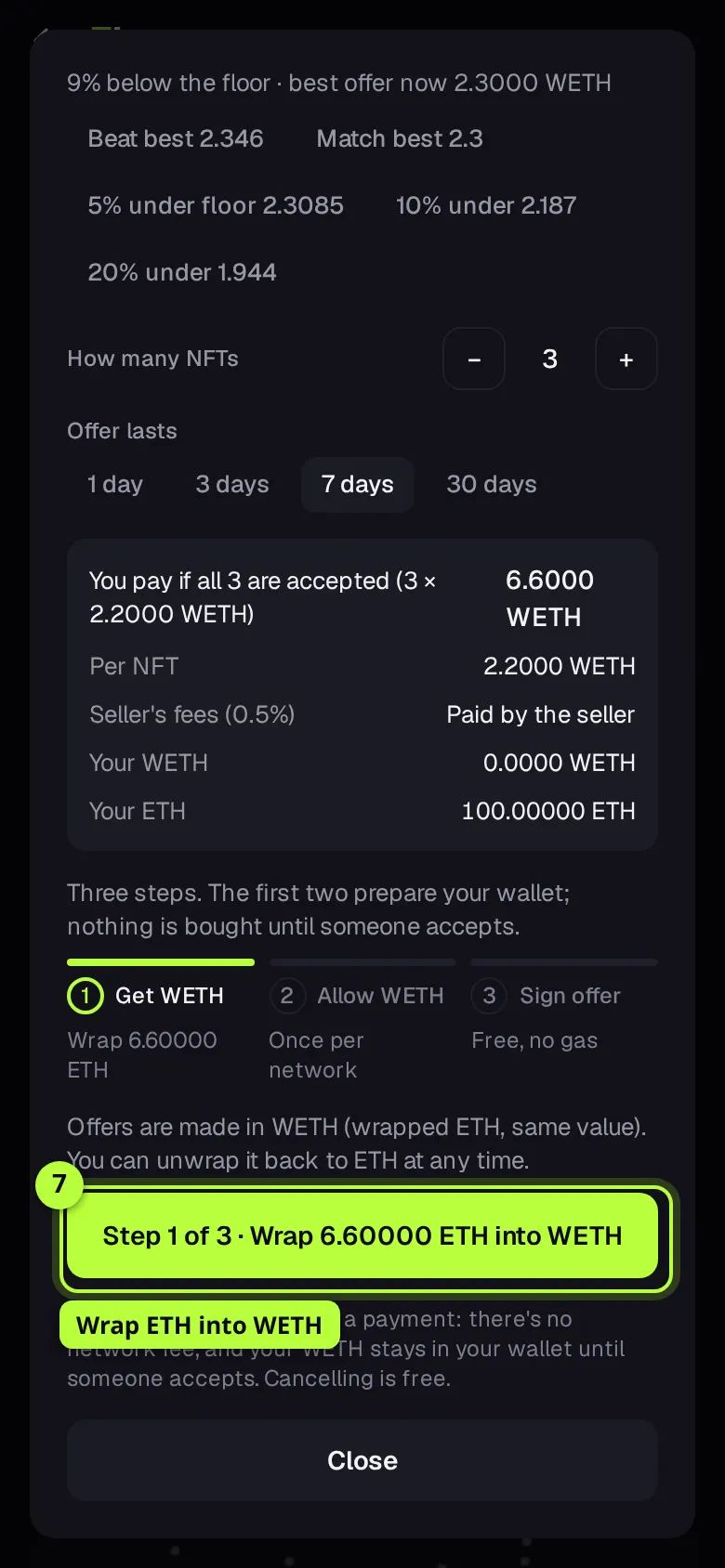
If you hold less WETH than the offer needs, press Step 1 of 3 · Wrap … ETH into WETH and confirm in your wallet. It turns that much ETH into WETH, one for one, for a small network fee. Short of ETH as well? The sheet offers to bring the WETH in from another network in one step, or Or get … on Ethereum from any coin, then wrap.
Step 2: allow WETH
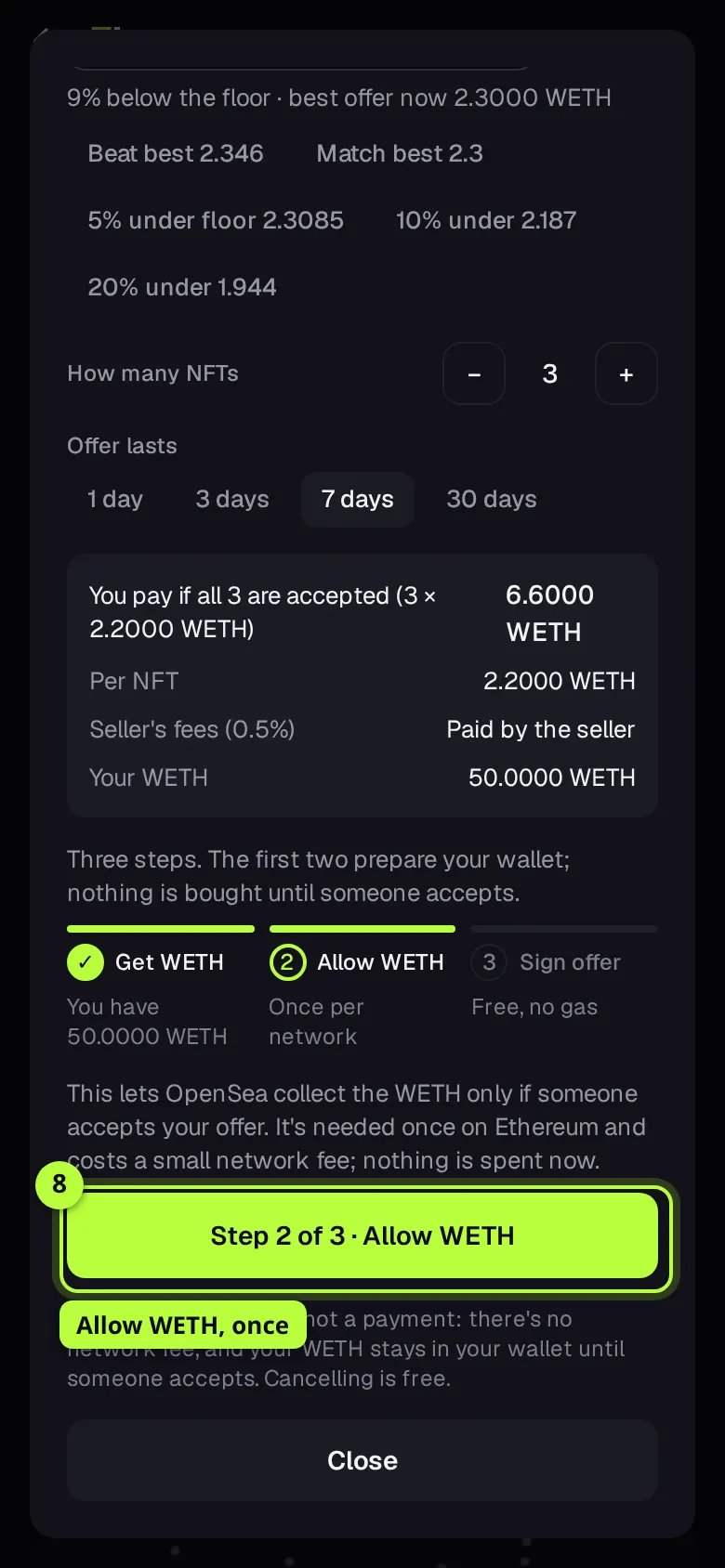
Once per network, press Step 2 of 3 · Allow WETH and confirm. It lets OpenSea collect your WETH only if someone accepts one of your offers. Nothing is spent. It costs a small network fee; if your wallet can't pay it, FloorFeed pays it for signed-in members.
Step 3: sign the offer
Press Step 3 of 3 · Sign offer for 3 × 2.2000 WETH (your number and price) and sign in your wallet. There's no network fee. The sheet says ✓ Offer placed on OpenSea, with See it on OpenSea ↗. FloorFeed opens the next step by itself once the one before it confirms.
Change or cancel an offer
Your live offers are on Portfolio, Offers tab, under Your offers, each with its price, kind, network, time left and distance from the floor.
Find it under Your offers
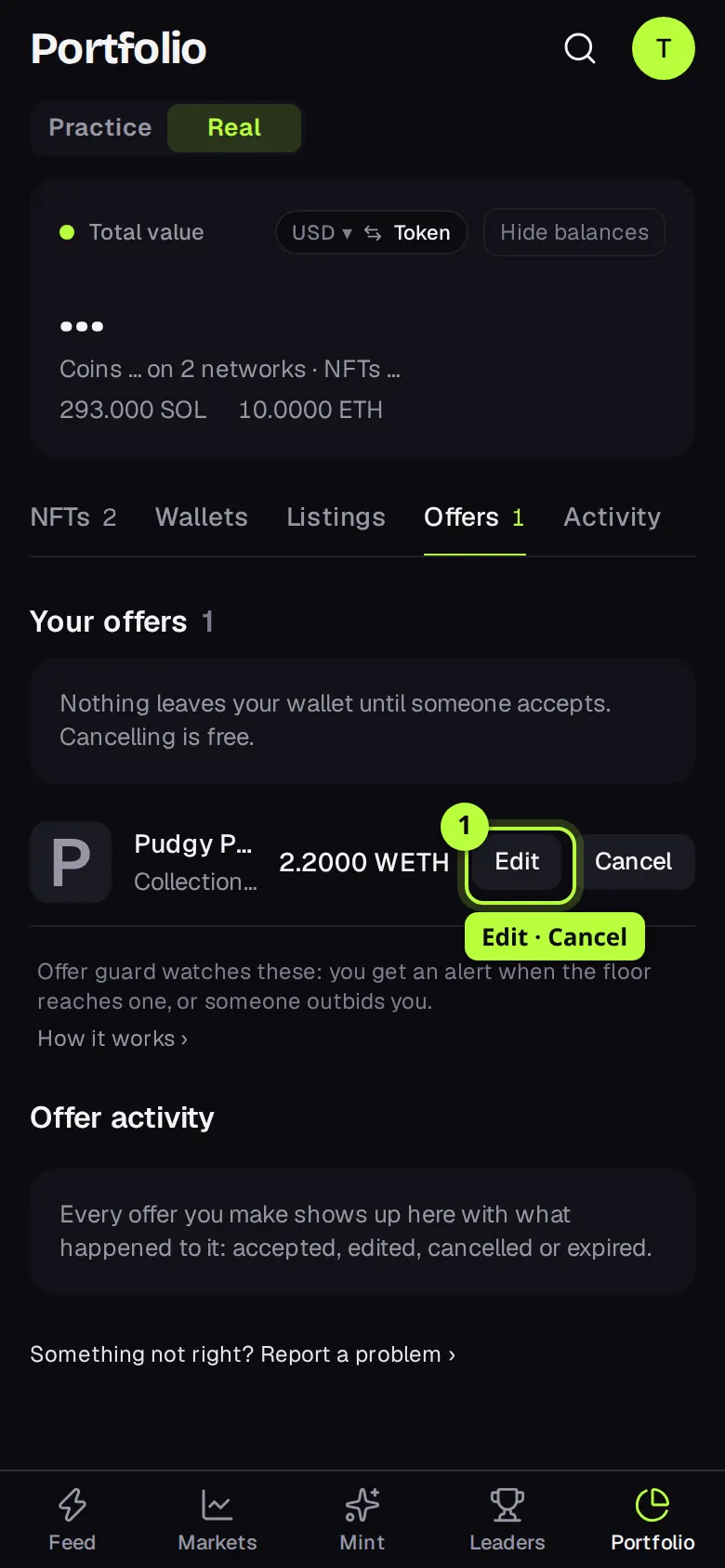
Open Portfolio, then Offers. Each row has Edit and Cancel. Edit isn't there for trait offers: cancel and make a new one instead.
Cancel
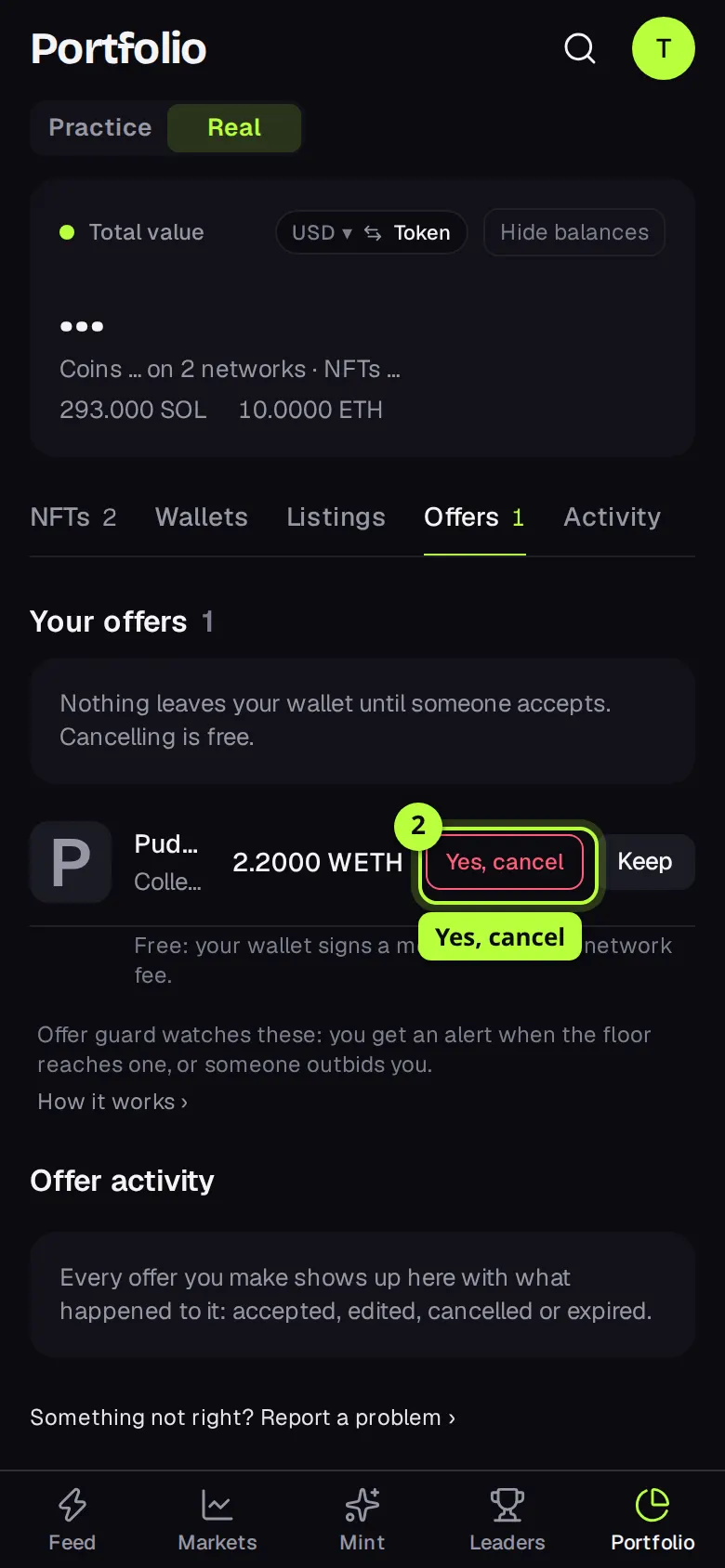
Press Cancel, then Yes, cancel. For offers made on FloorFeed it's free: your wallet signs a message, with no network fee. A few older offers cancel with a transaction, and the row says so before you confirm. Keep leaves it up.
Edit
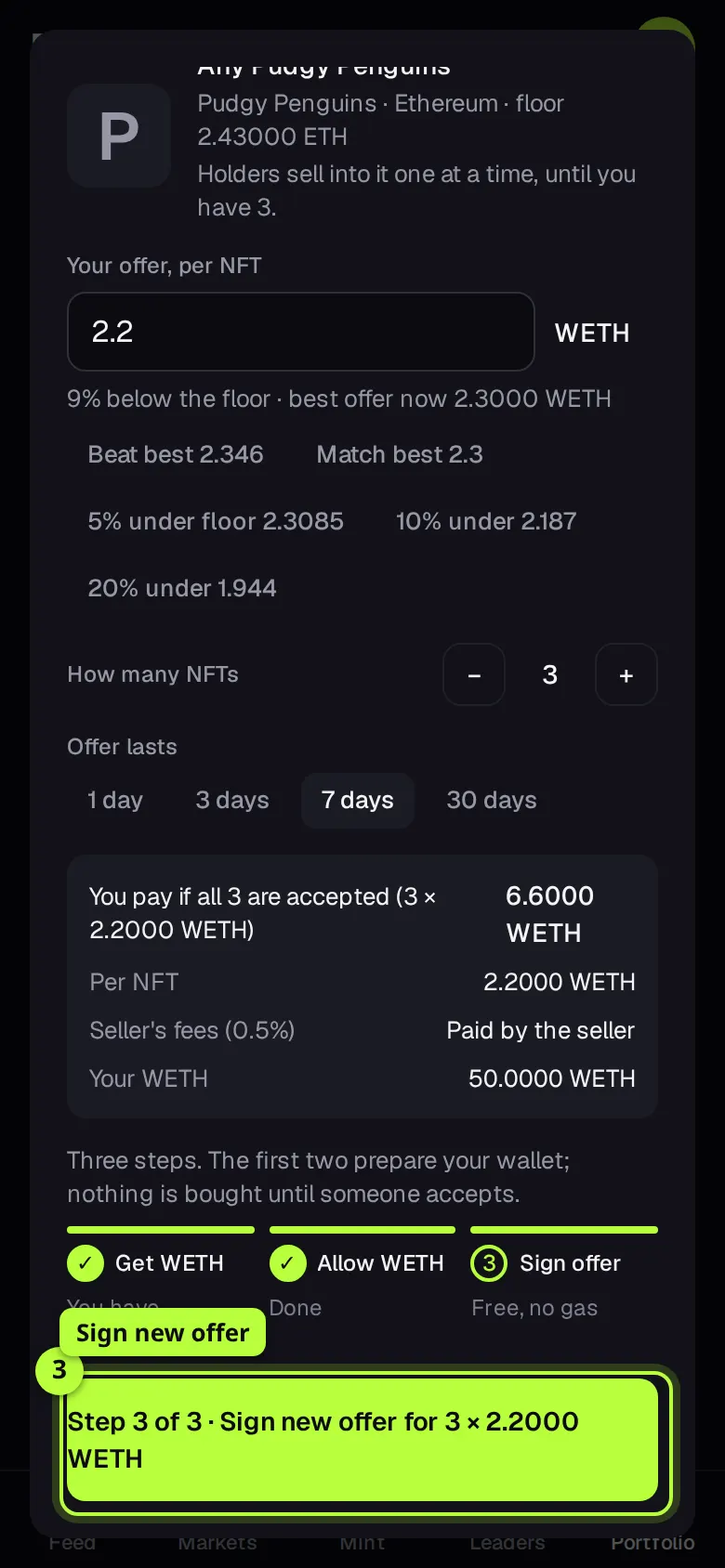
Edit opens Change your offer at the old price. Set the new one and press Step 3 of 3 · Sign new offer for …. FloorFeed places the new offer, then asks you to sign to cancel the old one, so only the new price stands.
On Solana
Solana offers are Tensor offers, on the whole collection or on one NFT. Unlike Ethereum offers, the SOL moves into the offer when you place it and stays there until a seller accepts or you cancel.
Open the offer
On a Solana collection's page, press Offer next to Buy floor (Make a collection offer), or Make an offer on an NFT's page. The sheet shows the floor, Best offer now and Your SOL.
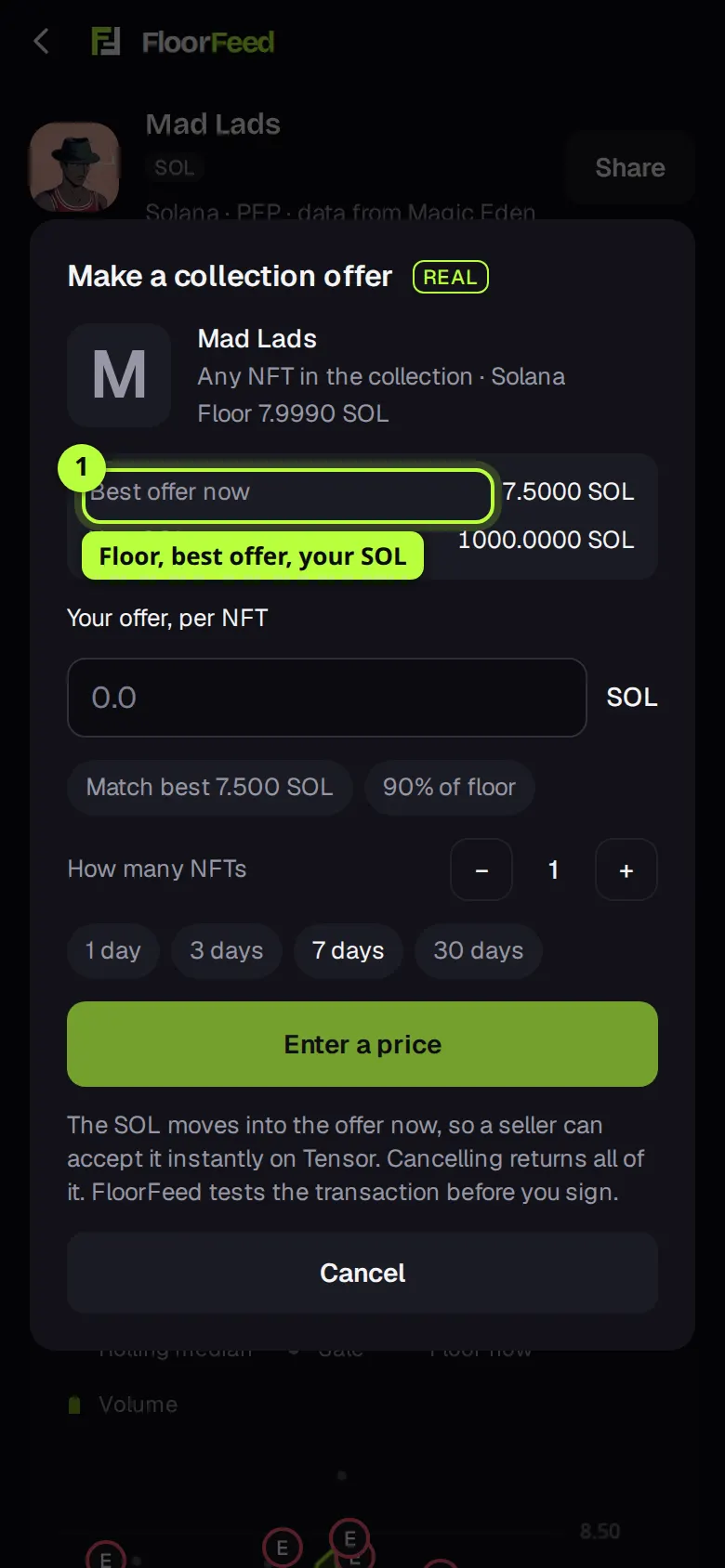
Set the price and how many
Type a price per NFT, or tap Match best or 90% of floor. For a collection offer, set How many NFTs (up to 50), then pick 1 day, 3 days, 7 days or 30 days.
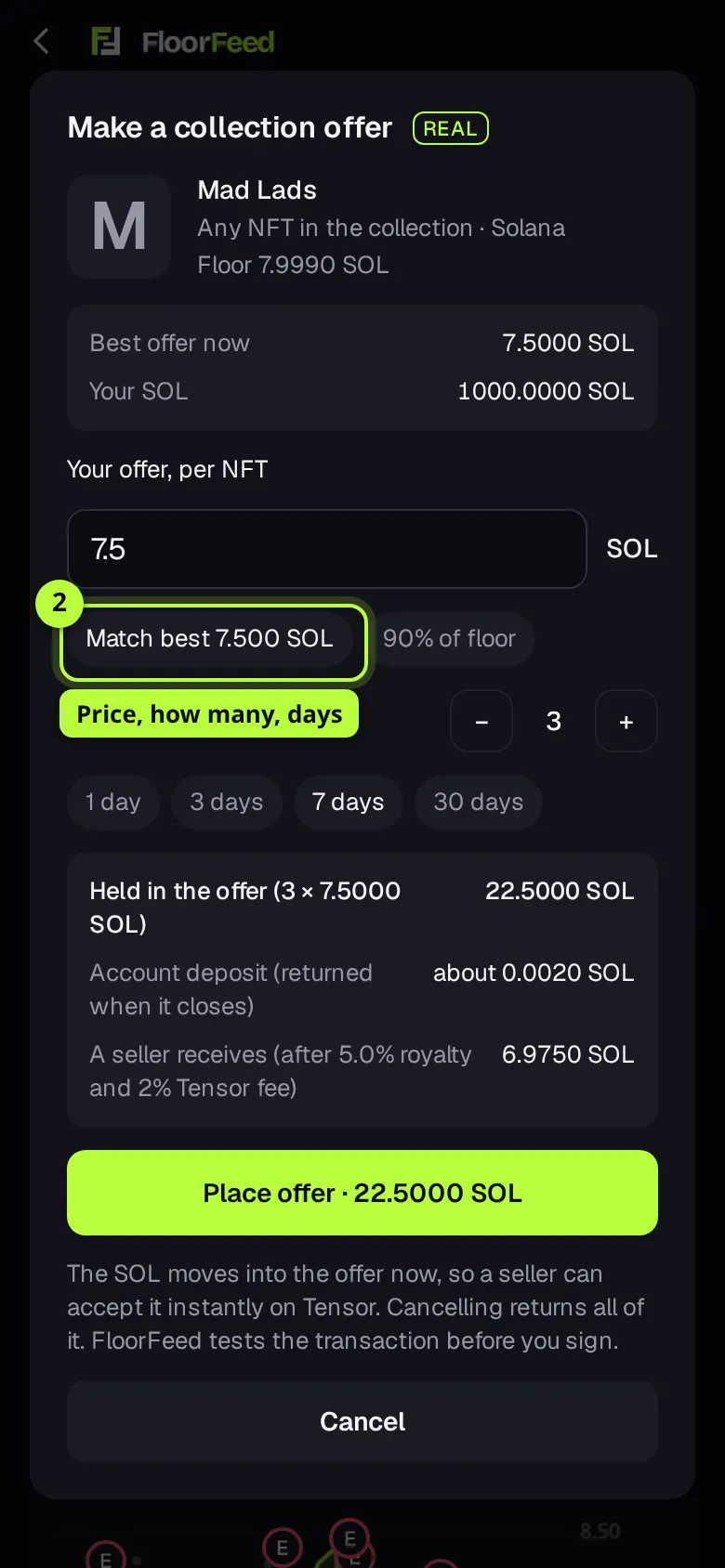
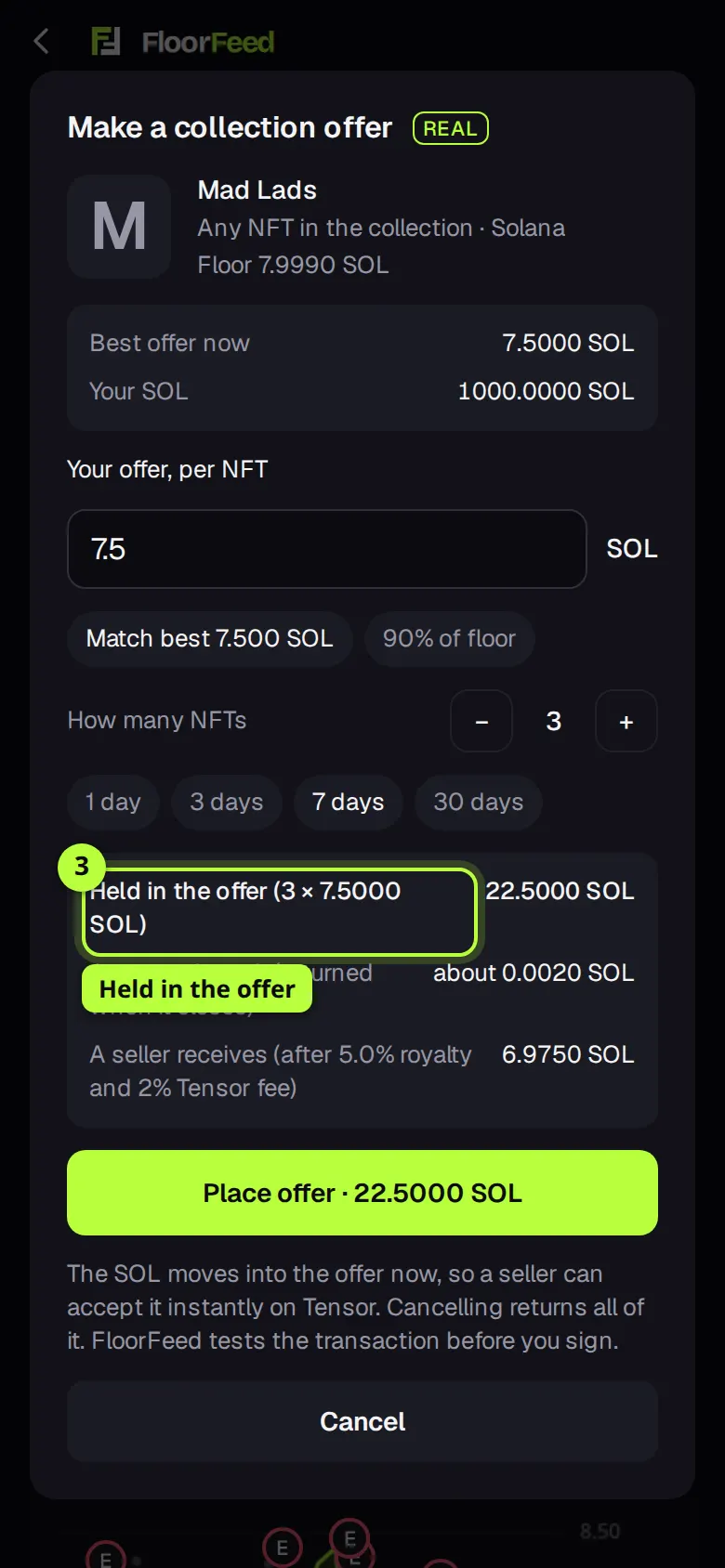
Check what's held
Held in the offer is the SOL that moves now. Account deposit (returned when it closes) is a small extra amount that comes back too. A seller receives shows what a seller gets after the royalty and Tensor's 2% fee.
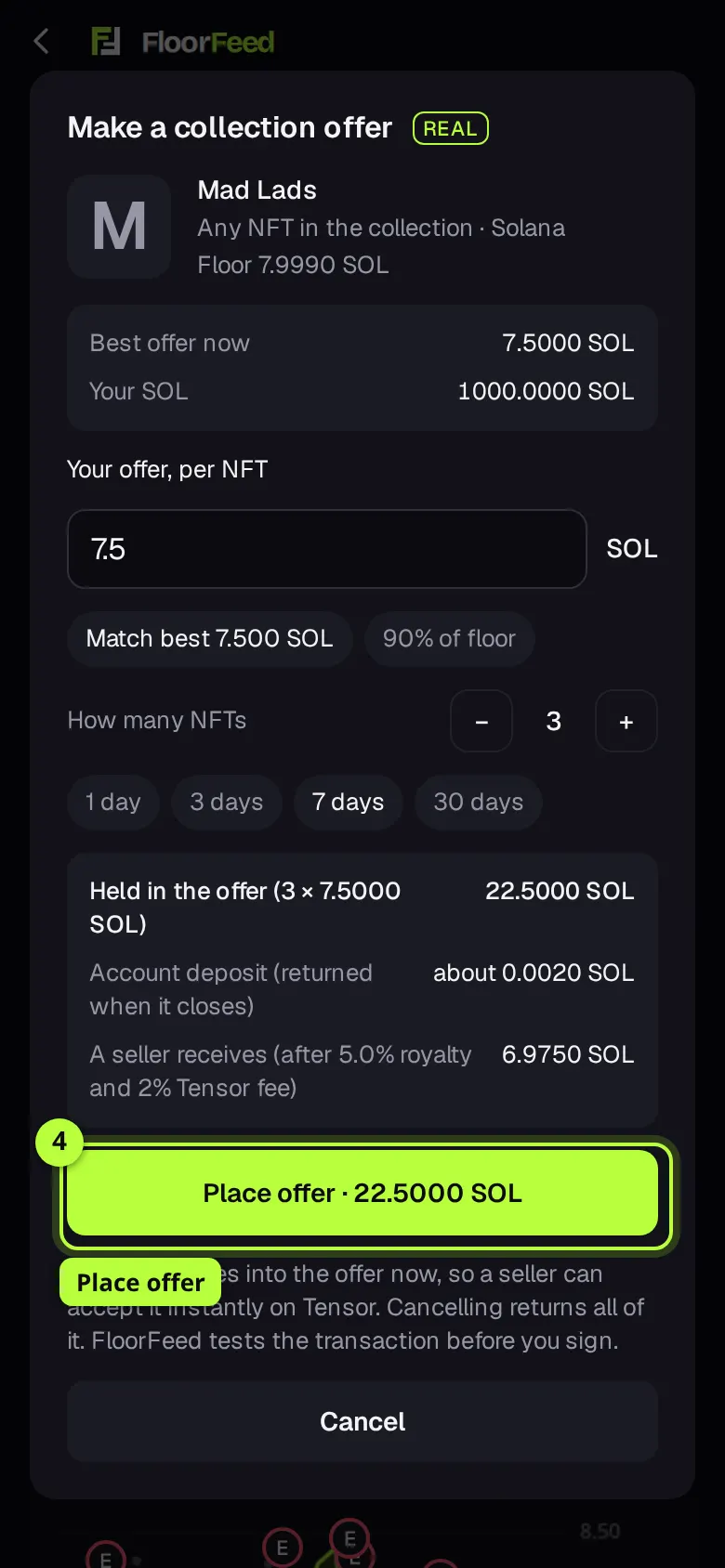
Place it
Press Place offer · … SOL and approve in your wallet. Short of SOL, the sheet offers Get … on Solana first. To cancel later, open Portfolio → Offers and press Cancel, then Yes, cancel: all the SOL comes back, less a tiny network fee.
Options
- Any NFT | With a trait
- A collection offer, or a trait offer for one trait value. Not shown on an NFT's own offer, or when changing an offer. OpenSea turns trait (and sometimes collection) offers off for some collections; the sheet says so.
- Price ideas
- Each chip is one real price and says what it signs: Beat best, Match best, then 5%, 10% and 20% under the floor. At a very low floor two ideas can land on the same 0.0001 step; you then see one, with its true distance from the floor. When the floor is in a different coin than the offers (Axie on Ronin), there are no floor ideas. On Solana: Match best and 90% of floor.
- How many NFTs
- Collection and trait offers: 1 to 50, at the same price each, in one signature. A trait offer can't ask for more NFTs than have the trait.
- Offer lasts
- 1, 3, 7 or 30 days, on both OpenSea and Tensor.
- Cancel all
- Under Your offers, with two or more offers: cancels every Ethereum-network offer in one transaction per network. That costs a network fee; the one-at-a-time Cancel on each row is free.
- Offer guard
- FloorFeed watches your collection offers on Ethereum and its networks and alerts you when the floor reaches your offer or someone outbids you. It starts once you open Portfolio → Offers.
Fees and limits
- Ethereum, Base and the other EVM networks
- Signing an offer is free: no network fee. If it's accepted you pay your price and nothing more; OpenSea's fee and the creator royalty come out of it, paid by the seller. FloorFeed takes no fee on offers you make. Wrapping ETH and the once-per-network Allow WETH each cost a small network fee (cents on Base, Ink and similar networks). Cancelling an offer made on FloorFeed is free.
- Solana
- Your price moves into the offer now, plus a small account deposit and a tiny network fee. If it's accepted, the seller pays the royalty and Tensor's 2% fee out of your price. Cancelling returns the SOL and the deposit, less a tiny network fee. FloorFeed takes no fee on offers.
- Up to 50 NFTs per collection or trait offer, on OpenSea and on Tensor. An offer on one NFT is for one.
- OpenSea prices go in steps of 0.0001. Solana prices go down to a lamport (0.000000001 SOL).
- Offers on Ethereum-style networks are in the collection's offer coin, usually WETH (or the network's wrapped coin, like WAPE on ApeChain). Only that wrapped coin can be wrapped here; another offer coin has to be in the wallet already.
- On Solana, an offer under 5% of the floor is refused as a likely typo. Compressed NFTs can't take offers here.
- Some collections can't take offers here: OpenSea doesn't take them on that collection, or offers on that network aren't available in FloorFeed yet. The sheet says which.
Troubleshooting
- The sheet says the floor is listed at or below my offer.
- Your offer has reached the asking price, so buying is instant and costs no more. Press Buy for … instead, or lower the offer.
- It says "That's at or above the floor."
- A collection offer at or above the floor will probably cost more than buying the cheapest listing. Lower it, or buy the floor.
- "OpenSea takes offers in steps of 0.0001."
- Your price has more decimals than OpenSea allows. Use one of the two prices the sheet suggests.
- "It's taking longer than usual to confirm."
- FloorFeed waited 5 minutes for the wrap or the approval to show on chain. Check Activity, then reopen the offer: a step that has landed shows as done.
- "Your new offer is live, but the old one … is still open."
- When you edited an offer, the new one was placed but the old one wasn't cancelled (you declined the second signature, say). Cancel the old one under Your offers on Portfolio.
- My offer was accepted. Where's the NFT?
- In the wallet you made the offer from. FloorFeed tells you when it's accepted, and History keeps every offer with its outcome: accepted, cancelled or expired.
Questions
- Is my ETH locked while an offer is open?
- On Ethereum-style networks, no. The WETH stays in your wallet and you can use it; if it's gone when someone tries to accept, the sale fails. On Solana, yes: the SOL sits in the offer until it's filled, expires or you cancel.
- Can I turn WETH back into ETH?
- Yes, any time: Money by network on Wallets has Unwrap, one transaction for the same amount of ETH.
- What's the difference from Feed it?
- Offers are for buying below the asking price. Feed it is the other side: selling your NFTs into other people's offers.
Related
- Offer guard: alerts on your offers
- WETH and unwrapping
- The bid ladder: how much buying interest a collection has
- The order book and the Price | Order book switch
- Feed it: sell many NFTs into their best bids
- Trait floors and rarity on listings
- Buy and sweep the floor: by count or by budget
Checked against FloorFeed on 2026-11-08.