Guides › Launchpad and minting
Launch your own collection (a drop) on the launchpad
Upload your art, set the supply, prices and mint phases, and launch the contract from your own wallet. Then run the mint from Manage.
What it is
The launchpad turns a folder of art into an NFT collection with its own contract on Base, Robinhood Chain and Ethereum. You fill in four tabs: Details, Art, Mint and Launch. FloorFeed saves each one to a draft as you go, so you can stop and come back.
The launch itself is one transaction from your own wallet. That wallet owns the contract and gets the mint money. FloorFeed never holds your keys or the money. Collectors then mint on the collection's mint page, and once it's out it trades on OpenSea and on FloorFeed like any other collection.
Where to find it
On the Mint tab, press + Launch a collection at the top. That opens the launchpad (floorfeed.io/create), with what launching costs and Your collections: your drafts and live ones.
Press Create a collection to start a new one, or open one under Your collections to carry on. Creating a collection works on the website only, on a computer or a phone's browser. The app says so instead.
Step by step
Start a new collection
On the launchpad, press Create a collection. The wizard opens on 1 · Details. The other tabs (2 · Art, 3 · Mint, 4 · Launch) open once you've saved the details.
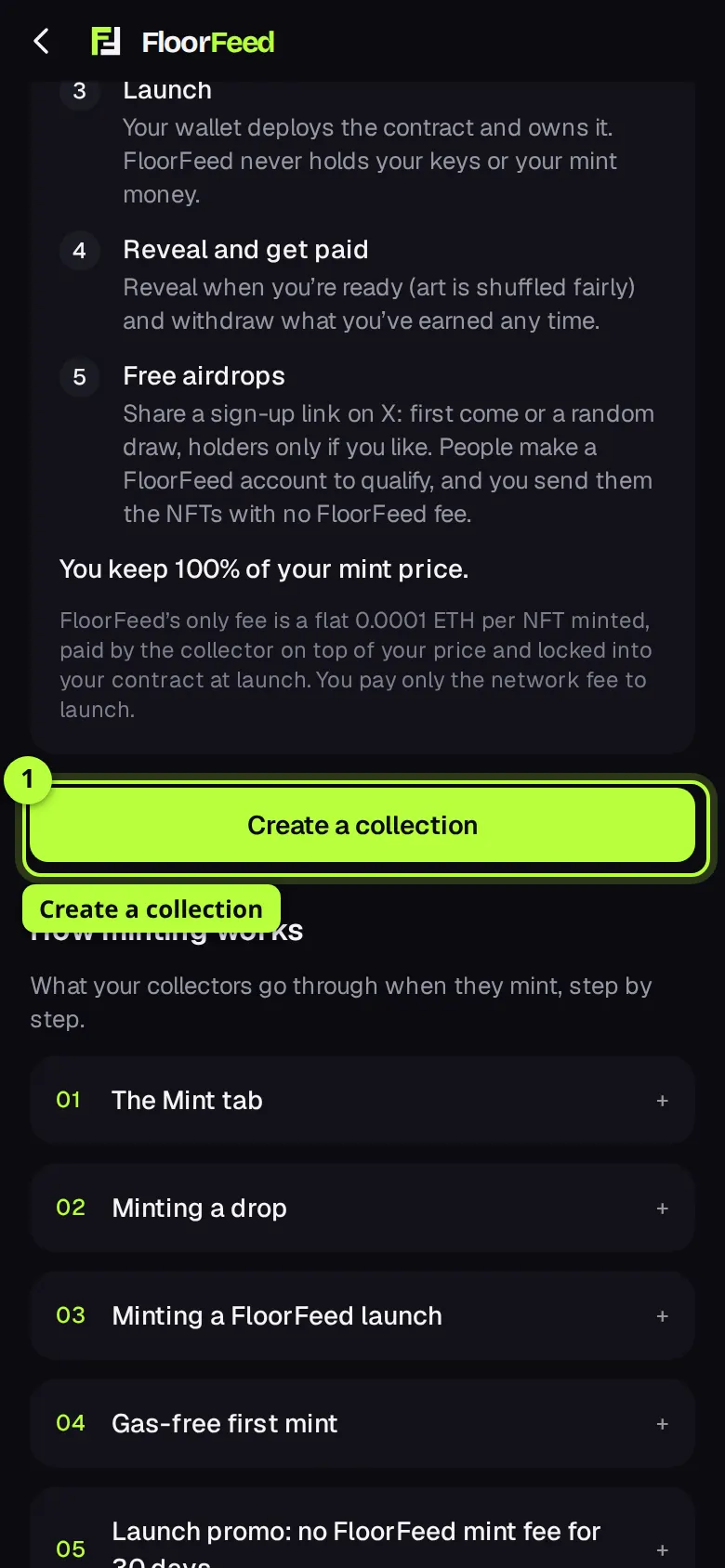
Tip: If it says Launching opens soon, the launch contracts aren't ready yet, and there's no button.
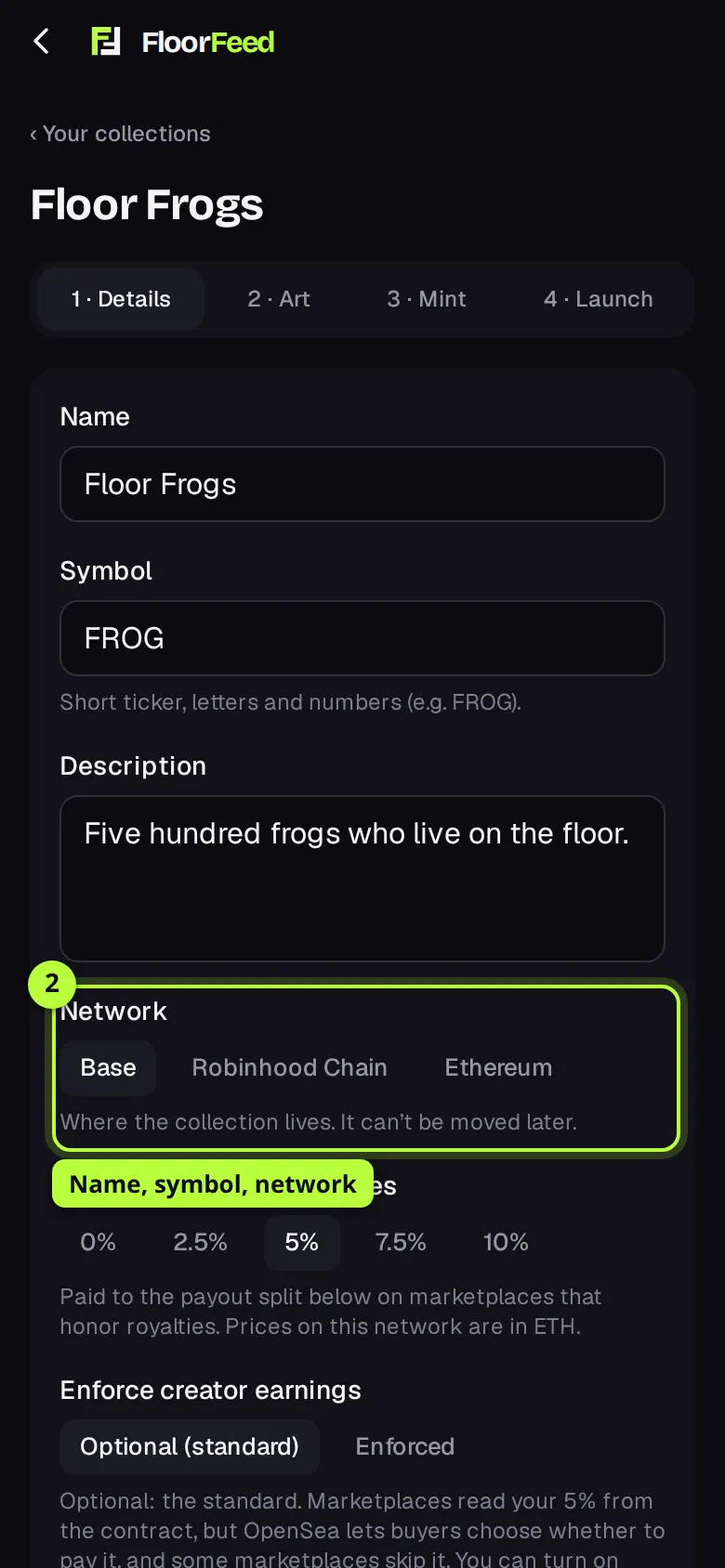
Name it and pick the network
Fill in Name, Symbol (a short ticker, letters and numbers, filled in from the name) and Description. Under Network, pick where the collection lives. It can't be moved later, and prices are in that network's coin.
Set your earnings and who gets paid
Under Creator earnings on resales, pick 0%, 2.5%, 5%, 7.5% or 10%. Enforce creator earnings has Optional (standard) and, on networks with the newest contracts, Enforced. Under Who gets the mint money, leave it to the wallet that launches, or tap + Split the mint money and add wallets with percentages that add up to exactly 100%. Resale earnings split the same way.
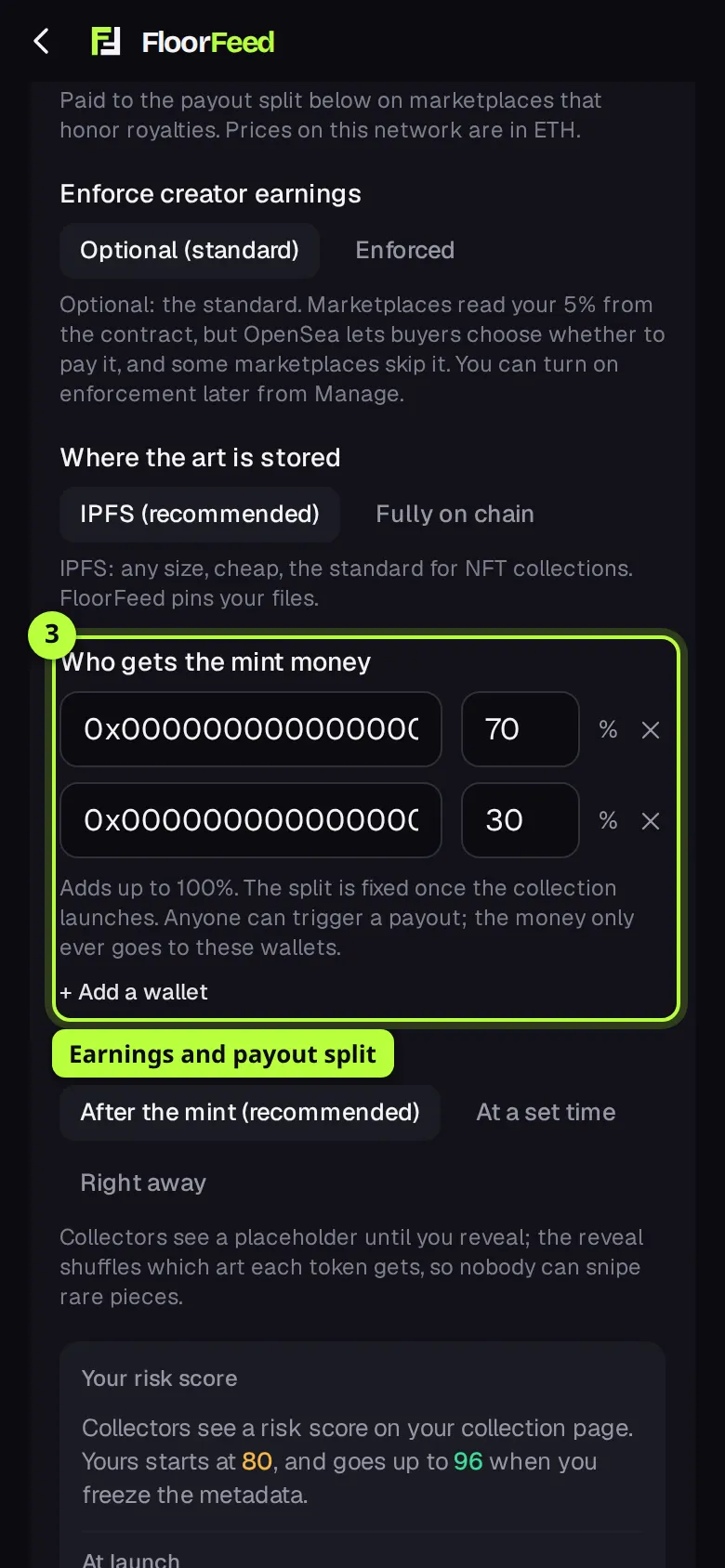
Tip: Without a split, Earnings go to (optional) sends resale earnings to another wallet. Leave it empty for your launch wallet.
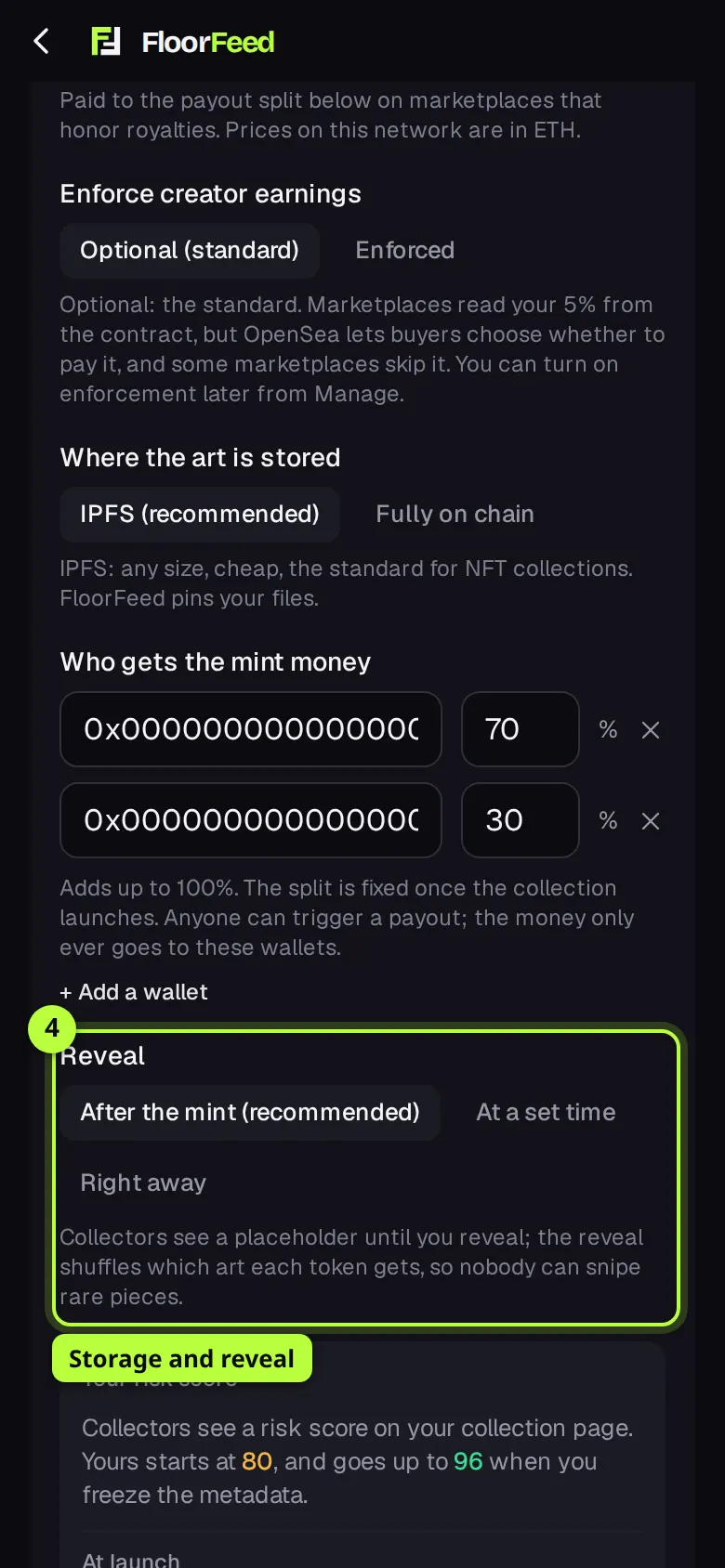
Choose storage and the reveal
Under Where the art is stored, IPFS (recommended) suits any size. Fully on chain writes the art into the contract itself, for small images only. Under Reveal, pick After the mint (recommended), At a set time or Right away. With a reveal later, collectors see your placeholder until you reveal, and the reveal shuffles which art each token gets. Under Images, add a cover (square works best), a banner (3:1) and the placeholder; they open once the details are saved.
Check your risk score, then save
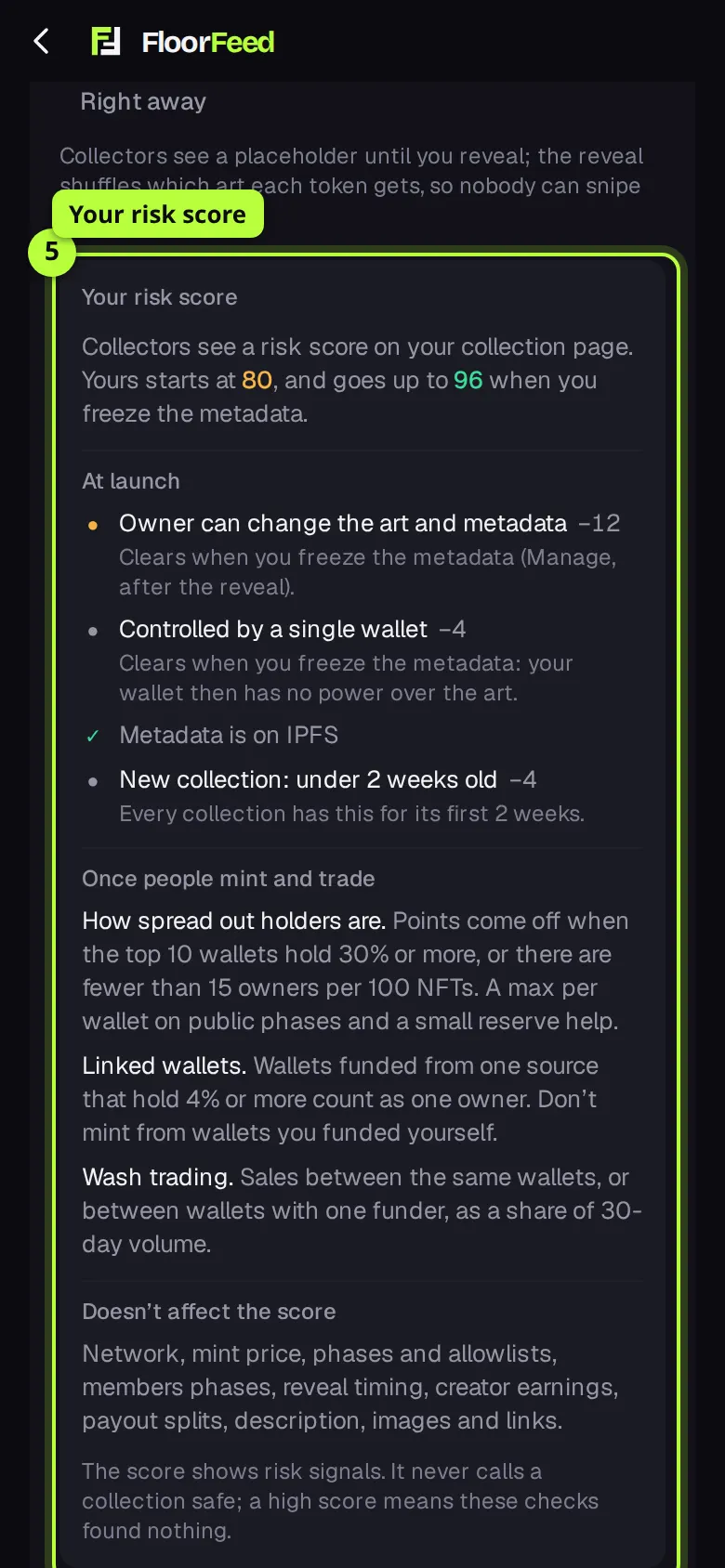
Your risk score shows the score collectors will see on your collection page when it launches, and how far it goes up when you freeze the metadata. Each line says what costs points and how to clear it. A name that copies a bigger collection is the biggest hit. Press Save and add art (Save and continue on a saved draft).
Upload the art
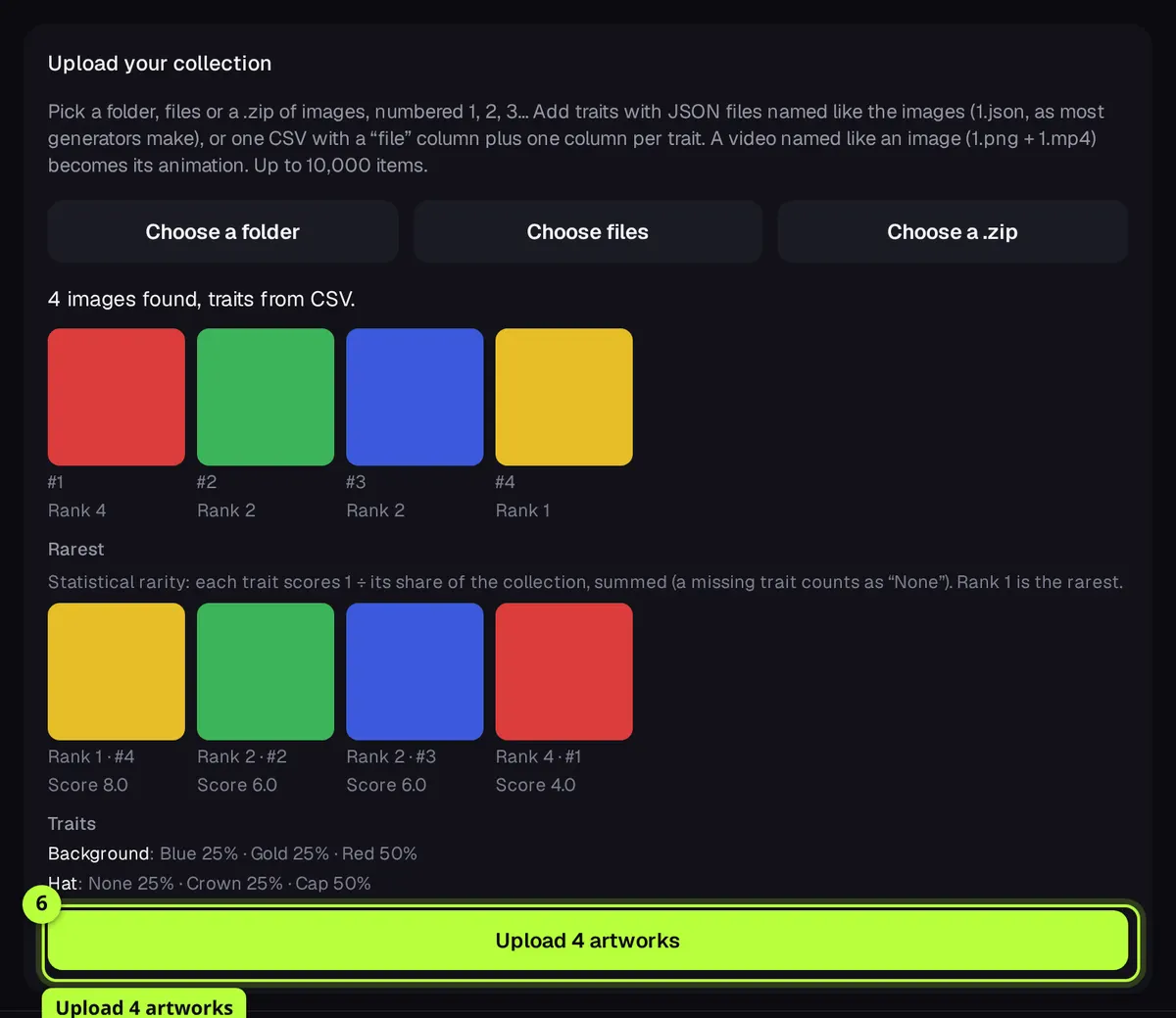
On 2 · Art, press Choose a folder, Choose files or Choose a .zip. Images are numbered 1, 2, 3… and each one is a token. Traits come from JSON files named like the images (1.json) or one CSV with a "file" column and a column per trait. A video named like an image (1.png and 1.mp4) becomes its animation. You see the first images, the rarest and each trait's share before anything uploads. Press Upload 4 artworks (or however many), then Continue to mint phases.
Tip: Keep the tab open while it uploads. If it stops, pick the same files again: only the ones not up yet are sent.
Set the mint phases
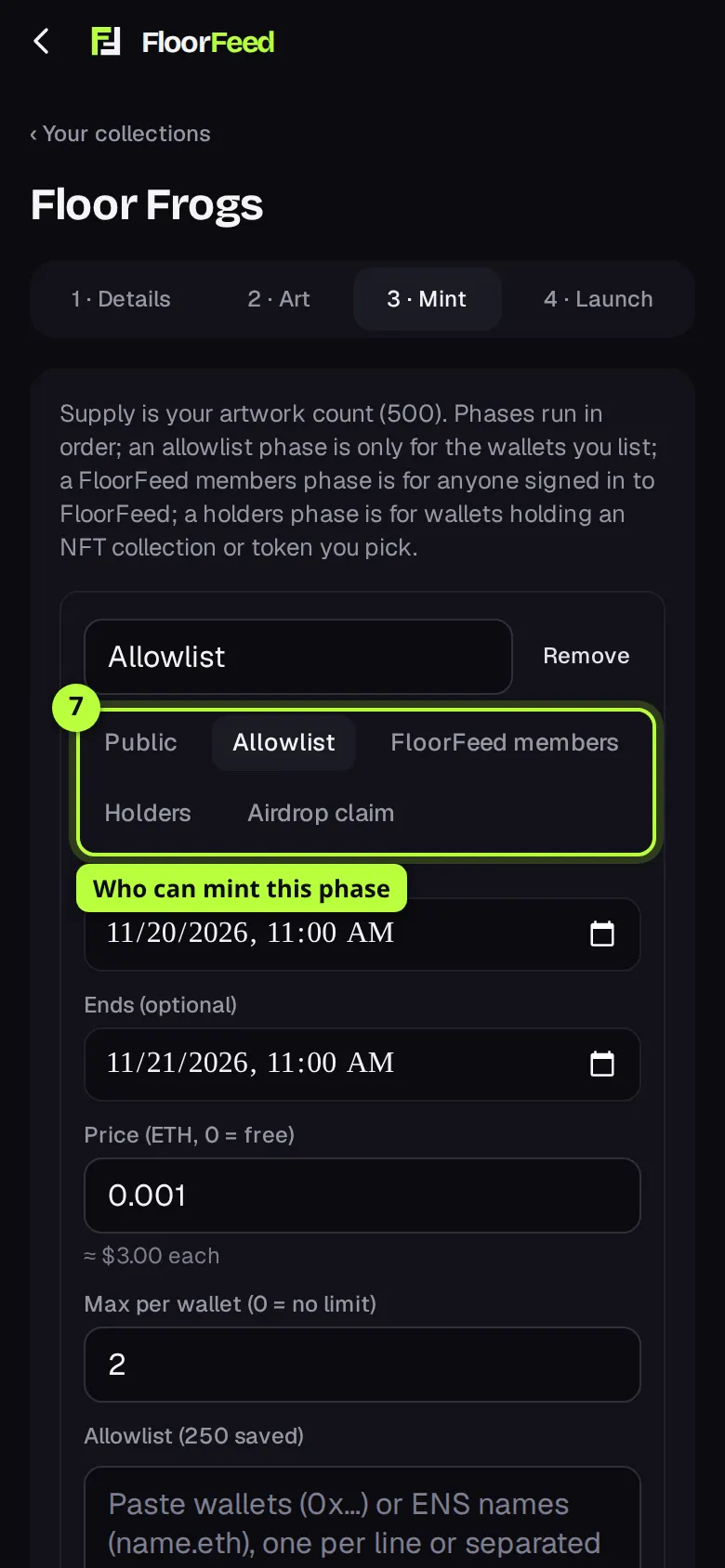
On 3 · Mint, the supply is your artwork count. Each phase has a name, who can mint (Public, Allowlist, FloorFeed members, Holders, or Airdrop claim on networks with the newest contracts), Starts and Ends (optional), Price (0 = free) and Max per wallet (0 = no limit). For an allowlist, paste wallets or ENS names and press Save list, or press Upload CSV or TXT. Press + Add a phase for another, then Save phases and continue.
Tip: Holders phases have their own guide: snapshots, up to five collections and phase limits.
Go through the checklist and launch
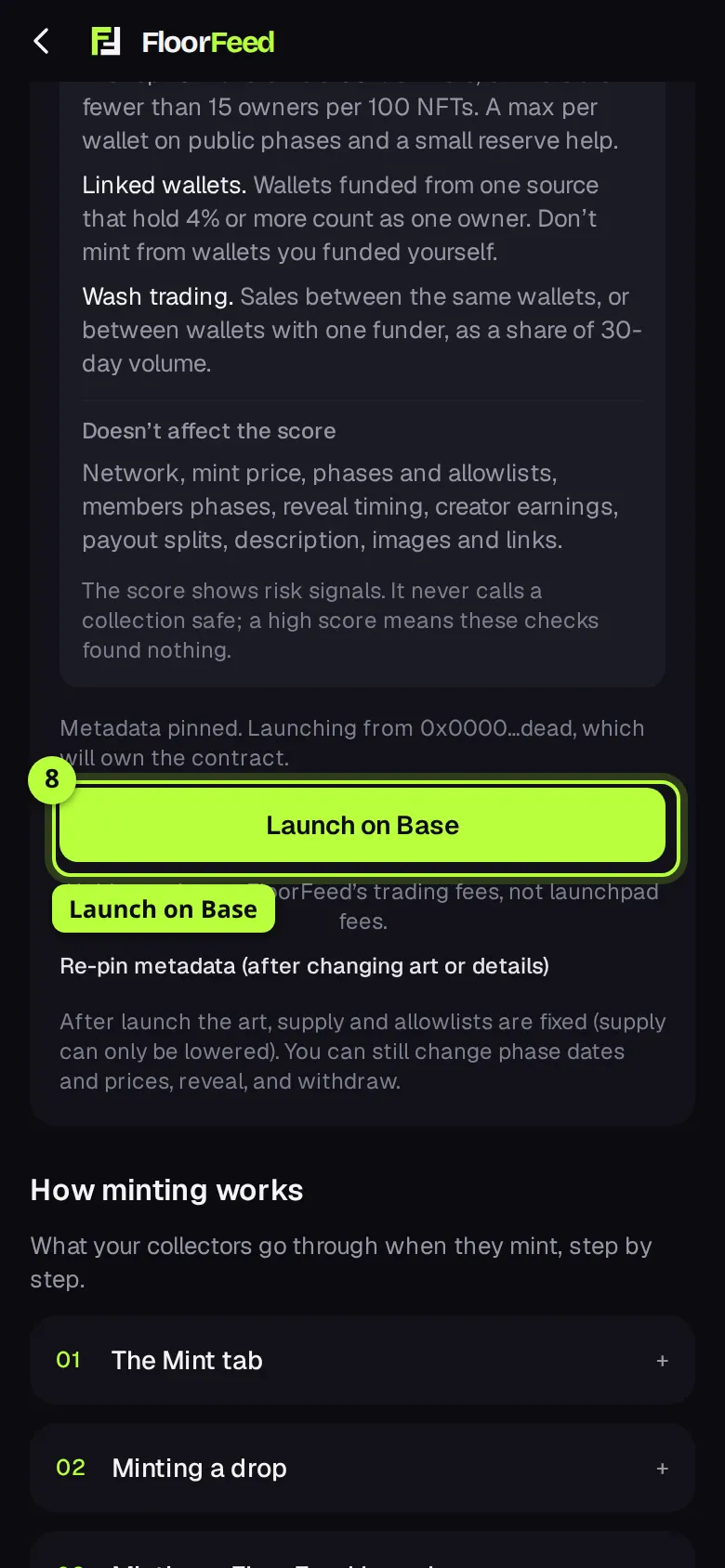
On 4 · Launch, the checklist shows what's done (a ✓) and what isn't (a ✕ with Fix ›), then a summary of every phase, a preview of the mint page and your risk score. Press Prepare metadata: FloorFeed pins the metadata to IPFS. Connect the wallet that will own the collection if it asks, then press Launch on Base (or your network). Your wallet asks you to sign one transaction; you pay only its network fee.
Tip: It then waits for the network, up to 4 minutes. If you close the page, it picks the launch up once it lands.
Run it from Manage
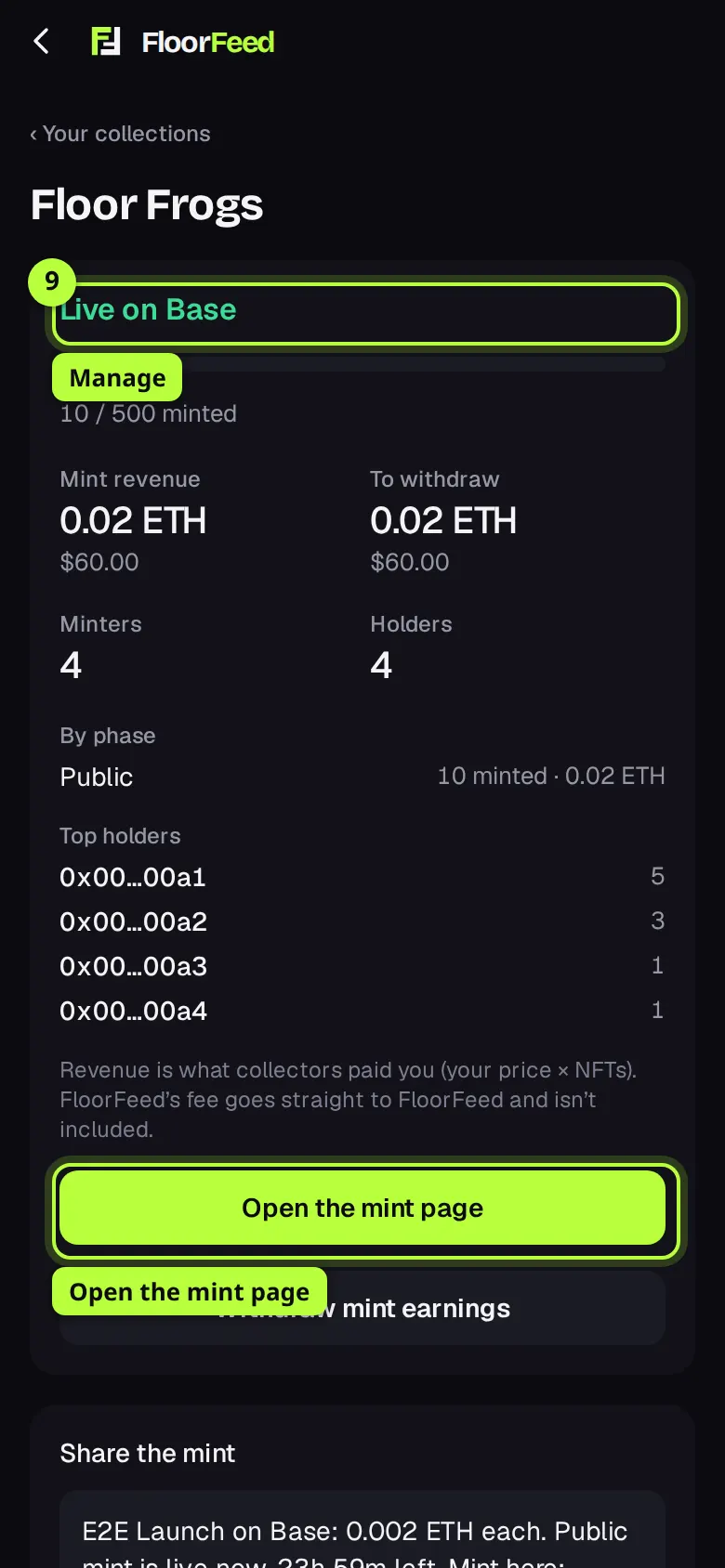
Once it's live, the same page becomes Manage: Live on Base, how many are minted, Mint revenue, To withdraw, Minters and Holders. Press Open the mint page to see what collectors see (floorfeed.io/c/<network>/<address>). From here you withdraw with Withdraw mint earnings (or pay out the split), change phase dates and prices, mint a free reserve or airdrop, and reveal the art under After the mint.
Options
- Network
- The launchpad is on Base, Robinhood Chain and Ethereum. Solana launches aren't switched on yet. Some choices (splits, enforced earnings, a reveal at a set time, airdrop claim phases, fully on-chain art) only show on networks whose launch contracts have them.
- Creator earnings
- 0 to 10% of each resale, paid to you or your split on marketplaces that honor royalties. Optional means OpenSea lets buyers choose whether to pay it. Enforced means marketplaces that skip creator earnings can't move the NFTs.
- Payout split
- Up to 10 wallets, in percents adding up to 100%. Each wallet's share is paid straight to it, and anyone can trigger the payout. The split is fixed once the collection launches.
- IPFS or fully on chain
- IPFS takes any size and FloorFeed pins the files. Fully on chain takes images up to 24.6 KB each (pixel art, small PNG, GIF or SVG), at most 2,000, and shows what writing them costs. After the launch, Manage writes them in a few transactions and you pay their gas.
- Reveal
- After the mint: a placeholder until you press Reveal the art in Manage. At a set time: FloorFeed sends the reveal by itself at the time you pick, and you can move it. Right away: each token shows its art as soon as it's minted, which lets people snipe rare pieces by watching the next numbers.
- Phase types
- Public is open to everyone. Allowlist is only the wallets you list. FloorFeed members is anyone signed in, with the limit per account. Holders is wallets holding an NFT collection or token you pick. Airdrop claim is free with no FloorFeed fee, one each, for the winners of your airdrop sign-up link.
- Most this phase mints in all
- On holders and FloorFeed members phases: keeps part of the supply for later phases. The mint page shows how many are left.
- Eat the Floor (optional)
- On networks that have it, with creator earnings and no split, the Launch tab offers Set it up with the launch: a share of resale earnings goes to a vault that buys the cheapest listing and burns it. It takes two more signatures right after the launch. You can also do it later in Manage.
Fees and limits
- Launching
- Free from FloorFeed. Your wallet pays only the network fee for the launch transaction. Fully on-chain art adds the gas for writing it, shown before you commit.
- Base, Robinhood Chain and Ethereum
- Collectors pay FloorFeed 0.0001 ETH per NFT minted, on top of your price, and see it before they mint. You keep 100% of your price. The fee is locked into your contract at launch and can never change. Airdrop claim phases, and reserves and airdrops you send from Manage, pay no FloorFeed fee.
- Launch promo
- While a banner on the launchpad says No FloorFeed mint fee until a date, collections launched before then on the networks it names pay no FloorFeed mint fee, fixed in their contract for good. It runs for 30 days once FloorFeed switches it on. If you don't see the banner, it isn't on. Solana launches aren't included.
- Holder perks
- Floor Feeders passes cut FloorFeed's trading fees, not the launchpad's mint fee.
- Solana
- Not switched on yet. A Solana launch's collectors pay FloorFeed 0.002 SOL per mint. A payout split there goes through a Metaplex Hydra wallet, which keeps 0.5% of the mint money, and adds about 0.01 SOL of rent to the launch.
- Up to 10,000 artworks. The supply is your artwork count. After launch it can only be lowered (Manage → End the mint now).
- Up to 8 mint phases on Ethereum and its networks (the contract's limit). Max per wallet goes up to 1,000.
- A payout split has up to 10 wallets on Ethereum and its networks, and 2 to 5 in whole percents on Solana.
- After launch the art, the supply (except lowering it) and the allowlists are fixed. Phase dates, prices and limits, the description, images and links can still change. You can swap in new artwork after the reveal until you freeze the metadata.
- Members, holders and airdrop claim phases need FloorFeed to sign each mint, so they only work on networks where that's switched on. The launch says so if it isn't.
- Creating a collection works on the website only, not in the phone app.
Troubleshooting
- The Art, Mint and Launch tabs don't open.
- Save the details first: they open once there's a draft. Name and Symbol must be filled in.
- Save phases and continue is greyed out.
- A Holders phase is missing its collection or token, or how many a wallet must hold. The line above the button names the phase.
- It warns "Double-check the decimal point".
- The price is 0.5 ETH or more per NFT, worth $1,000 or more, or 100 times (or a hundredth of) the previous phase's price. Check it's what you meant; you can still save it.
- A line on the checklist has a ✕.
- Press Fix › on it to go to the tab that needs it: art not uploaded, an allowlist phase with no wallets saved, a split that doesn't add up to 100%, or a phase that ends before it starts.
- It says "You cancelled in your wallet. Nothing was sent."
- You rejected the transaction. Press Launch again when you're ready.
- It says "Not enough ETH on base for gas."
- The launch wallet needs a little of the network's coin for the network fee. Top it up and press Launch again.
- It says "Still not confirmed after 4 minutes."
- Check your wallet for the transaction. The page picks the launch up once it lands; you don't need to send it again.
Questions
- Who owns the contract?
- The wallet you launch from. It's a standard NFT contract; FloorFeed never holds the keys or the mint money.
- Can I change the network after launching?
- No. Pick it before you launch: a collection lives on one network for good.
- Is the reveal fair?
- With a reveal later, the reveal shuffles which art each token gets, so nobody, you included, can steer rare pieces to particular numbers. Reveal once the mint ends.
- Where do collectors find it?
- In Launched on FloorFeed at the top of the Mint tab, and on its mint page, which shows every phase, whether their wallet is on the list, and the total before they pay.
- Can an AI app set it up for me?
- Yes, with FloorFeed's AI connector: it can draft the collection and upload the art. You still check the draft and launch it from your own wallet.
Related
- Holders phases: snapshots, several collections and phase limits
- Launching on Solana: splits, enforced royalties and holders
- Launch promo: no FloorFeed mint fee for 30 days
- Minting a FloorFeed launch
- Free airdrops (sign-up links)
- Talk to your holders
- Connect Claude, ChatGPT or another AI app to FloorFeed
- Soulbound badges and Moments: issue, claim and show them
Checked against FloorFeed on 2026-11-08.