Guides › Trading
Trading cards: graded cards as NFTs
Courtyard and Collector Crypt in one place: floors, volume and owners, filters by game, grader, grade and year, the floor of every grade, and your own cards valued by grade.
What it is
Some NFTs stand for one real, graded trading card: Pokémon, baseball, basketball, One Piece and more. The issuer keeps the card in its vault, and the token is how you own and trade it. To hold the card itself, you redeem the token with the issuer, who ships it to you.
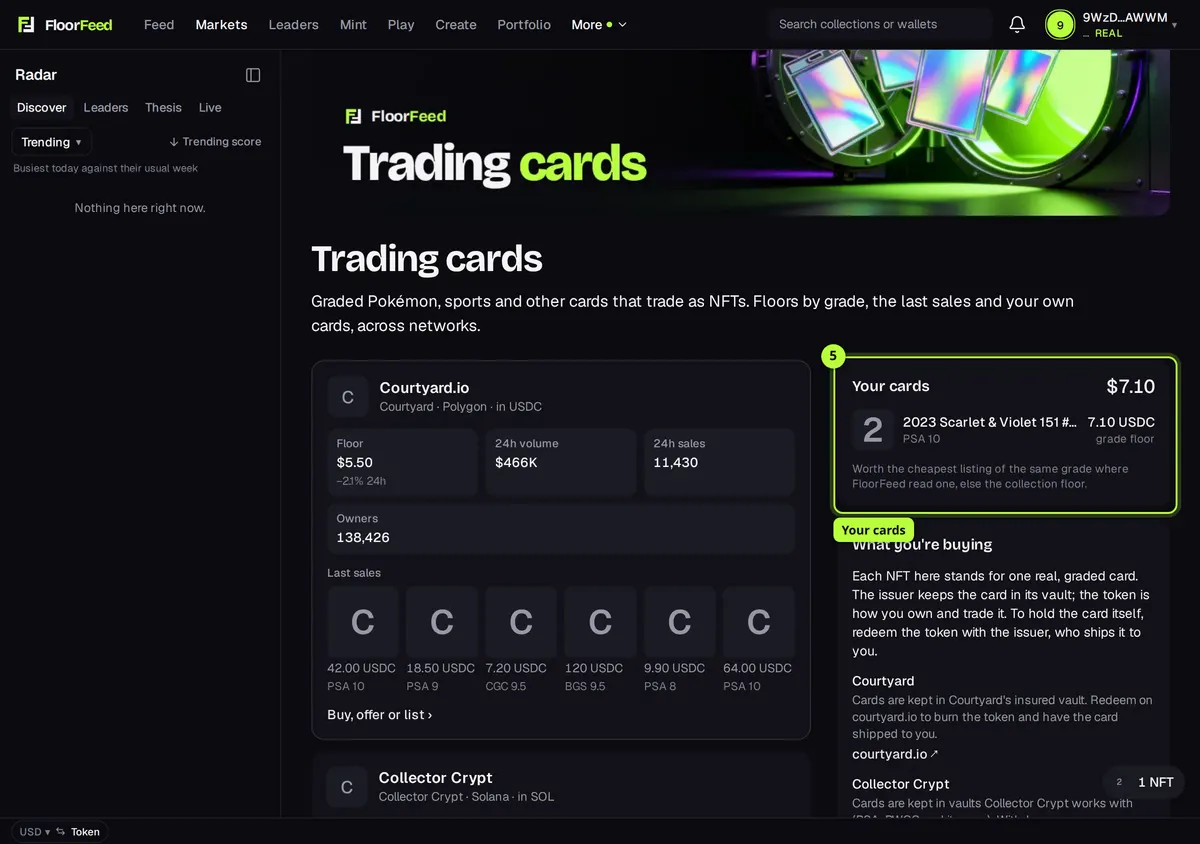
Trading cards puts the issuers FloorFeed follows side by side (Courtyard on Polygon, Collector Crypt on Solana), lets you browse their cheapest listings by game, grader, grade and year, shows the floor of every grade, and values the cards in your wallets by their grade. FloorFeed doesn't hold cards, tokens or money: buying, offers and listing are the collection and NFT pages' own flows, signed in your wallet.
Where to find it
Markets → Trading cards › at the top right of Markets (phones and computers).
On a computer: More → Trading cards in the bar across the top.
Your NFTs: a Trading cards line, when you hold any, opens it.
Step by step
Open Trading cards
On Markets, press Trading cards › at the top. Each issuer's collection shows its Floor, 24h volume, 24h sales, Owners and its Last sales, with each sale's grade when FloorFeed knows it.
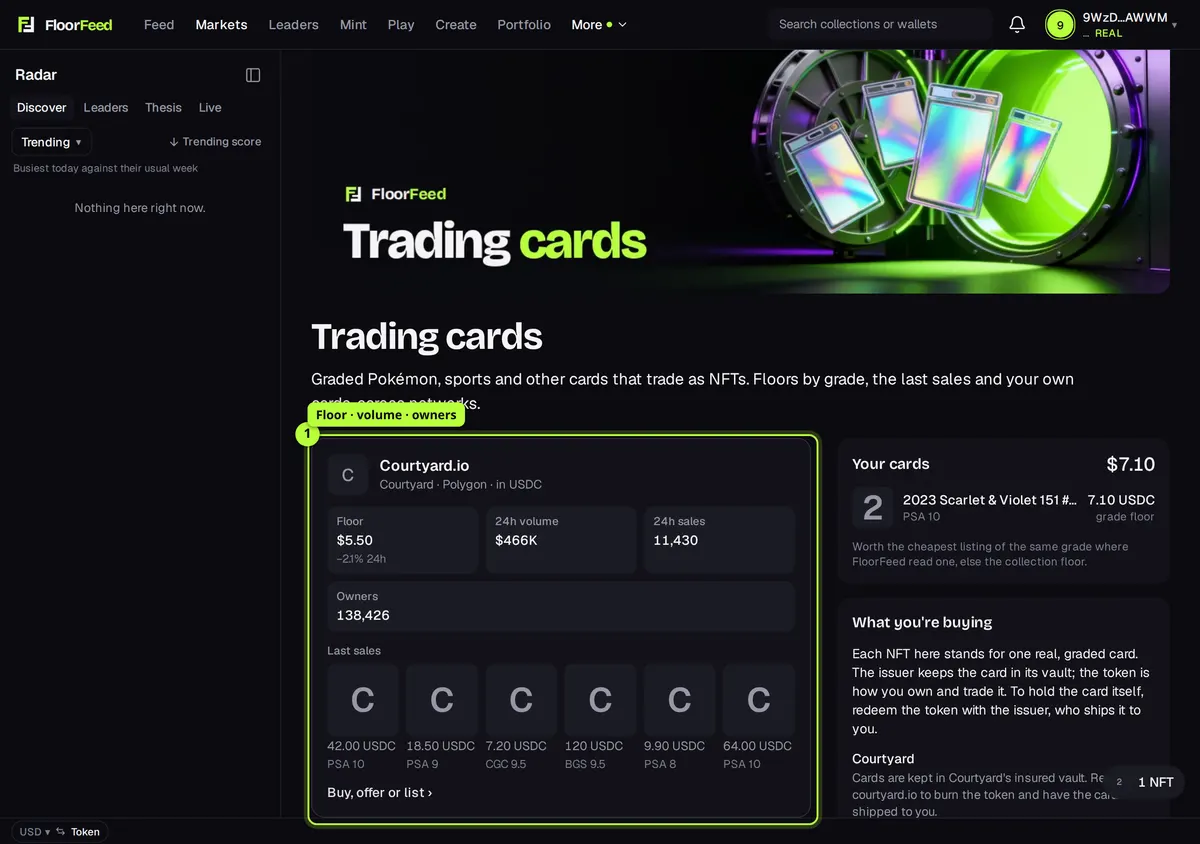
Filter by game, grader, grade or year
Under Browse, pick the collection (Courtyard or Collector Crypt), then press the chips: Game (Pokémon, Baseball…), Grader (PSA, CGC, BGS…), Grade and Year. Each chip says how many listed cards it would show; press it again to clear it.
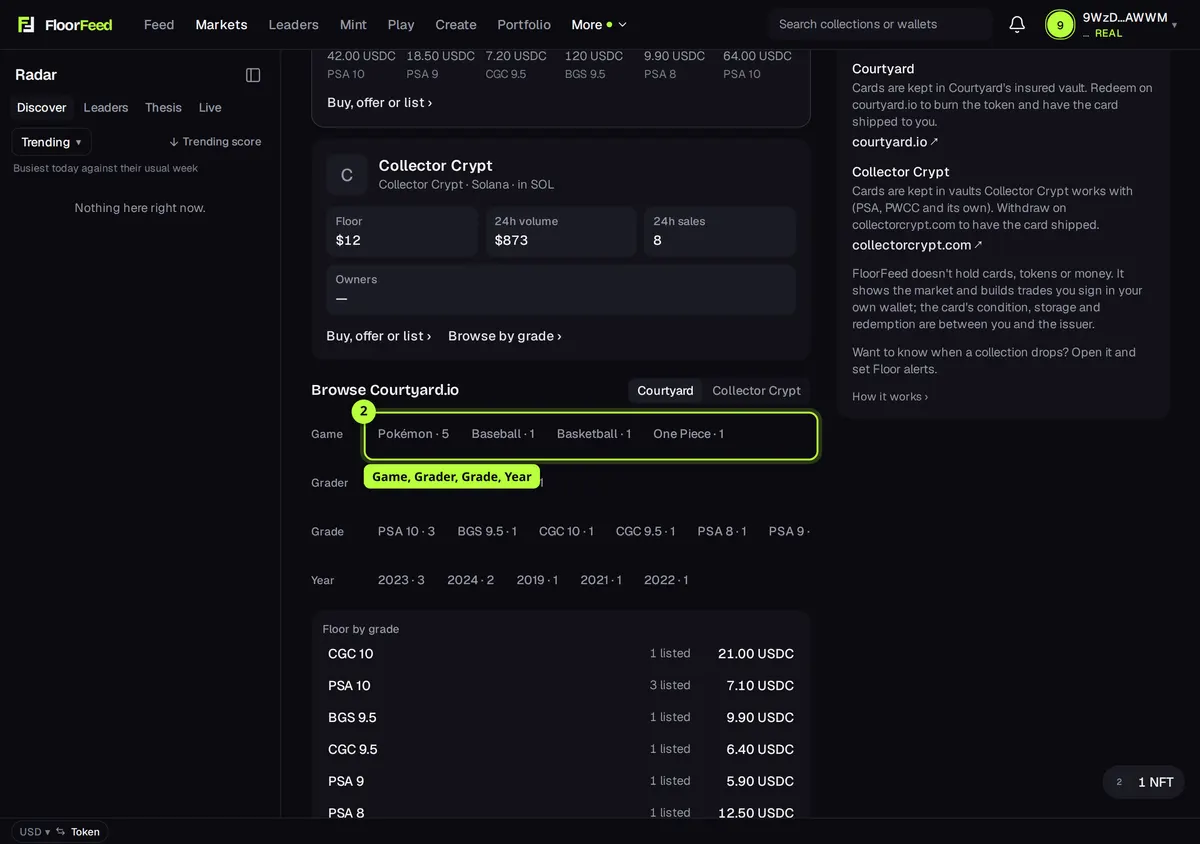
Read the floor by grade
Floor by grade lists the cheapest listing of each grade, best grade first, with how many are listed. Press a grade to see only those cards.
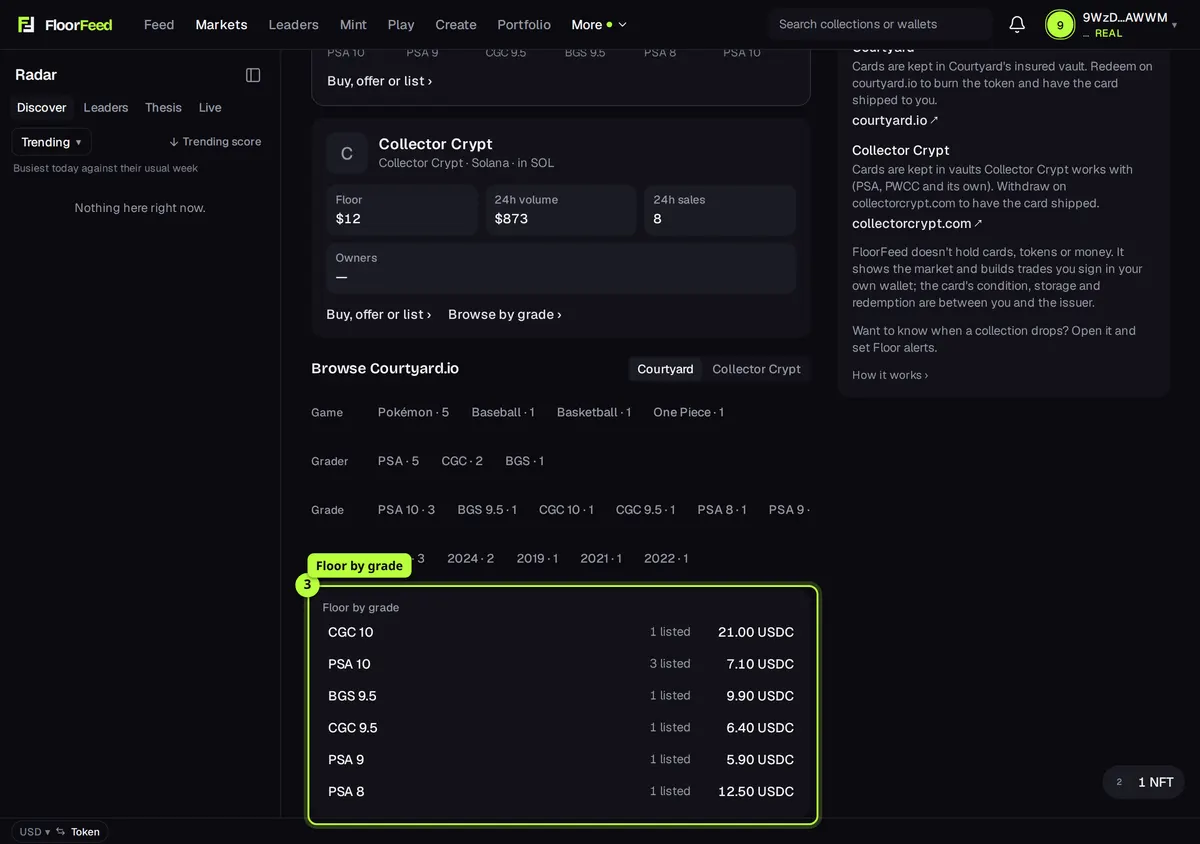
Open a card to buy or offer
Press a card to open its page, check its grade and details, and buy it or make an offer there. Buy, offer or list › on a collection opens its page, with Buy floor, Make an offer and listing. Courtyard's prices are in USDC.e on Polygon: if you're short, Swap & continue gets it for you.
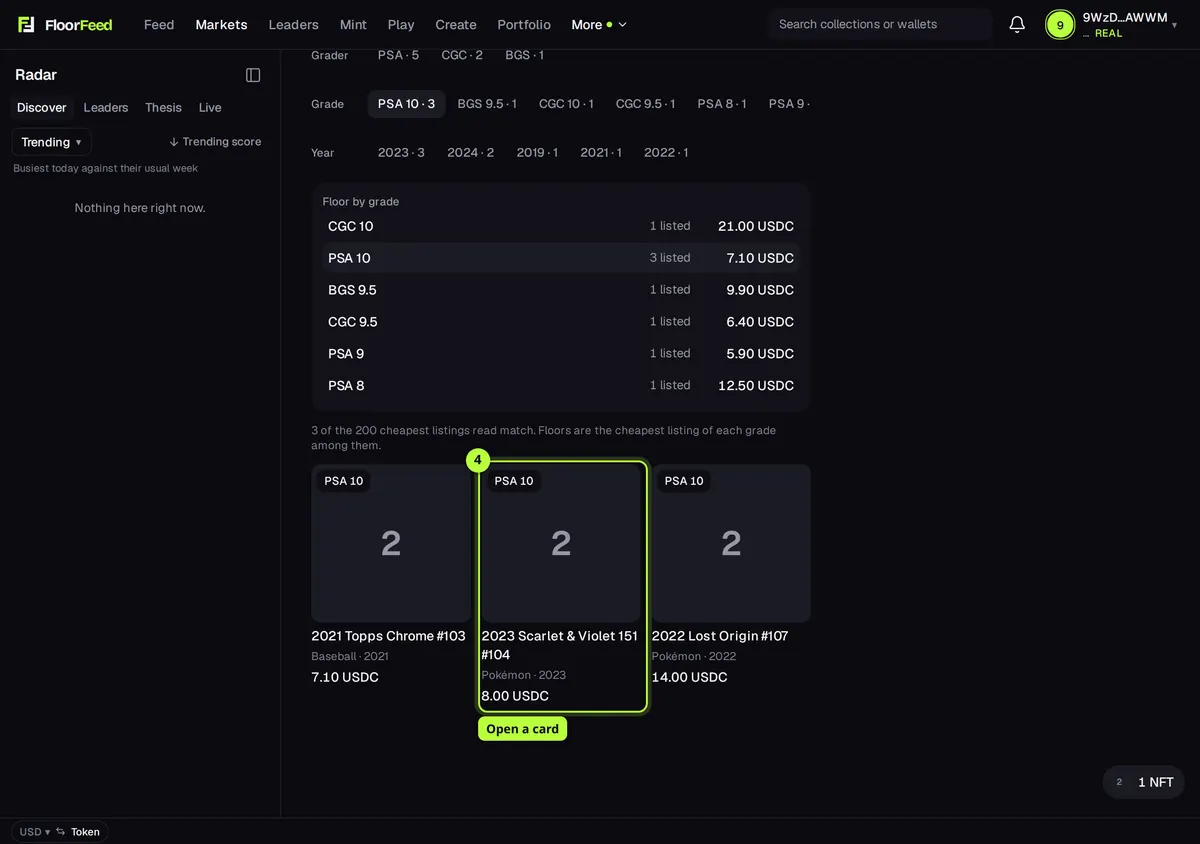
See your own cards
Signed in, Your cards lists the tokenized cards in your wallets with their grade, each worth the cheapest listing of the same grade where FloorFeed read one (grade floor), else the collection floor, and their total.
Options
- Grades
- Shown as grader and number (PSA 10, CGC 9.5, BGS 9.5); Pristine and Black Label are kept apart from a plain 10. Cards an issuer marks as ungraded (sealed product, merch) have no grade.
- Games
- The issuer's own category, with spellings merged (Pokemon and Pokémon are one game).
Fees and limits
- Polygon (Courtyard)
- Priced in USDC.e, with a little POL for gas and a one-time approval before your first buy. Any FloorFeed fee is shown on the button before you sign.
- Solana (Collector Crypt)
- Priced in SOL, bought through the collection page as any Solana NFT. Any FloorFeed fee is shown on the button before you sign.
- Redeeming
- Shipping and any redemption fee are the issuer's, paid on their site. FloorFeed isn't part of it.
- Grades, games and years come from each issuer's details on the token. A card whose issuer doesn't say them can't be filtered, and is valued at the collection floor.
- Browsing and floors by grade read each collection's 200 cheapest listings. A grade whose cheapest copy costs more than those shows no floor here.
- Price alerts work on a whole collection (its page → Floor alerts), not on one grade.
- Only issuers whose collections FloorFeed has checked against their own published addresses are listed: Courtyard and Collector Crypt for now.
Troubleshooting
- It says Reading these cards' grades.
- The first look at a collection reads its listings' details. Give it a few seconds: the page looks again by itself.
- My card shows the collection floor, not a grade floor.
- No listing of its grade was among the cheapest ones read, or its issuer doesn't give its grade. The value is the collection floor until one is.
- How do I get the physical card?
- Redeem it on the issuer's site (courtyard.io or collectorcrypt.com). They burn or lock the token and ship the card; FloorFeed can't do it for you.
Questions
- Does FloorFeed hold the cards or my money?
- No. The issuer holds the card; you hold the token in your own wallet. FloorFeed shows the market and builds trades you sign yourself.
- Who checks the card's condition?
- The grader (PSA, CGC, BGS…) graded it, and the issuer stores and insures it. Read the issuer's terms before you buy.
- Are there packs?
- Not on FloorFeed. Issuers sell packs on their own sites; FloorFeed only shows and trades single cards.
Related
- Swap & continue: pay in any token you hold
- Buy and sweep the floor: by count or by budget
- Making offers: on a collection, a trait or one NFT
Checked against FloorFeed on 2026-11-14.